





Try it free

NetHunt’s Changelog

All product updates, improvements, and fixes — in one place.

Want to stay updated on our product roadmap? Keep an eye on this page

NetHunt CRM - Invoice & Payment Automation with àbank

àbank integration

We added àbank integration to eliminate manual work with invoices and payments and make the financial stage of deals faster and more transparent.
  • Invoice generation: invoices are created automatically when a deal moves to the required stage.

  • Sending to customers: invoices are instantly sent to the customer via email.

  • Payment tracking: CRM receives transaction data and updates the deal status.

  • Financial records: all payment data is stored in CRM without errors or duplicates.
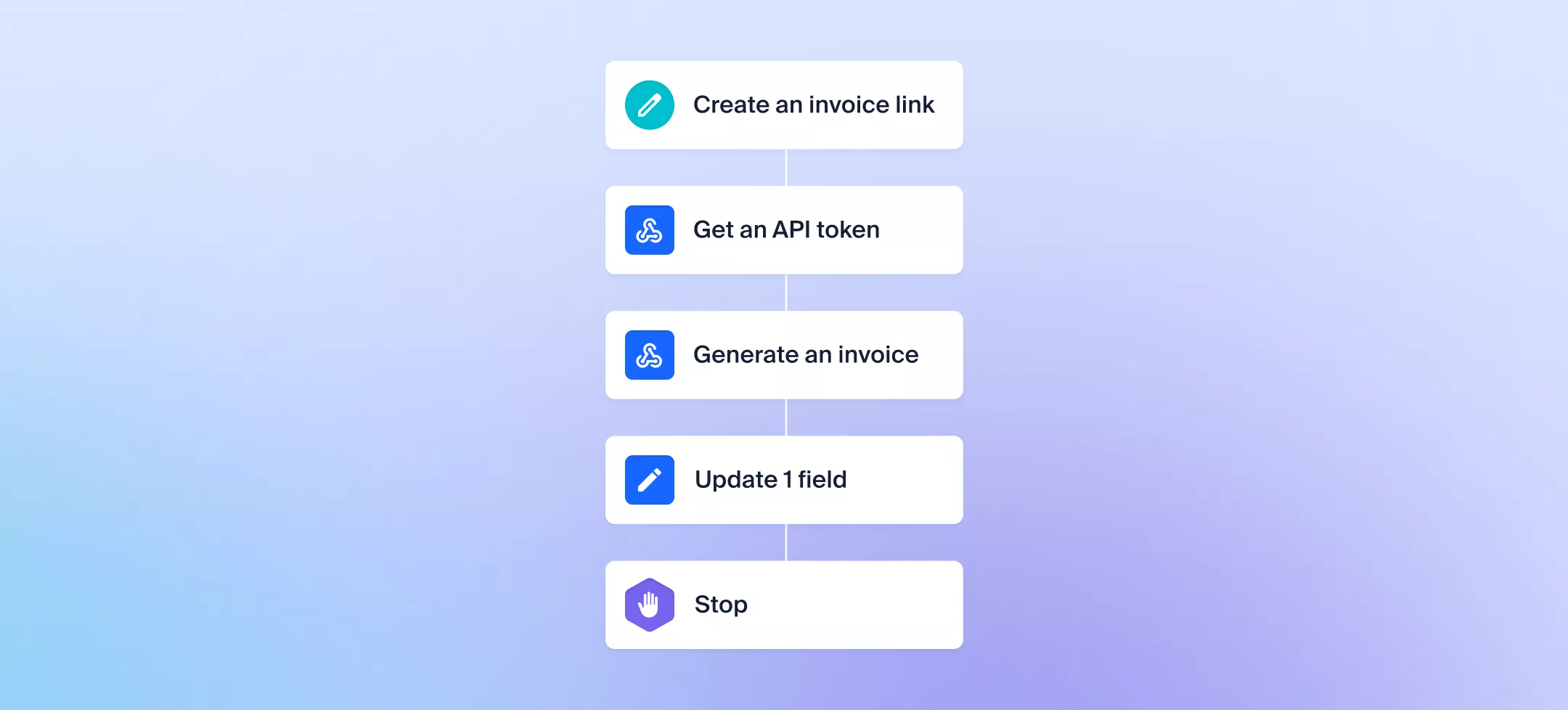
Automation of invoices and payments
NetHunt CRM - Team Time-offs Management & Updated Notification Logic

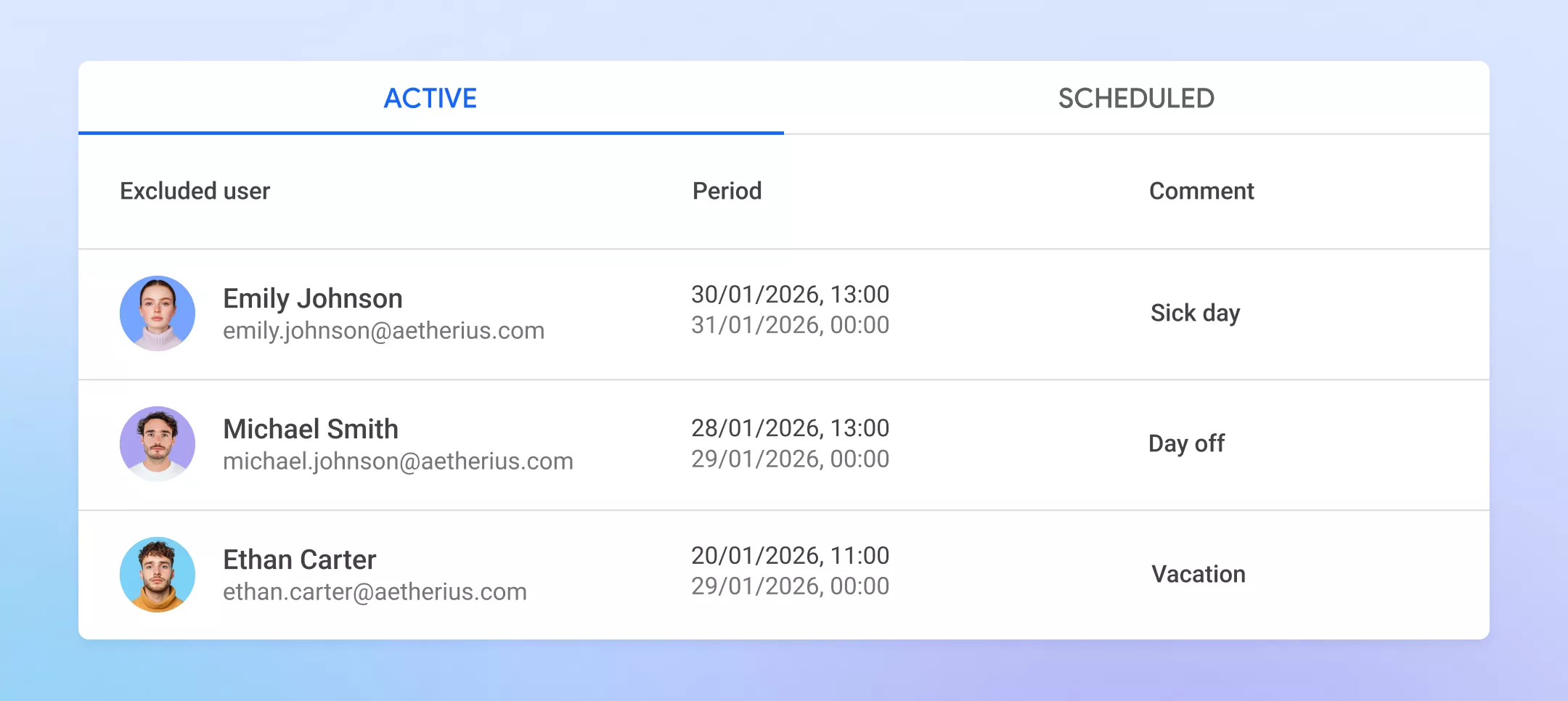
Team time-offs management

We added tools that help CRM workflows stay on track even when part of the team is on vacation or sick leave. Lead assignments or tasks remain accurate and nothing gets stuck.
  • Time Offs: set absence periods to temporarily exclude a user from automatic assignment.

  • Substitutes: new records and tasks are automatically reassigned to another manager.

  • Scheduling: absences are set for specific dates in advance.

  • Access: settings are available to admins only.

Detailed guide with the setup Time offs settings

Notification logic

Important emails no longer get lost. Emails with notifications are sent regardless of whether the notification was already viewed in the CRM web app.

Search persistence

Selected search filters and folders are now saved, no need to reconfigure them after refreshing the page.
NetHunt CRM - Massive upgrade to Tasks: more powerful, fully customizable (40 new use cases)
We’re rolling out one of the biggest improvements to Tasks yet — combining the flexibility of records with the speed and focus of task management.

Here’s what’s new 👇

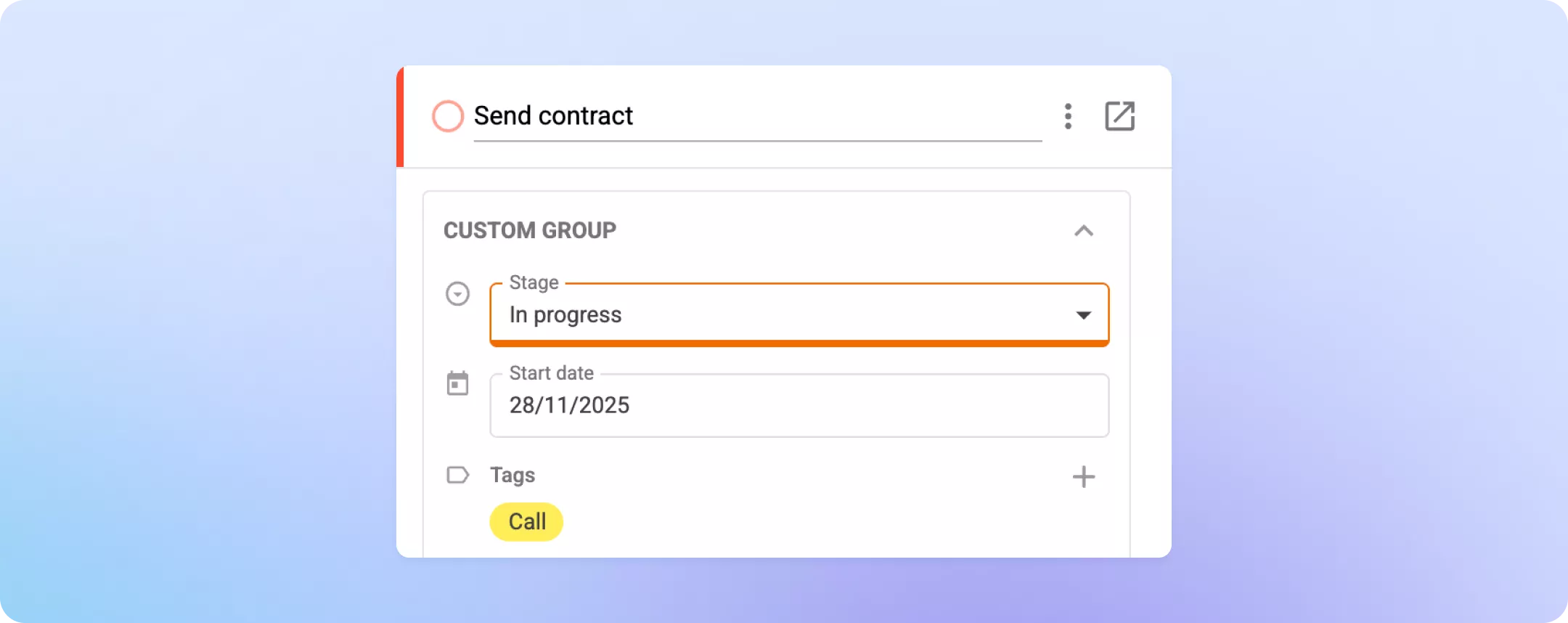
Custom fields and field groups

Tasks are now fully customizable — just like any other record in NetHunt CRM.

You can now add custom fields to tailor Tasks to your exact workflow.

Here’s just a few tips of what you can add to the Tasks:

  1. Add Stages to create a standardized task process.

  2. Add Task Type (call, meeting, follow-up, etc.) to clarify what needs to be done.

  3. Add Start Date for tasks that require prep before the due date.

  4. Customize Priority levels to reflect how your team actually works.

  5. Add Result / Next steps fields to log outcomes.

  6. Add Statistics fields to track progress (e.g., time spent on stage).

  7. Add Related summaries for Deals, Projects, or other linked records.

  8. Organize fields into groups to split them into categories for easier overview.

  9. Disable field icons for a cleaner, more minimal layout.

a saved Task with most custom fields listed below added
Your Tasks can now be as simple — or as powerful — as you need.

Custom completion requirements

You now have more control over what must be done before a Task can be marked as complete.
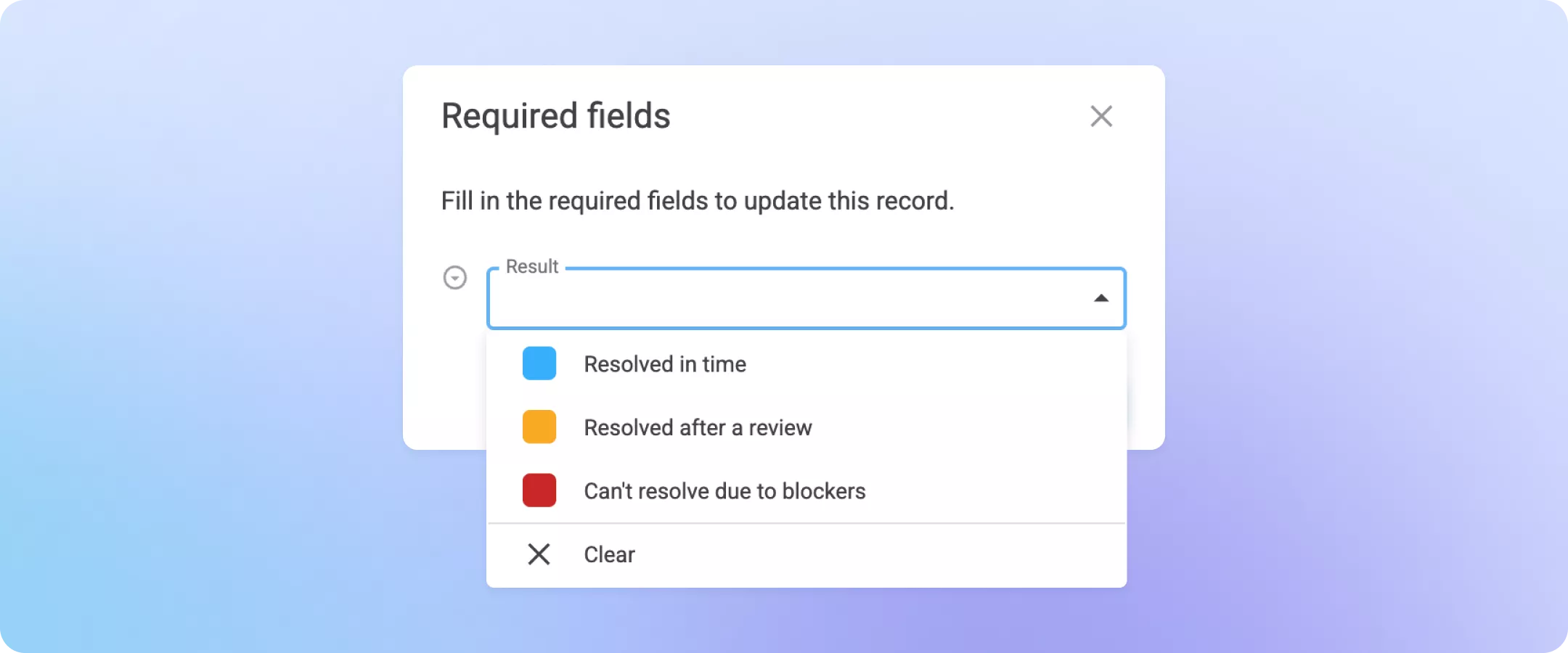
  1. Make any field required for the manager to complete a Task (e.g., Result or Summary).

  2. For teams using custom stages, any field can be marked as a required per certain stage.

Required dialog with the Result dropdown
This ensures that Tasks are always completed thoroughly and consistently.

More control for Task creators

Task creators (or reviewers) can now set detailed editing rules.

For example:

  1. Let assignees move Tasks between stages, but only the creator or “Reviewer” can mark them as complete.

  2. Prevent assignees from extending Due dates unless they have permission.

Read more
NetHunt CRM - Release notes 13.11.2025
We’ve updated our VoIP integrations to make call handling faster and more convenient for sales teams.
  • Assigned Managers now work in CallsApp
    NetHunt CRM automatically routes incoming calls to the manager responsible for the contact. The client immediately reaches “their” manager instead of entering the general queue.

  • Ringostat: calls now go to all available channels
    NetHunt CRM can now place calls not only to a SIP line but also to all connected channels for a manager — including mobile. This significantly reduces the chance of missing a call when someone is away from their computer.