 NEW
NEW















We’re rolling out one of the biggest improvements to Tasks yet — combining the flexibility of records with the speed and focus of task management.
Here’s what’s new 👇
 Tasks
Tasks
Massive upgrade to Tasks: more powerful, fully customizable (40 new use cases)

Custom fields and field groups
Tasks are now fully customizable — just like any other record in NetHunt CRM.
You can now add custom fields to tailor Tasks to your exact workflow.
You can now add custom fields to tailor Tasks to your exact workflow.
Here’s just a few tips of what you can add to the Tasks:
-
Add Stages to create a standardized task process.
-
Add Task Type (call, meeting, follow-up, etc.) to clarify what needs to be done.
-
Add Start Date for tasks that require prep before the due date.
-
Customize Priority levels to reflect how your team actually works.
-
Add Result / Next steps fields to log outcomes.
-
Add Statistics fields to track progress (e.g., time spent on stage).
-
Add Related summaries for Deals, Projects, or other linked records.
-
Organize fields into groups to split them into categories for easier overview.
-
Disable field icons for a cleaner, more minimal layout.
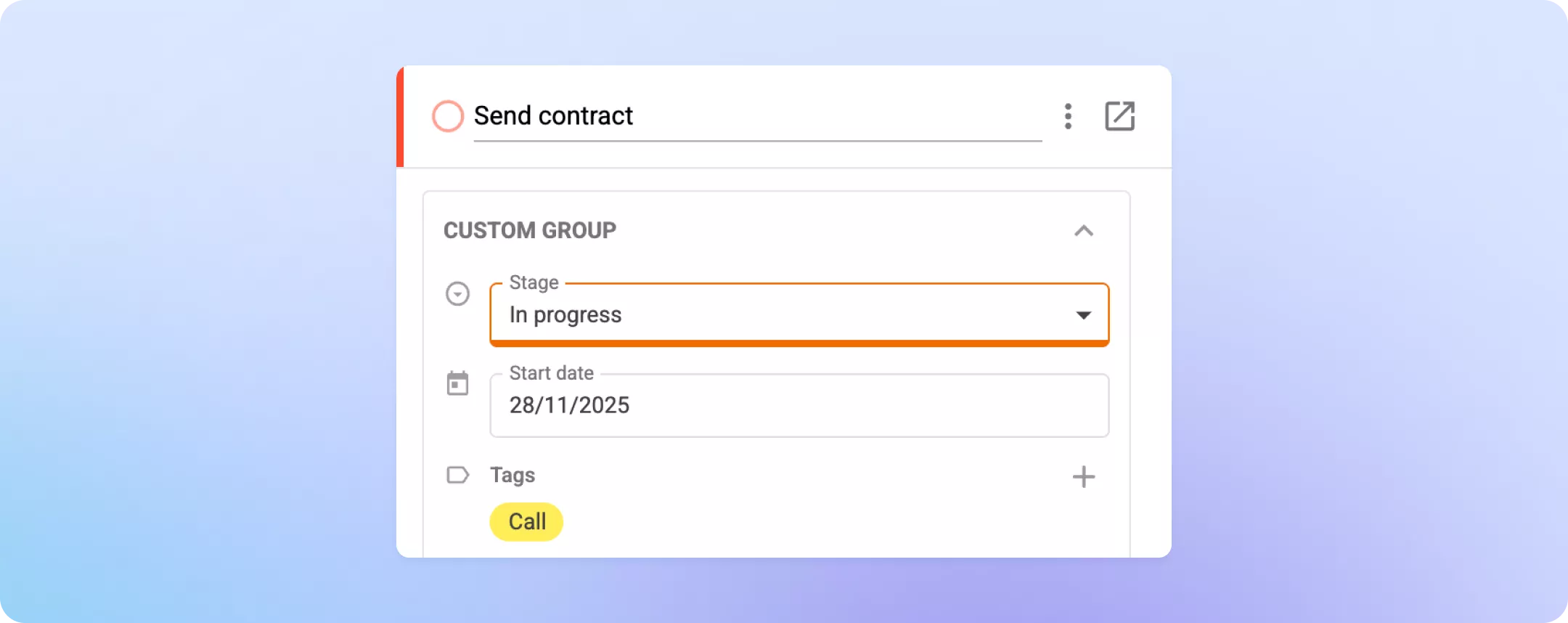
Your Tasks can now be as simple — or as powerful — as you need.
Custom completion requirements
You now have more control over what must be done before a Task can be marked as complete.
-
Make any field required for the manager to complete a Task (e.g., Result or Summary).
-
For teams using custom stages, any field can be marked as a required per certain stage.
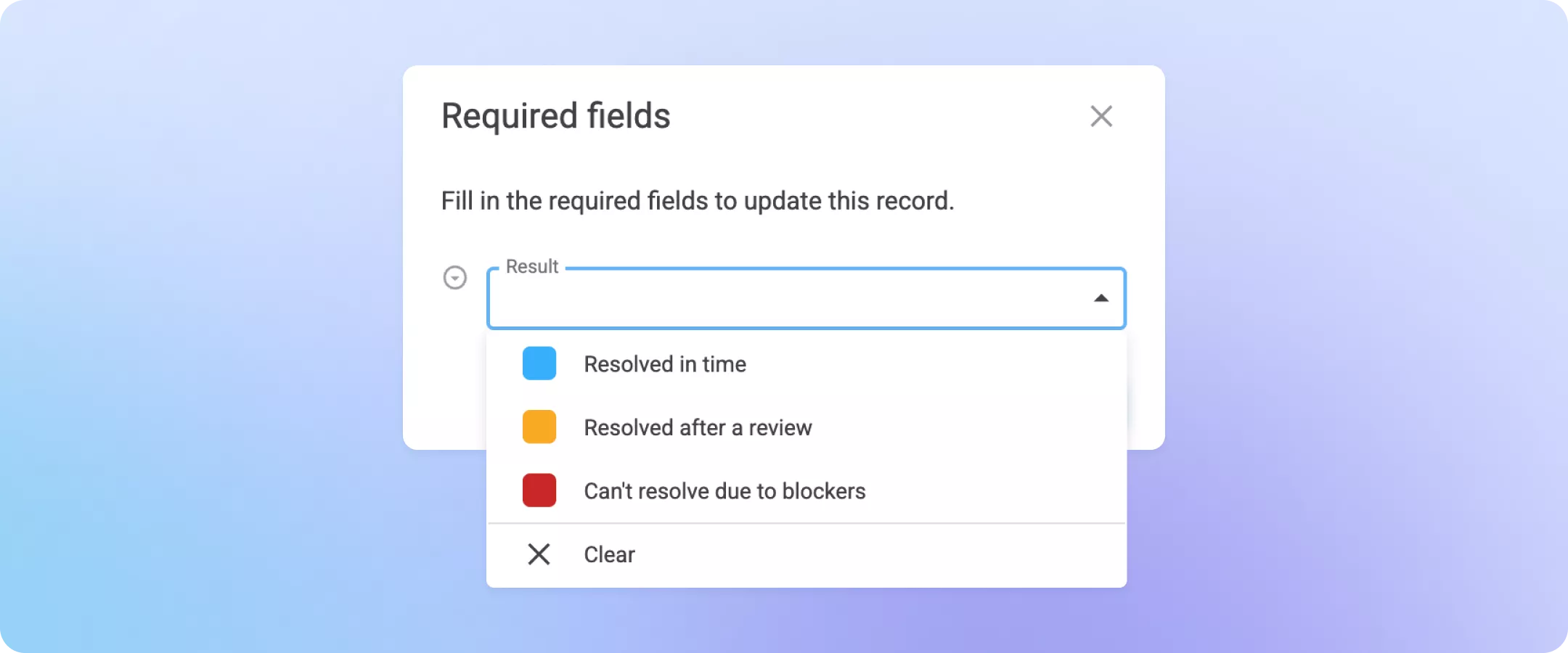
This ensures that Tasks are always completed thoroughly and consistently.
More control for Task creators
Task creators (or reviewers) can now set detailed editing rules.
For example:
-
Let assignees move Tasks between stages, but only the creator or “Reviewer” can mark them as complete.
-
Prevent assignees from extending Due dates unless they have permission.
Full-page view + Timeline
Tasks now support a full-page view — just like records.
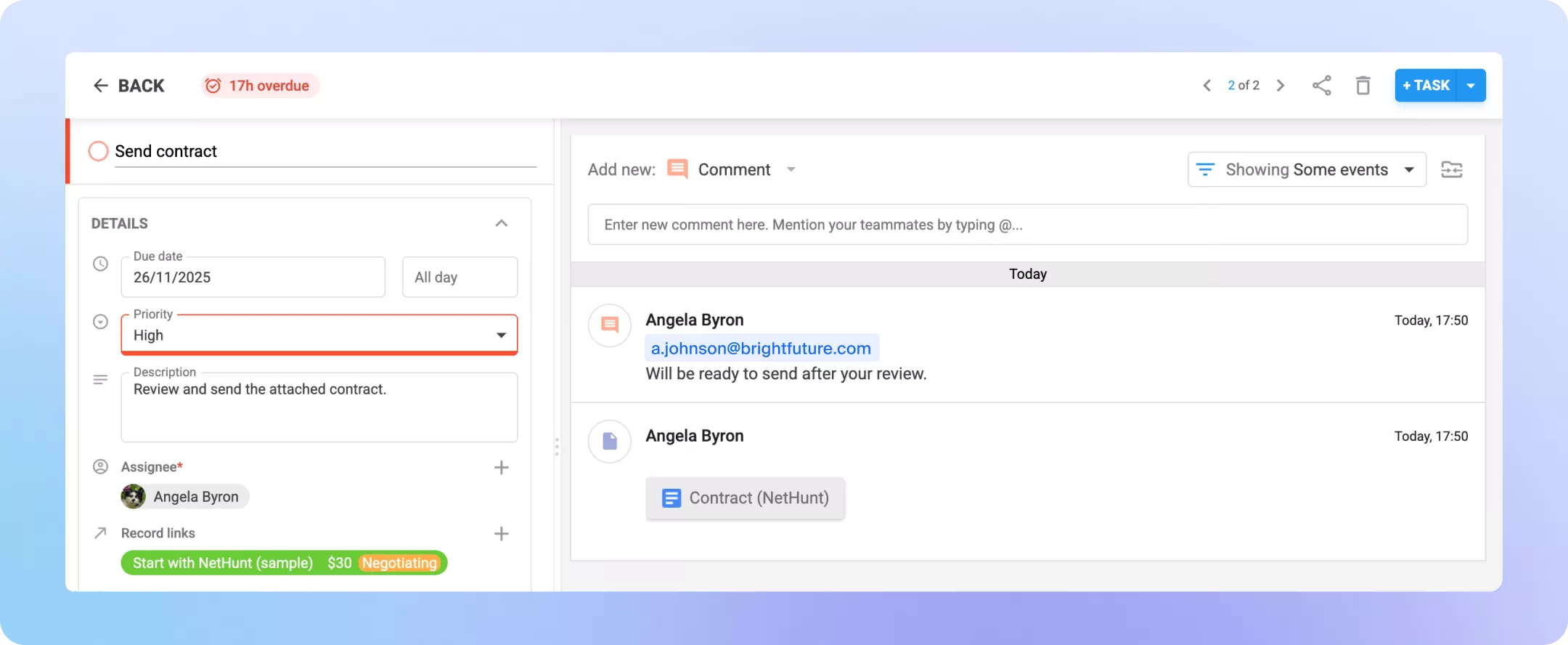
You can:
-
Open a Task in preview or expand it to a full page with a Timeline and everything that comes with it.
-
Add files directly to the Timeline (contracts, scans, photos, etc.).
-
Leave comments in the Task timeline.
-
Mention teammates in Tasks to collaborate with assignees/creator.
-
View detailed Tasks update history: reassignments, due date changes, stage changes, and more.
-
See when a Task was created or last updated.
This makes Tasks a true collaboration hub.
New List and Kanban views
You can work with tasks in a detailed List view or switch to the kanban board and organize the tasks by any default or custom criteria.
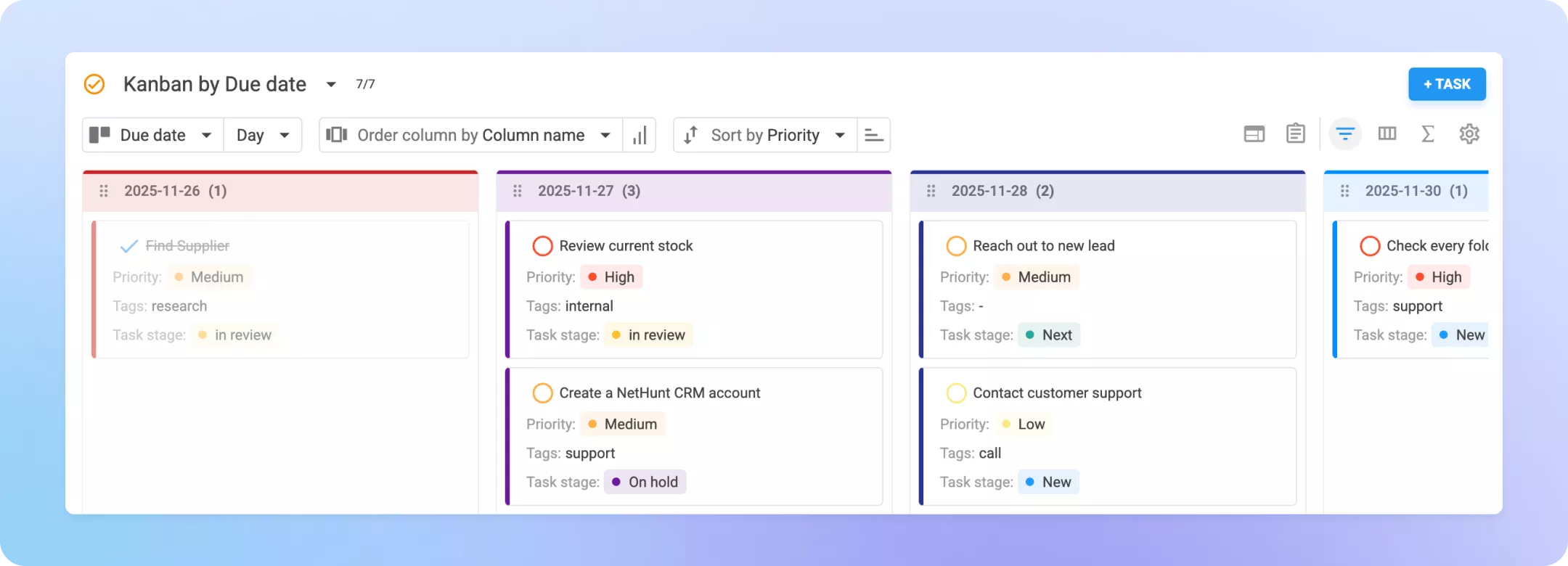
This means that now you can:
-
Work with Tasks in a List view to process tasks in bulk, hide/show columns, pin key fields.
-
Group tasks by priority to focus on the urgent ones.
-
Group tasks by assignees to assess the team workload.
-
Group tasks by the Deal, Company or Contact that they refer to for a simple overview of what projects require the most workforce and attention at the moment.
Saved filters, custom views, and counters
Just like records, Tasks now support advanced filtering and custom views.

You can:
-
Create complex filters (e.g., high-priority tasks due in 3 days with no comments in 2 weeks).
-
Save filters as custom views.
-
Add views to the navigation sidebar.
-
Enable task counters for each view to show the exact number of Tasks in each category.
-
Set any view as your default to be opened each time you open Tasks.
This gives you instant visibility into what matters most.
More capable workflows
Workflows now offer deeper automation for Tasks.
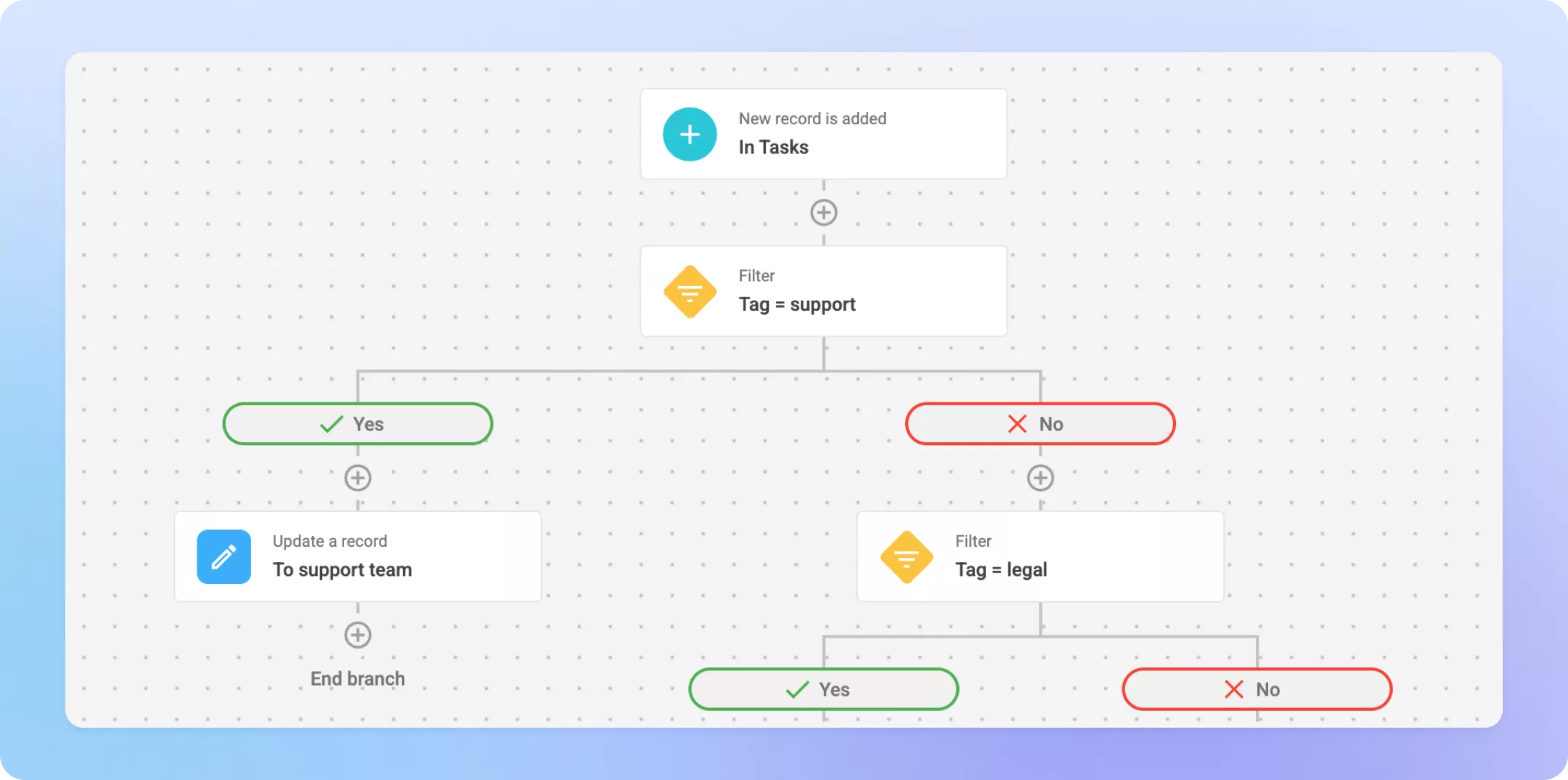
You can:
-
Trigger workflows when a Task is created (e.g., auto-assign based on criteria).
-
Trigger workflows when a Task is completed (e.g., create follow-up tasks).
-
Auto-leave comments mentioning teammates.
-
Update or add Assignees based on stage (e.g., involve accountant on “Payment received”).
-
Auto-complete Tasks when the related record no longer meets conditions.
-
Send automatic Telegram notifications (e.g., overdue Tasks).
-
Auto-distribute Tasks to departments based on filters.
-
Leave templated comments based on Task Type for a quick reference and guidelines for the assignee.
Your team can now automate far more of your task management process.
And more improvements
-
Use the search functionality (global or inside the Tasks section) to quickly find the tasks you need.
-
Filter by Task Type (e.g., “Send email”) and launch an email campaign for quick outreach.
-
Log the actual completion date for reporting.
-
Use expanded permissions — e.g. make entire Task folders read-only for certain users.
Bonus: Required checkboxes (available everywhere)
Checkbox fields can now be marked as required on task or record creation — or on specific stages.
Perfect for enforcing compliance steps and checklists.
More enhancements to Tasks are coming soon. Stay tuned — this is just the beginning of the new Task experience.
Perfect for enforcing compliance steps and checklists.
More enhancements to Tasks are coming soon. Stay tuned — this is just the beginning of the new Task experience.
 product experts — let's find the best setup for your team