











This guide covers the best Zoho alternatives in 2026 — whether you're looking to replace the entire Zoho suite or just one specific product like Zoho CRM, Zoho Mail, or Zoho Projects. We've reviewed and scored 9 tools, covering the 6 best Zoho CRM alternatives for most teams and 3 more for specific use cases, so your sales team can make an informed decision without wasting time on trial and error.
Before diving in, there's one key question to answer first: do you need a full suite replacement or a standalone app?
- If you're replacing Zoho One (the all-in-one bundle), you'll want platforms like HubSpot, Salesforce, or Odoo.
- If you're only replacing Zoho CRM, more focused tools like NetHunt CRM or Pipedrive will serve you better. Both angles are covered in this guide
Scoring methodology
Every tool in this guide was evaluated on a 100-point scale across the six criteria above. Here's how the points are distributed:
| Criteria | Max Score |
|---|---|
| Ease of use & setup | 20 pts |
| Automation & workflow depth | 20 pts |
| Value for money | 20 pts |
| Customer support quality | 15 pts |
| Integration ecosystem | 15 pts |
| Reporting & visibility | 10 pts |
| Total | 100 pts |
These are the same criteria we applied across all 6 Zoho CRM alternatives and beyond. Scores are based on G2 and Capterra ratings, user reviews, feature documentation, hands-on evaluation of each platform and our personal scoring model.
Quick comparison table: 9 best alternatives to Zoho CRM
| Tool | Score | Best For | Starting Price | Free Trial |
|---|---|---|---|---|
| NetHunt CRM | 90/100 | Gmail-first SMBs | $24/user/mo | ✅ 14 days |
| HubSpot | 83/100 | Marketing + sales alignment | $15/user/mo | ✅ Free tier |
| Freshworks | 80/100 | Scaling SMBs | $9/user/mo | ✅ 21 days |
| Salesforce | 79/100 | Large enterprises | $25/user/mo | ✅ 30 days |
| Pipedrive | 78/100 | Visual pipeline management | $14/user/mo | ✅ 14 days |
| monday CRM | 75/100 | Visual workflows & CRM | $12/user/mo | ✅ 14 days |
| Bitrix24 | 69/100 | Free all-in-one platform | $0 | ✅ Free tier |
| Odoo | 66/100 | Open-source business ops | $0 | ✅ Free tier |
| Insightly | 65/100 | CRM + project management | $29/user/mo | ✅ 14 days |
Top 9 Zoho alternatives: in-depth reviews
Among Zoho alternatives, the right choice depends entirely on your team size, workflows, and which Zoho apps you're actually replacing. You'll find 7 Zoho alternatives suited for CRM-focused teams and 2 more for broader business operations — all scored and compared below.
1. NetHunt CRM — Best alternative to Zoho for Gmail users
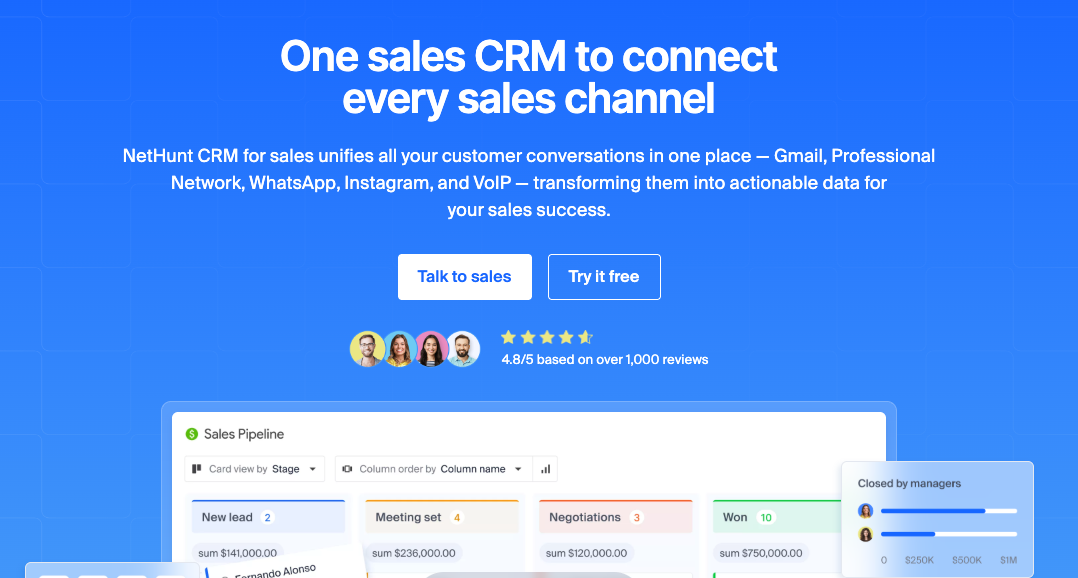
NetHunt CRM is a sales CRM that stands out — built directly inside Gmail, making it the most natural transition for teams that live in Google Workspace. Unlike Zoho CRM, which requires you to switch between tabs and platforms, NetHunt lives in your Gmail sidebar — contacts, deals, pipelines, and automation are all accessible without leaving your inbox. This makes it an ideal choice for any team that relies heavily on Google Workspace.
How NetHunt CRM compares to Zoho CRM directly:
- Zoho requires navigating between CRM, Mail, and Campaigns as separate products → NetHunt manages all of this from a single Gmail sidebar
- Zoho's support quality depends on your support plan tier → NetHunt's support is consistently rated highly on G2 across all plans
- Zoho takes weeks to configure properly → most NetHunt teams are productive within a few days
- Zoho's automation is powerful but requires admin-level configuration → NetHunt's workflow builder is accessible to any team member
Beyond Gmail, NetHunt handles multi-channel client communication — WhatsApp, Instagram, Facebook Messenger, and Telegram conversations are stored directly inside contact records alongside email history.
It's particularly strong for B2B sales teams in SaaS, recruitment, real estate, and professional services who want deep email integration without the complexity of enterprise platforms. The CRM provides comprehensive sales tools while keeping the interface clean and familiar.
Key Features:
- Gmail-native CRM — manage contacts, deals, pipelines, and tasks directly from your inbox without switching tabs
- Two-way email sync with automatic logging — every email is linked to the right contact and deal record without manual input
- Multi-channel sequences — automate outreach across email, LinkedIn, and WhatsApp from a single workflow
- No-code workflow automation — trigger actions based on any CRM field change: auto-assign leads, move deals through the pipeline, send follow-ups, assign tasks, and more
- Multiple pipelines with custom stages — build separate pipelines for different workflows, drag deals across stages, and track time spent at each step
- Multi-channel communication hub — WhatsApp, Instagram DMs, Facebook Messenger, and Telegram conversations stored inside contact records alongside email history
- Google Contacts and Google Calendar sync — meetings and contacts stay up to date in CRM automatically.
- Built-in email campaigns — send bulk emails and drip campaigns to segmented lists with open/click tracking, unsubscribe management, and custom SMTP.
- Team visibility and collaboration: shared folders, @mentions, full activity logs per record, and role-based permissions so everyone sees exactly what they need to.
Scoring Breakdown:
| Criteria | Score |
|---|---|
| Ease of use & setup | 18/20 |
| Automation & workflow depth | 17/20 |
| Value for money | 18/20 |
| Customer support quality | 14/15 |
| Integration ecosystem | 13/15 |
| Reporting & visibility | 10/10 |
| Total | 90/100 |
What users say on G2:
NetHunt CRM helps me keep daily consultation work, follow-ups, and communication more organized without making things complicated. I work as a Dietician & Nutritionist, manage a homeopathy clinic, and also create health education content, so handling reminders, patient follow-ups, and pending tasks in one place is very useful for my workflow.
Ease of implementation felt smooth because creating tasks, tracking follow-ups, and organizing activities was simple from the beginning. Gmail integration is one of the most useful features for me because most communication already happens there, so managing emails and follow-up activities together saves time and keeps work structured.
I also like the pipeline, task management, automation, and reminder features because they help track active consultations, pending reviews, and completed work clearly. Performance has also been good for regular daily use. Tasks open quickly, records are easy to access, and switching between activities feels smooth during busy clinic hours. Overall, NetHunt CRM feels practical, simple, and useful for managing consultation work, follow-ups, communication, and health education related workflow in an organized way.
What do you dislike about NetHunt CRM?
Basic task management and follow-up tracking are easy to handle, but when I tried exploring more advanced workflow setup and automation features, it took some extra time to fully understand everything. Also, reporting and analytics are good for regular tracking, but deeper reports could be more detailed.
What problems is NetHunt CRM solving and how is that benefiting you?
It helps me manage follow-ups, consultation activities, and daily communication in a more organized way. Earlier, small tasks, pending follow-ups, reminder notes, and consultation updates were scattered across different places, which made tracking work difficult during busy clinic hours.
Now I can keep consultation follow-ups, task reminders, communication history, and daily activities in one workflow, which saves time and reduces confusion. It also helps me track pending diet reviews, active consultations, and completed follow-ups more clearly. Gmail integration keeps emails and follow-up activities connected, while task management and reminder features help me avoid missing important follow-ups and keep routine work more structured.
Pros:
- Deepest Gmail integration on the market — works natively inside your inbox
- Fast setup — most teams are up and running within a day
- Strong automation and outreach capabilities for the price
- Excellent customer support rated highly on G2
Cons:
- Not ideal for teams that don't use Google Workspace
- No built-in marketing automation suite (requires third-party integrations)
- No free plan — 14-day trial only
Pricing:
- Basic: $24/user/month
- Business: $48/user/month
- Advanced: $96/user/month (billed annually)
Best for: SMBs and mid-market B2B sales teams using Google Workspace who want a CRM that works inside Gmail without switching tools.
2. HubSpot — Best for marketing and sales alignment
HubSpot is one of the most recognized names in the CRM space, and for good reason. It offers a comprehensive suite covering customer relationship management, marketing automation, customer service, and content management — making it one of the strongest full-suite alternatives to Zoho One. The free CRM tier is genuinely useful, and the platform's interface is clean and well-documented.
Where HubSpot excels compared to Zoho CRM is in marketing-to-sales alignment. Its tools for email campaigns, landing pages, lead scoring, and pipeline management all connect seamlessly within a single system. Zoho CRM's equivalent features are more fragmented across the broader Zoho ecosystem — which is precisely what drives many users to search for alternatives in the first place.
Key Features:
- Free CRM with unlimited users and contacts
- Marketing Hub with email campaigns, landing pages, and SEO tools
- Sales Hub with pipeline management and deal tracking
- Service Hub for customer support ticketing
- AI-powered email writer and content assistant
- Extensive app marketplace with 1,500+ integrations to integrate with your existing stack
Scoring Breakdown:
| Criteria | Score |
|---|---|
| Ease of use & setup | 17/20 |
| Automation & workflow depth | 18/20 |
| Value for money | 12/20 |
| Customer support quality | 13/15 |
| Integration ecosystem | 15/15 |
| Reporting & visibility | 8/10 |
| Total | 83/100 |
What users say on G2:
I like using HubSpot Sales Hub because it's easy to use and very simple. It makes managing tasks straightforward. The initial setup was very easy and it really makes the job easier.
What do you dislike about HubSpot Sales Hub?
I missed a lot of tasks because I feel that only sending a notification on email for the task is not appropriate. There must be some notification on HubSpot for a pop-up might help.
What problems is HubSpot Sales Hub solving and how is that benefiting you?
I find HubSpot Sales Hub easy to use, which makes managing sales and tasks simpler. Its simplicity streamlines our workflow, making setup and daily tasks a breeze.
Pros:
- Offers a free plan that's genuinely useful — best on this list
- Best-in-class CRM and marketing automation tools combined
- Excellent onboarding resources and documentation
- Large community and partner ecosystem
Cons:
- Costs escalate sharply at Professional and Enterprise tiers
- Full functionality requires purchasing multiple Hubs
- Gmail integration exists but is not as deep as native Gmail CRMs
Pricing:
- Free: $0 (unlimited users, limited features)
- Starter: $15/user/month
- Professional: $90/user/month
- Enterprise: $150/user/month (billed annually)
Best for: Teams looking for a comprehensive CRM solution with strong inbound marketing tools and a scalable platform that grows with the business.
3. Pipedrive — Best for visual pipeline management
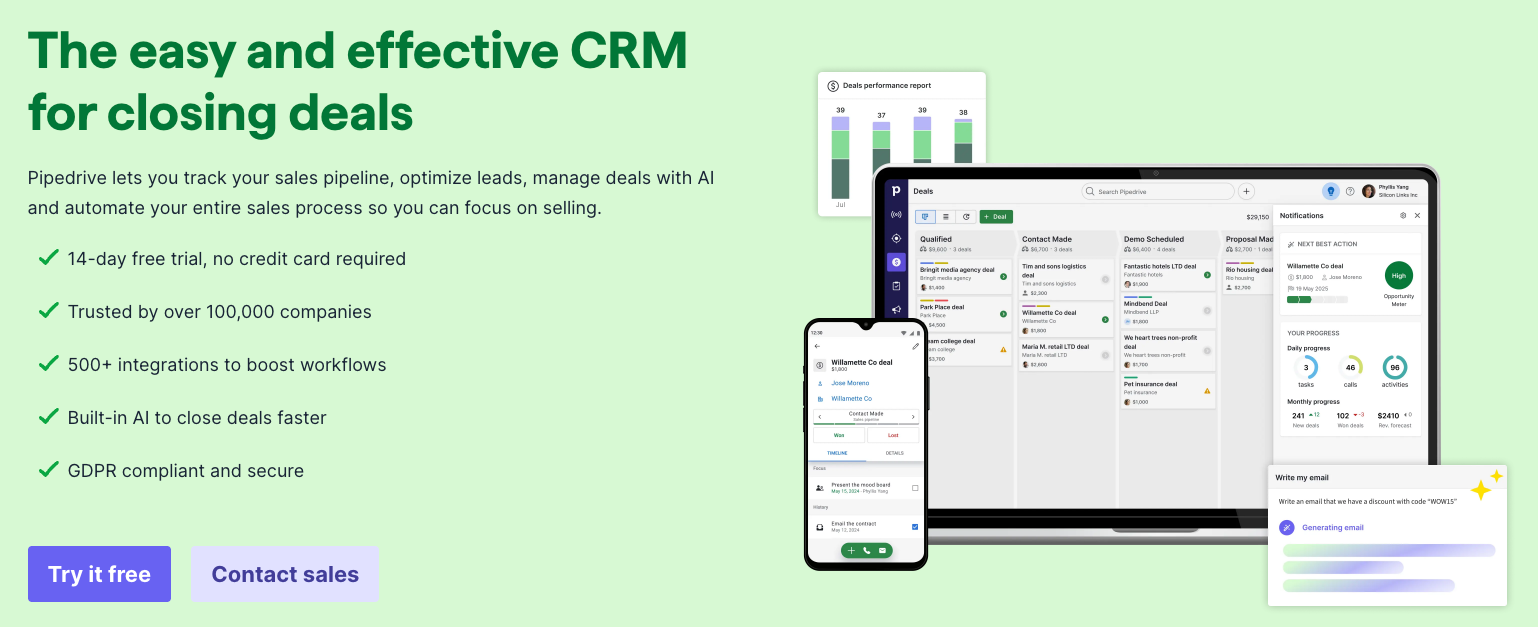
Pipedrive has built its reputation on one thing: making sales pipeline management simple and visual. If Zoho CRM felt overwhelming or cluttered, Pipedrive is the opposite — a clean, focused tool that helps sales teams see exactly where every deal stands and what needs to happen next.
Unlike Zoho's broad ecosystem approach, Pipedrive stays focused on core CRM capabilities. It doesn't try to be a marketing platform or project management tool — and that focus is precisely what makes it so effective for sales-heavy teams. The drag-and-drop pipeline, activity reminders, and AI-powered assistant make it one of the most intuitive options on the market.
Key Features:
- Visual drag-and-drop sales pipeline
- AI sales assistant with deal recommendations
- Email sync with two-way Gmail and Outlook integration
- Automated follow-up reminders and activity scheduling
- Revenue forecasting and reporting dashboards
- LeadBooster add-on for lead capture (chatbot, forms, prospector)
- 500+ integrations via marketplace to integrate with your tools
Scoring Breakdown:
| Criteria | Score |
|---|---|
| Ease of use & setup | 18/20 |
| Automation & workflow depth | 14/20 |
| Value for money | 14/20 |
| Customer support quality | 11/15 |
| Integration ecosystem | 13/15 |
| Reporting & visibility | 8/10 |
| Total | 78/100 |
What users say on G2:
The simple user interface and the drag and drop nature of being able to move things from 1 pipeline to another.
The performance of the software and how quickly automations can be kicked off to make life easier for the user.
I have not yet tried some of the more advanced integrations; but I can say that the simple Outlook and calendar ones are working very well. The pricing is very much on par if not better than the competitor sites and I think the incentives to get discounts as well as starting small with the "starter packages" works really well.
The AI report generator works nicely to get you out of the blocks as well.
What do you dislike about Pipedrive?
Some of the reports can be restrictive and there is a bit of additional customisation that would make it phenomenal.
What problems is Pipedrive solving and how is that benefiting you?
Sales order; tracking and understanding our pipeline and how much cover we have; as well as how many of our sales people are shooting the lights out and how many are not.
Pros:
- Easiest pipeline management UI on this list
- Fast onboarding — most reps productive within hours
- AI-powered deal insights and next-action recommendations
- Transparent, affordable pricing
Cons:
- Weaker marketing automation compared to HubSpot or Freshworks
- Gmail integration is functional but not deeply native
- Reporting is limited on lower-tier plans
Pricing:
- Essential: $14/user/month
- Advanced: $29/user/month
- Professional: $59/user/month
- Power: $69/user/month
- Enterprise: $99/user/month (billed annually)
Best for: Sales-focused SMBs that want a straightforward, visually intuitive tool without the complexity of a full business suite.
4. Freshworks (Freshsales) — Best for scaling SMBs
Freshworks offers a full suite of business software under one roof — Freshsales for CRM, Freshdesk for customer support, Freshmarketer for marketing, and more. As a Zoho alternative, it's one of the most direct comparisons: both platforms target similar audiences and offer similar product breadth, but Freshworks consistently scores better for ease of use and onboarding.
Freshsales includes a built-in phone system, AI-powered lead scoring (Freddy AI), and a free plan that's genuinely useful. For teams that found Zoho CRM too complex to configure, Freshsales offers similar features with a much smoother out-of-the-box experience. It's a strong option combining sales tools with communication features for growing teams.
Key Features:
- Freddy AI for lead scoring, deal insights, and email writing
- Built-in phone and SMS with call logging
- Visual sales pipeline with drag-and-drop interface
- Contact timeline with full interaction history
- Territory and quota management
- Native integration with Freshdesk for support-to-sales handoff
- Custom workflows and automation rules to streamline your sales process
Scoring Breakdown:
| Criteria | Score |
|---|---|
| Ease of use & setup | 17/20 |
| Automation & workflow depth | 15/20 |
| Value for money | 15/20 |
| Customer support quality | 12/15 |
| Integration ecosystem | 13/15 |
| Reporting & visibility | 8/10 |
| Total | 80/100 |
What users say on G2:
Freshsales is easy to use and everything is in one place. I like the lead tracking and email follow-ups, it saves time and keeps things organized. The pipeline view also helps me clearly see deals and focus on the important ones.
What do you dislike about Freshsales?
At times, it feels a bit slow, and in the beginning some features take a while to understand. A few of the more advanced options also aren’t very easy to find, which can make navigation a little frustrating at first.
What problems is Freshsales solving and how is that benefiting you?
It solves the problem of scattered leads and missed follow-ups. With everything in one place, I can track leads more easily and stay consistent with my follow-ups. As a result, I manage deals better and save time.
Pros:
- Easier to set up than Zoho — better onboarding experience
- Built-in phone system is a strong differentiator
- Freddy AI adds genuine value for lead prioritization
- Free plan available for up to 3 users
Cons:
- Suite products (Freshdesk, Freshmarketer) sold separately
- Gmail integration not as deep as native Gmail CRMs
- Advanced automation requires Pro plan or higher
Pricing:
- Free: $0 (up to 3 users)
- Growth: $9/user/month
- Pro: $39/user/month
- Enterprise: $59/user/month (billed annually)
Best for: Growing SMBs that want a Zoho-like breadth of tools with a better user experience and a built-in phone system for their sales team.
5. Salesforce — Best for large enterprises
Salesforce is the undisputed market leader in CRM software, and for enterprise organizations with complex sales processes, large teams, and dedicated IT resources, it remains the gold standard. Zoho Corporation built its suite as a more affordable alternative to Salesforce — so if you're leaving Zoho because your business has outgrown it, Salesforce is the logical next step.
That said, Salesforce is not simple to adopt. Implementation typically takes weeks or months, requires dedicated administrators or consultants, and pricing scales quickly beyond the entry tier. For SMBs switching from Zoho, the complexity and cost may feel like a significant jump. The total cost of ownership is high.
Key Features:
- Einstein AI for predictive scoring, forecasting, and recommendations
- Highly customizable objects, workflows, and automation (Flow)
- AppExchange with 3,000+ apps to integrate with any tool
- Territory management and quota tracking
- Advanced reporting and analytics dashboards
- Multi-currency and multi-language support
- Enterprise-grade security and compliance
Scoring Breakdown:
| Criteria | Score |
|---|---|
| Ease of use & setup | 11/20 |
| Automation & workflow depth | 20/20 |
| Value for money | 10/20 |
| Customer support quality | 13/15 |
| Integration ecosystem | 15/15 |
| Reporting & visibility | 10/10 |
| Total | 79/100 |
Pros:
- Most powerful and customizable CRM platform on the market
- Massive ecosystem of integrations, partners, and developers
- Best-in-class automation and AI capabilities
- Scales to support thousands of users across global organizations
Cons:
- High total cost of ownership — setup fees can reach $50,000+
- Requires dedicated Salesforce administrators
- Very steep learning curve
- Support plans cost extra (30% of license fees)
Pricing:
- Starter Suite: $25/user/month
- Pro Suite: $100/user/month
- Enterprise: $165/user/month
- Unlimited: $330/user/month (billed annually)
Best for: Large enterprises with complex sales processes, big budgets, and dedicated technical resources for implementation and ongoing administration.
6. monday CRM — Best for visual workflows
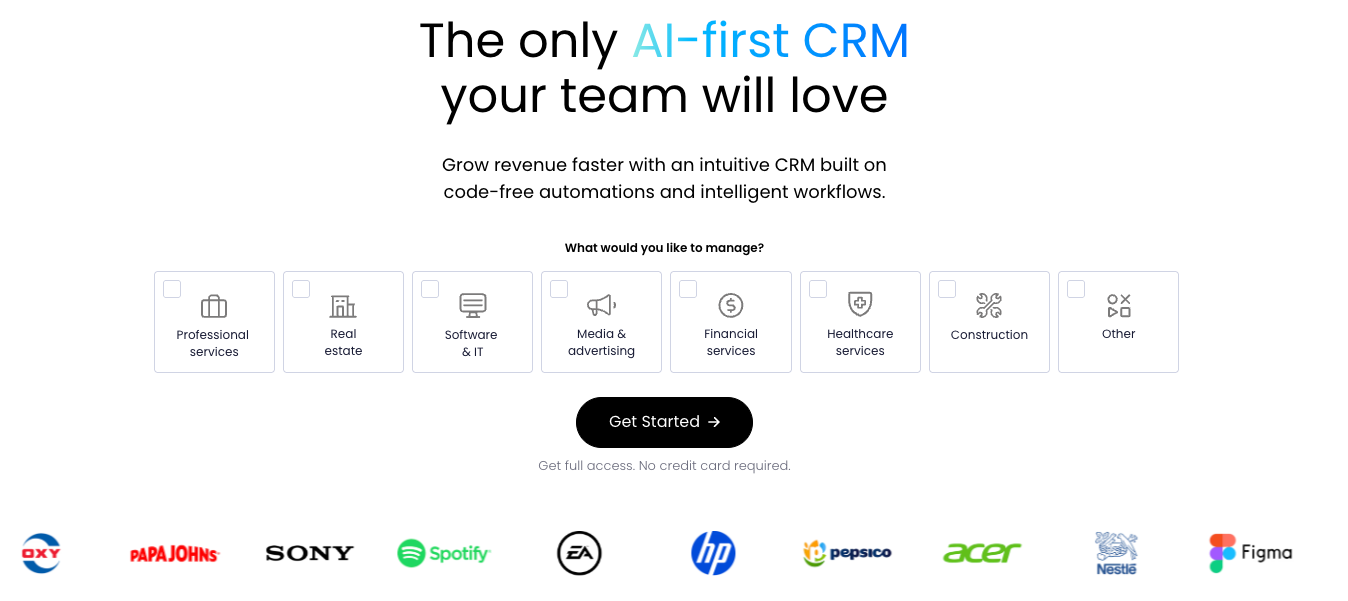
monday CRM started as a project management platform and evolved into sales territory — and that heritage shows in the best possible way. If your team found Zoho's interface dated and confusing, monday CRM is a breath of fresh air: colorful, highly visual, and genuinely enjoyable to use. It's a comprehensive CRM that helps teams streamline both their sales and operational workflows in one place.
monday CRM sits on top of the monday Work OS, meaning it connects natively with project management, marketing, and operations boards. This makes it an excellent option for teams that need CRM functionality alongside broader business workflows — without juggling five separate tools.
Key Features:
- Highly visual drag-and-drop pipeline boards
- AI assistant for lead summaries, email drafting, and data extraction
- Workflow automation with 250+ pre-built templates for repetitive tasks
- Custom dashboards with real-time sales data
- Integration with Gmail, Outlook, Slack, and 500+ apps
- AI-powered sentiment analysis on customer communications
- Connects CRM with project management and marketing boards on one platform
Scoring Breakdown:
| Criteria | Score |
|---|---|
| Ease of use & setup | 18/20 |
| Automation & workflow depth | 14/20 |
| Value for money | 13/20 |
| Customer support quality | 10/15 |
| Integration ecosystem | 12/15 |
| Reporting & visibility | 8/10 |
| Total | 75/100 |
What users say on G2:
I use monday CRM mainly to keep all my leads and artist conversations organized in one place, which helps to segregate and keep track of them, especially regarding which conversation pipeline they are in. The biggest benefit has been the clarity and structured workflow, resulting in less of a mental load and more visualization of engagements with collectors and artists.
I personally like how easy it is to understand everything at a glance. The visual boards and pipeline make it easy to know where my leads and deals stand. It's also customizable, allowing me to change stage fields and automation, which is another strong point for me as I don’t have to switch platforms for that.
What do you dislike about monday CRM?
I think the reporting is not as great as it's supposed to be. The reporting is decent, but if you want very deep analytics or highly advanced sales forecasting, it can feel basic compared to some other enterprise CRM. Another thing is that some advanced features are locked into higher pricing tiers, so if my team grows, the cost can rise significantly faster than expected. Not at all easy, definitely not easy.
What problems is monday CRM solving and how is that benefiting you?
I use monday CRM to organize leads and conversations from multiple platforms. It centralizes tracking, reduces mental load, and offers a clear, structured workflow for managing collectors, artist applications, and partnerships.
Pros:
- Best visual interface on this list — highly intuitive
- Connects CRM with project management seamlessly
- Strong AI features across the platform
- Large library of automation templates
Cons:
- CRM functionality less mature than dedicated CRM tools
- Email and outreach tools are limited compared to NetHunt or HubSpot
- Full pricing not always transparent for enterprise plans
Pricing:
- Basic: $12/user/month
- Standard: $14/user/month
- Pro: $24/user/month
- Enterprise: Contact sales (billed annually, minimum 3 seats)
Best for: Teams already using monday.com for project management who want to add CRM functionality without adopting a separate platform.
7.Bitrix24 — Best free all-in-one alternative to Zoho
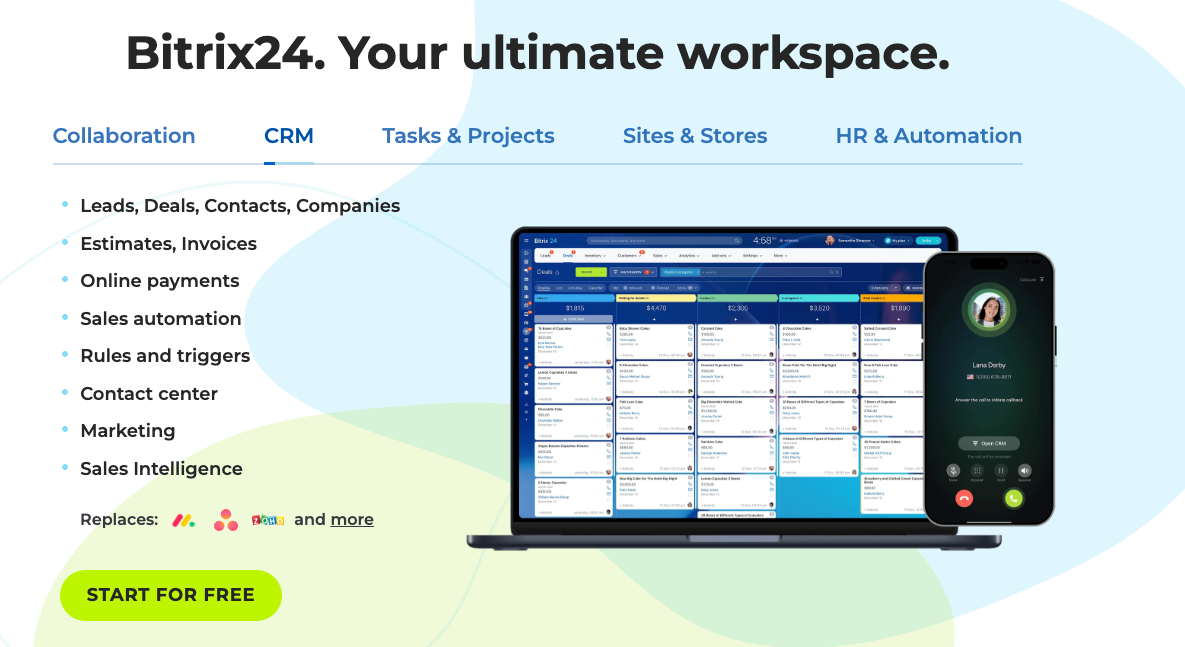
Bitrix24 is one of the most comprehensive free business platforms available, covering CRM, project management, team communication, HR, and even website building. For small businesses and startups that found Zoho's free tier too restrictive, Bitrix24's free plan (unlimited users) is a compelling option. It covers more business functions than any other tool on this list at zero cost — no ecosystem lock-in required.
The trade-off is complexity. Bitrix24 packs an enormous number of features into a single system, and the interface can feel overwhelming at first. However, for teams willing to invest time in setup, it offers exceptional value — especially at the free tier where most competitors charge per user.
Key Features:
- Free plan with unlimited users and full CRM access
- Omnichannel contact center (email, chat, social, phone) — all communication channels unified
- CoPilot AI assistant for lead scoring and call transcription
- Built-in task and project management
- HR management tools (onboarding, time tracking, org charts)
- Website builder and online store
- Sales automation and marketing campaigns
Scoring Breakdown:
| Criteria | Score |
|---|---|
| Ease of use & setup | 11/20 |
| Automation & workflow depth | 14/20 |
| Value for money | 15/20 |
| Customer support quality | 10/15 |
| Integration ecosystem | 12/15 |
| Reporting & visibility | 7/10 |
| Total | 69/100 |
What users say on G2:
The user interface is rather straightforward and standardized. Comes with all the functions I need and expect from a complete turn-key CRM solution. I started with the free version and then switched to the Basic plan. So far so good. Haven't had the time to try the Wordpress integration but will be hoping to do so in the weeks to come.
Overall It's a great tool if you want to run your business like the big fishes on the market!
What do you dislike about Bitrix24?
The mobile version needs a tad bit more refinement bc it kept crashing my on phone. Don't know maybe the fault it's on my end but everything else runs perfectly on my iphone 13.
What problems is Bitrix24 solving and how is that benefiting you?
Tracking leads and sales is now much easier with bitrix. At first I was hesitant to let go of my spreadsheets but in the long run it has paid off! lol
Pros:
- Free forever plan with unlimited users — best free offer on this list
- Covers more business functions than any other tool here
- Strong omnichannel communication tools
- No per-user pricing on lower tiers
Cons:
- Interface feels cluttered and overwhelming for new users
- Steep learning curve despite the broad feature set
- Advanced features like marketing automation require higher tiers
- Customer support quality inconsistent on free plan
Pricing:
- Free: $0 (unlimited users)
- Basic: $49/month (5 users)
- Standard: $99/month (50 users)
- Professional: $199/month (100 users)
- Enterprise: from $399/month (billed annually)
Best for: Startups and small businesses that need a broad set of tools for free and don't mind investing time in initial setup and configuration.
8.Insightly — Best for CRM and project management combined
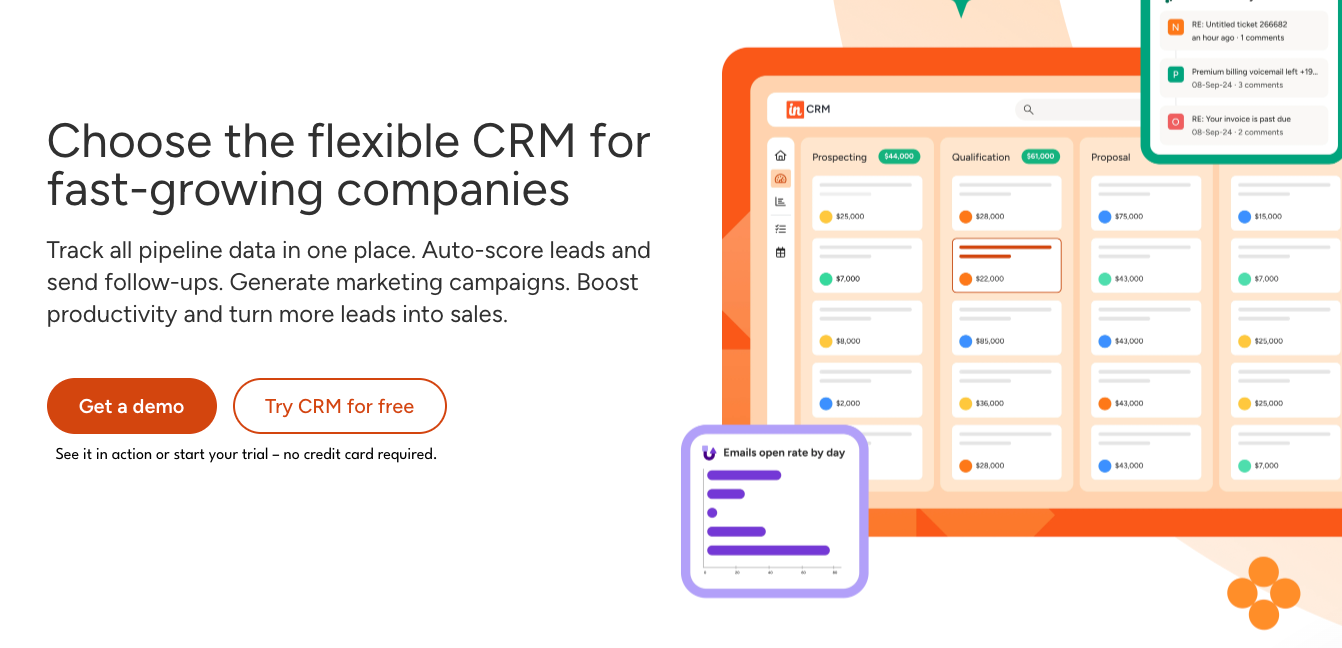
Insightly occupies a unique niche in this list: it's the only tool that tightly combines sales pipeline management with built-in project management. For service-based businesses — agencies, consultancies, professional services firms — this CRM system means you can manage a deal from the first contact all the way through delivery, without switching platforms.
Less complex than Zoho, Insightly is more focused and cleaner to navigate. It won't replace the entire Zoho suite, but for businesses that primarily used Zoho CRM and Zoho Projects, it's a strong consolidated alternative. The interface is cleaner than Zoho's, and the learning curve is noticeably shorter. Insightly is a CRM that offers both pipeline management and project delivery in one tool — practical for teams that don't need a sprawling suite.
Key Features:
- CRM with pipeline management and lead routing
- Built-in project management with tasks, milestones, and Gantt charts
- Post-sale project creation directly from won deals
- AI-powered email summaries and reply suggestions
- Custom dashboards and reporting
- Integration with Gmail, Outlook, QuickBooks, and Mailchimp
- Role-based permissions and data access controls
Scoring Breakdown:
| Criteria | Score |
|---|---|
| Ease of use & setup | 14/20 |
| Automation & workflow depth | 11/20 |
| Value for money | 11/20 |
| Customer support quality | 11/15 |
| Integration ecosystem | 10/15 |
| Reporting & visibility | 8/10 |
| Total | 65/100 |
What users say on G2:
I use Insightly CRM to manage customer details and track sales leads, and it helps me organize tasks, follow up with clients, and monitor projects easily. The platform is simple to use and keeps all my business information in one place. I especially like the user-friendly interface and the straightforward contact management features. The task tracking and project management tools help me stay organized every day.
I also like the email integration because it saves time and improves communication. The interface makes it quick to manage tasks without needing much training, and the contact management feature keeps customer details organized and easy to access anytime. Email integration also saves time by tracking conversations automatically and supporting better follow-ups with clients.
The initial setup of Insightly CRM was very easy, and a free trial is available without a credit card.
What do you dislike about Insightly CRM?
Sometimes the platform feels slow when handling large amounts of data. Some advanced features can be confusing for new users at first. The mobile app could be improved with better speed and more functionality.
What problems is Insightly CRM solving and how is that benefiting you?
I use Insightly CRM to manage customer details and track sales leads. It helps me organize tasks, follow up with clients, and monitor projects easily, avoiding missed follow-ups. It improves team collaboration by keeping all business information updated in one place.
Pros:
- Unique combination of CRM and project management in one tool
- Clean, less cluttered interface than Zoho
- Good for service businesses that manage client projects post-sale
- Reasonable pricing for the feature set
Cons:
- Data storage limits on all plans (10GB–250GB)
- Onboarding and support require paid plans for full access
- Reporting capabilities limited compared to HubSpot or Salesforce
- Less suited for pure sales teams without a project component
Pricing:
- Plus: $29/user/month
- Professional: $49/user/month
- Enterprise: $99/user/month (billed annually)
Best for: Service-based businesses (agencies, consultancies, IT firms) that need to manage both the sales pipeline and post-sale project delivery in a single platform.
9. Odoo — Best open-source alternative to Zoho
Odoo is the only open-source platform on this list and the closest thing to a true Zoho One alternative in terms of scope — and a genuine alternative to Zoho for businesses that need full control over their data. It includes CRM, accounting, inventory, manufacturing, HR, marketing, e-commerce, and more — all modular, meaning you can activate only what you need. If you're looking to move away from Zoho without losing breadth, Odoo is the most comparable option.
For businesses that want full control over their software, including the ability to self-host and customize the source code, Odoo is unmatched. The Community edition is completely free and open-source. The cloud-hosted Enterprise edition adds support and additional modules but comes with per-user pricing. This CRM offers far more than pipeline management — it's the right solution for businesses with technical resources and a need for deep customization.
Key Features:
- Modular architecture — activate only the apps you need
- CRM with pipeline management and email integration
- Full accounting, invoicing, and expense management
- Inventory, manufacturing, and supply chain management
- HR management, payroll, and recruitment modules
- E-commerce and website builder
- Open-source Community edition (free, self-hosted)
Scoring Breakdown:
| Criteria | Score |
|---|---|
| Ease of use & setup | 10/20 |
| Automation & workflow depth | 15/20 |
| Value for money | 14/20 |
| Customer support quality | 9/15 |
| Integration ecosystem | 10/15 |
| Reporting & visibility | 8/10 |
| Total | 66/100 |
What users say on G2:
What I like most about Odoo is that it allows you to do a lot of things for a very reasonable price. I have tried several modules in Odoo, and I have enjoyed them all very much.
What do you dislike about Odoo?
As it allows you to do many things, it also has the disadvantage of being less advanced than software whose development is focused on a single feature. For example, Calendly allows you to do more things than Odoo's meeting module. Similarly, the timesheet is not as developed as a timesheet offered by a company that specializes in this field.
What problems is Odoo solving and how is that benefiting you?
Odoo allows me to solve a lot of problems. I use it a lot for the website and analytics. I have also used the meeting and electronic signature modules. It allows you to do so many things within the same tool. This helps to centralize our tools in one place and to remain quite comprehensive, even if some features are still missing in a few modules.
Pros:
- Most comprehensive feature set on this list — rivals Zoho One in breadth
- Community edition is completely free and open-source
- Full customization possible for technical teams
- Modular — only pay for what you use
Cons:
- Steep learning curve, especially for non-technical users
- Self-hosted setup requires technical resources
- UI feels less polished compared to modern SaaS tools
- Community support can be slow for complex issues
Pricing:
- Community: Free (self-hosted, open-source)
- Enterprise: From $9.90/user/month (cloud-hosted)
- Additional module fees may apply (billed annually)
Best for: Technical teams and businesses that need a fully customizable, open-source alternative to Zoho One with complete control over their data and infrastructure.
What to look for in a Zoho alternative
Understanding why most teams switch from Zoho helps narrow down what actually matters in the next tool.
The most common reasons teams leave Zoho:
- Too complex to set up and maintain. Zoho's customization depth is a strength, but it comes with a steep configuration curve. Many teams spend weeks setting it up and still don't use half of what they configured.
- Support is paywalled. Meaningful customer support requires a paid support plan. On standard tiers, response times and quality drop significantly.
- Pricing compounds as you scale. The entry price looks affordable, but once you add the modules your team actually needs (analytics, automation, additional storage), the cost grows fast.
- Interface feels dated. The UI hasn't kept pace with modern SaaS tools. Switching between Zoho products requires navigating multiple dashboards that don't feel connected.
- Feature fragmentation. CRM, email, projects, analytics — each lives in a separate Zoho product with its own learning curve and integration overhead.
Not all CRM software alternatives are created equal. Before committing to a new platform, evaluate each option across these six criteria — the same ones we used to score every tool in this guide. Understanding what matters most to your sales team will help you choose a Zoho alternative that actually fits your workflow.
1. Ease of Use and Setup. Zoho's biggest complaint on G2 and Capterra is its learning curve. Your next tool should be intuitive enough that your team can get productive within days, not weeks. Look for clean interfaces, helpful onboarding, and minimal configuration overhead.
2. Gmail & Google Workspace Integration. If your team lives in Gmail, deep integration isn't a nice-to-have — it's essential. The best tools log emails automatically, sync contacts, and let reps work directly from their inbox without switching tabs. This is one area where many competing platforms fall short.
3. Automation and Workflow Depth. Manual follow-ups, lead assignments, and pipeline updates kill productivity. Look for tools that offer workflow automation, email sequences, and trigger-based actions without requiring a dedicated operations person to set them up.
4. Value for Money. Zoho's pricing looks affordable at first glance, but the costs add up once you factor in onboarding fees, paid support, and separate plans for each app. Compare the true cost of ownership, not just the headline price.
5. Customer Support Quality. Poor support is the number one reason CRM users leave Zoho. Prioritize vendors that offer live chat or email support on all plans, with fast response times and helpful documentation.
6. Integration ecosystem. Your CRM needs to connect with the tools your team already uses — email, calendar, communication apps, project management. The stronger the native integrations (especially with Google Workspace or Microsoft 365), the less you'll spend on middleware and manual workarounds.
7. Reporting and visibility. One of the common frustrations with Zoho is that meaningful reporting requires Zoho Analytics — a separate product. Look for built-in dashboards, pipeline reporting, and team activity visibility without needing to add another subscription.
Full suite vs. standalone: which do you need?
One of the most important decisions when leaving Zoho is whether you need to replace the entire platform or just one piece of it. Here's a quick guide to help your sales team decide which direction to go.
If you're replacing the entire Zoho workplace: Go with HubSpot, Salesforce, or Odoo. These platforms offer the broadest coverage across CRM, marketing, customer service, and operations. HubSpot is the best option for most SMBs and mid-market teams. Salesforce is the right choice if you're enterprise-scale. Odoo is ideal if you need open-source flexibility and manufacturing or inventory tools.
If you're replacing only Zoho CRM: NetHunt CRM, Pipedrive, or Freshworks are your best bets. NetHunt is the top pick for businesses that use Gmail. Pipedrive is best for sales-focused teams that want simplicity. Freshworks works well for teams that also need a built-in phone system.
If you're replacing only Zoho Mail: Consider Gmail (Google Workspace), Microsoft Outlook, or ProtonMail for privacy-focused teams. All three offer better third-party app integration than Zoho Mail and a more intuitive interface.
If you're replacing only Zoho Projects: ClickUp and Basecamp are the most popular alternatives. ClickUp is more powerful and flexible; Basecamp is simpler and better for smaller teams.
If you're replacing only Zoho Books: QuickBooks and Xero are the industry-standard alternatives and both integrate with most CRMs on this list
How to migrate from Zoho
Switching platforms doesn't have to be painful. Here's a straightforward five-step process to move your data from Zoho without losing records or disrupting your sales team.
Step 1: Export your Zoho data. Go to Zoho's data export settings and download your contacts, leads, deals, activities, and notes as CSV files. Export each module separately for cleaner data management.
Step 2: Clean and format your data. Before importing, remove duplicates, fix formatting inconsistencies, and standardize field names. This step saves hours of manual cleanup after migration. Tools like Google Sheets or Excel work well for this.
Step 3: Set up your new tool. Before importing data, configure your new tool first: create pipelines, set up custom fields, configure automations, and connect integrations. Importing into a fully configured system is much smoother than importing first and configuring after.
Step 4: Import and map your data. Use your new platform's import tool to upload your CSV files and map the fields to the equivalent fields in your new system. Most platforms on this list offer guided import wizards. NetHunt, HubSpot, and Pipedrive all have dedicated Zoho migration support.
Step 5: Train your team and run parallel for one week. Before fully switching, run both platforms in parallel for a short period. Train your team on the new tool, and resolve any data gaps before turning Zoho off completely.
Frequently asked questions
What is the best free alternative to Zoho?
Looking for the best Zoho alternatives without a budget? Bitrix24 offers the most generous free plan — unlimited users with CRM, project management, and communication tools included. HubSpot's free CRM is also excellent for teams focused on sales and marketing alignment. Odoo's Community edition is free but requires self-hosting.
Is HubSpot better than Zoho?
For most SMBs and teams focused on inbound marketing and sales, yes. HubSpot has a cleaner interface, better documentation, and stronger marketing automation tools. The trade-off is cost — HubSpot's paid plans are significantly more expensive than Zoho's at scale.
What is the best Zoho CRM alternative for small businesses?
Among the top Zoho alternatives for small businesses, NetHunt CRM stands out for Google Workspace users, offering deep Gmail integration and strong automation at a competitive price. Pipedrive is the best option for pure sales teams that want simplicity. Freshsales is ideal if you also need a built-in calling system.
Can I migrate from Zoho without losing data?
Yes. All six alternatives on this list support data import via CSV, and most offer migration guides or dedicated support. The key is to clean your data before importing and to configure your new CRM first. NetHunt, HubSpot, and Pipedrive all have Zoho-specific migration documentation.
What is the cheapest Zoho alternative?
Bitrix24, Odoo Community, and HubSpot CRM all offer genuinely useful free tiers. Among paid options, Pipedrive at $14/user/month and Freshsales at $9/user/month offer the lowest entry prices.
Is Zoho really free?
Zoho CRM has a free plan limited to 3 users with basic features. Zoho One (the full suite) starts at $37/user/month when billed annually. Many advanced features — analytics, automation, and additional storage — require paid upgrades.
Which Zoho alternative has the best Gmail integration?
NetHunt CRM is the clear winner here. It's the only CRM on this list built natively inside Gmail, meaning you manage contacts, deals, pipelines, and email sequences without ever leaving your inbox. Copper CRM and Streak are also Gmail-native but offer fewer automation and outreach capabilities.
What is the best Zoho One alternative for large enterprises?
Among the top alternatives to Zoho for enterprises, Salesforce is the most powerful option, with unmatched customization, a massive integration ecosystem, and proven scalability. For enterprises that also need ERP-like functionality (inventory, manufacturing, HR), Odoo Enterprise is worth evaluating.


 product experts — let's find the best setup for your team