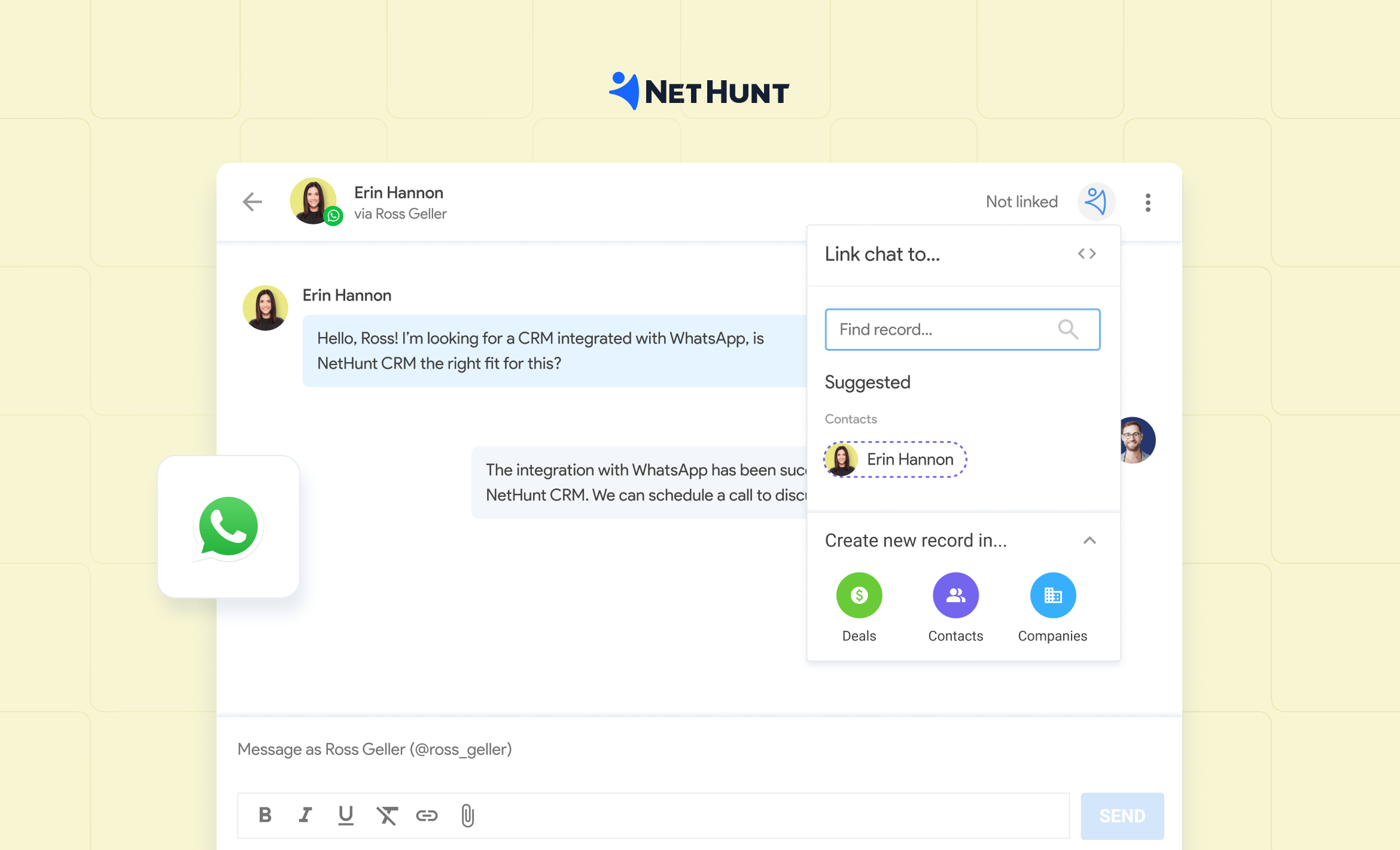
WhatsApp CRM is customer relationship management software connected to a WhatsApp number, so chats sync to contact records and deals. Your team can reply from the CRM, assign conversations, create leads from new chats and trigger follow-up tasks, depending on the tool and how it connects.
That last part matters most. Connecting the WhatsApp Business app to a CRM is different from using the official WhatsApp Business API (Meta's WhatsApp Business Platform, usually accessed through the WhatsApp Cloud API), and each supports different features and costs. This guide explains both, covers Meta's pricing change on 1 October 2026, and compares the best CRM with WhatsApp integration options, including where NetHunt CRM fits.
Disclosure: NetHunt CRM is our product. All tools are described from public product documentation checked in September 2026.
Best CRM with WhatsApp integration by situation
| Situation | Pick |
|---|---|
| WhatsApp inquiries need to become deals, and your team also works in Gmail | NetHunt CRM |
| Your selling happens mostly in chat, with bots and broadcasts | Kommo |
| A visual sales pipeline comes first | Pipedrive |
| You need sales, marketing and service in one platform | HubSpot |
| You already run your processes in Zoho | Zoho CRM |
| You want template broadcasts and chatbots on a small budget | WATI |
| You handle high inbound volume across many channels | Respond.io |
| One person wants more order inside WhatsApp Web | WA-CRM |
What is a WhatsApp CRM?
WhatsApp CRM software connects WhatsApp chats to contacts, deals, tasks and other customer information. Instead of leaving the conversation on one person's phone, it shows the team what the customer asked, who is responsible and what should happen next.
For example, a travel agency receives an inquiry about a family trip on WhatsApp. In a connected CRM, a manager can find or create the contact, save travel dates and preferences, link the chat to a deal and assign a task to send a quote. When the prospect later emails or calls, the team finds the full history in one place.
Is WhatsApp Business a CRM?
No, WhatsApp Business alone is not a CRM. The WhatsApp Business app helps one business talk to customers and organize chats, but it has no shared contact database, deal pipeline or sales reporting.
What people often call a WhatsApp Business CRM is a CRM connected to a WhatsApp Business account, which adds the records, pipelines and team access the app lacks.
| Capability | WhatsApp Business app | WhatsApp CRM |
|---|---|---|
| Who can reply | One phone plus a few linked devices | Team members with access, with ownership per chat |
| Customer data | Phone contacts and labels | Contact and deal records with history, notes, tasks, deals pipeline, automations |
| Where history lives | On the devices | On the customer record, visible to the team, does not depend on managers’ phones |
| Automation | Greeting, away message, quick replies | Workflows triggered by new chats or deal changes |
| Other channels | WhatsApp only | Email, calls, other messengers in one timeline |
| Reporting | Basic message statistics | Lead sources, response times, conversion |
If the teams use WhatsApp to sell, and one person handles all WhatsApp communication and answers a few chats a week, the app may be enough. Once several people manage leads and need to know which conversations turn into sales, connecting WhatsApp to your CRM pays off.
Four types of WhatsApp CRM tools
"WhatsApp CRM" describes four different kinds of software, and comparing them as equals is the most common reason teams pick the wrong one.
| Type | What it is | Examples | Fits when |
|---|---|---|---|
| Sales CRM with WhatsApp | A full CRM system where WhatsApp is one channel next to email, calls and pipelines | NetHunt CRM, Pipedrive, HubSpot, Zoho CRM, Kommo | Chats need to become tracked deals |
| WhatsApp-first platform | Software built on the WhatsApp Business Platform for templates, broadcasts and bots | WATI, Interakt | Most customer contact is on WhatsApp and you send campaigns |
| Conversation platform | An omnichannel inbox for customer conversations with routing that connects to a separate CRM | Respond.io | Large teams handle high inbound volume |
| WhatsApp Web extension | Notes, reminders and labels added to WhatsApp Web in the browser | WA-CRM | One person wants structure, no shared database needed |
How WhatsApp CRM integration works
A CRM connects to WhatsApp either through your existing WhatsApp app account or through the WhatsApp Business API. Before comparing features, ask three questions: which account do I have, how does the CRM connect to it, and what can my team do once it's connected?
| Connection | How it works | Typical fit | Check before choosing |
|---|---|---|---|
| WhatsApp or WhatsApp Business app connected to a CRM | You link your existing account; chats appear in the CRM | Conversational sales: bringing existing chats into contact records | Whether colleagues can reply, which chats sync, whether the number stays in the app |
| WhatsApp Business API connected to a CRM | Your number is registered with Meta through the CRM or a provider | Approved outbound templates, campaigns, high volume | Setup requirements, message categories, Meta charges, provider fees, and whether the app and CRM can be used together |
| WhatsApp Web extension | Adds tools on top of WhatsApp Web in your browser | Individual sellers | Whether it has full CRM records and pipelines, shared access, and reliable data portability |
The WhatsApp Business Platform uses message-category pricing that varies by market. Check Meta’s current pricing if you plan to send messages through it; a CRM subscription price does not tell you the full messaging cost. Some providers support using the Business app alongside a platform connection, so check that capability for the specific tool and setup rather than assuming the number must leave your phone.
Which connection do you need?
| You need to | Choose |
|---|---|
| Send broadcasts or template campaigns | WhatsApp Business API |
| Message customers first outside the 24-hour window at scale | WhatsApp Business API |
| Attribute click-to-WhatsApp ads to deals | WhatsApp Business API |
| Bring existing sales chats into the CRM quickly, without Meta verification | App connection |
| Keep using the number on your phone | App connection, or an API provider that supports coexistence |
| Avoid Meta per-message charges | App connection |
Some providers support coexistence, which keeps a number active in the WhatsApp Business app while it is also connected to the WhatsApp Business API. Check this for the specific tool rather than assuming the number must leave your phone.
How NetHunt's WhatsApp CRM integration works
NetHunt connects WhatsApp app accounts. There are two options:
- WhatsApp Business: connects your WhatsApp Business account; chats appear in NetHunt, can be linked to records and can be answered by managers granted access.
- WhatsApp (Personal): connects a regular WhatsApp account; chats sync to NetHunt, but only the account owner can reply.
WhatsApp Business API pricing: what changes on 1 October 2026
On the WhatsApp Business API, you pay the CRM or provider subscription plus Meta's per-message charges, and from 1 October 2026 more message types become billable.
- Since 1 July 2025: Meta charges per delivered template message, with rates by country and category (marketing, utility, authentication).
- From 1 October 2026: service messages and utility messages sent inside an open 24-hour customer service window become billable.
- Still free: free-form replies inside an open customer service window, and messages in the 72-hour window opened by a click-to-WhatsApp ad or Facebook Page button.
- App connections (such as NetHunt's): no Meta per-message charges, because messages are sent via your own WhatsApp account..
If your team uses WhatsApp mainly for support or order updates on the Business Platform, recalculate your monthly budget with these messages billed. Meta's current rates are on its pricing page.
What a powerful WhatsApp CRM should do for a sales team
A good WhatsApp CRM for sales helps your team turn an incoming chat into a managed opportunity. The conversation is connected to a customer record, someone owns the next step, and the deal keeps moving after the first reply. You have to consider functionality related to WhatsApp but also take a close look at the core CRM features.
Capture inquiries and connect them to customer records
When someone messages your business, the team should be able to find that conversation within your CRM and link it. You should be able to catch those conversations directly from WhatsApp. Check how the tool handles unknown numbers, repeat inquiries and chats that have not yet been assigned.
Show the conversation beside the deal
With a powerful WhatsApp CRM, a seller should open a customer record and see the WhatsApp conversation, deal stage, notes, next task and other customer interactions. That matters when a colleague takes over an inquiry, a customer returns months later, or a manager checks why a quote stalled.
Give each inquiry an owner and a next step
Capturing messages helps only if someone knows which ones need a reply. In a CRM platform, look for chat assignment, unanswered-chat filters, task creation and a clear handover. Then test a common situation: what happens when the person who usually handles that customer is away?
Connect chats to the rest of the sales process
The CRM solution should help the team manage what comes after the first reply: quotes, calls, emails, pipeline stages and repeat purchases. Managers should also be able to see which inquiries became deals and where opportunities stalled. This is where a sales CRM offers more than an organized chat inbox.
Check what “automation” actually includes
WhatsApp automation can refer to two different capabilities:
- CRM actions triggered by a chat: a configured workflow creates a contact, assigns a task or updates a deal.
- WhatsApp messages sent automatically based on CRM events: approved templates, broadcasts or bot replies. Availability depends on the connection method and the tool.
A CRM may support one without supporting the other. Check both against the workflow your team needs.
Best CRM with WhatsApp integration: comparison
No single tool is best for every team. The eight options below solve different problems, from chat-led selling to managing WhatsApp as one channel in a longer sales cycle.
How we compared them. Descriptions are based on each vendor's public product documentation and pricing pages, checked in September 2026. This is not a hands-on test. We looked at five things: how the tool connects to WhatsApp, how teams share and own conversations, CRM depth (records, pipelines, reporting), automation, and the cost of the plan that actually includes WhatsApp.
| Tool | Type | Connection | WhatsApp available from | Best fit |
|---|---|---|---|---|
| NetHunt CRM | Sales CRM | WhatsApp Business or Personal app | Basic Plus, $34/user/mo annual | Sales teams working across WhatsApp and other channels, who need automations, AI analysis, and customizable CRM |
| Kommo | Sales CRM | WhatsApp Business API | Base, $25/user/mo, 6-month minimum | Messaging-led selling with bots and broadcasts |
| Pipedrive | Sales CRM | WhatsApp Business integration | Growth plan (beta) | Pipeline-first sales teams |
| HubSpot | Customer platform | WhatsApp Business account | Professional tiers | Sales, marketing and service in one platform |
| Zoho CRM | Sales CRM | WhatsApp Business messaging | Paid editions from Standard | Teams already working in Zoho |
| WATI | WhatsApp-first | WhatsApp Business API | Growth, from $24/mo annual | Broadcasts and no-code bots for SMBs |
| Respond.io | Conversation platform | WhatsApp Business API | Starter, $79/mo | High-volume omnichannel teams |
| WA-CRM | WhatsApp Web extension | WhatsApp Web | Free to start | Individuals working in WhatsApp Web |
On WhatsApp Business API tools, Meta's per-message charges come on top of the prices above. Confirm current plans and limits before buying.
8 best WhatsApp CRM tools reviewed
1. NetHunt CRM: WhatsApp CRM for sales teams that work across channels
NetHunt CRM is a CRM with WhatsApp integration built for teams that sell from Gmail. It connects WhatsApp chats to customer records, so sellers answer WhatsApp messages directly from the CRM and see the conversation next to the relationship history. Teams can keep leads and customers in separate folders with their own fields, and move opportunities through their own pipelines. When a prospect emails after a WhatsApp inquiry, the team works from one customer record.
See NetHunt’s WhatsApp integration.
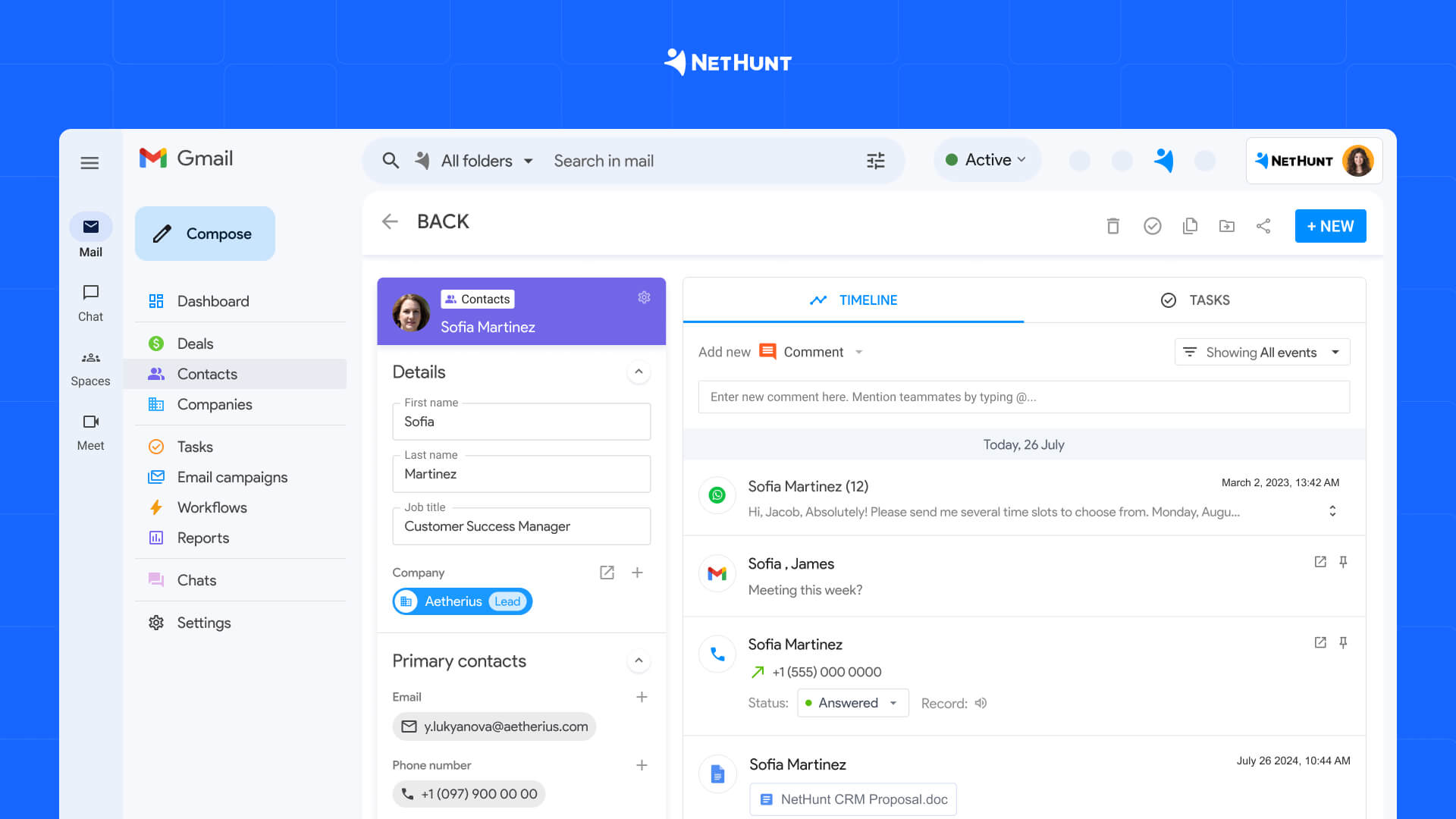
It works inside Gmail and brings WhatsApp and other messaging channels (Telegram, Viber, Instagram, Facebook) together with email, tasks and workflows. On plans with workflows, a new chat can create a record, assign a task or place a deal in the right pipeline.
NetHunt is also a WhatsApp CRM with AI: it analyzes CRM data such as stalled deals, managers who need attention, pipeline updates or any custom report you request.
- Pricing: Pricing: WhatsApp from Basic Plus at $34/user/month (annual); workflow automation from Business; 14-day free trial.
- Consider something else if WhatsApp marketing campaigns or API-based chatbots are your main goal, since NetHunt connects app accounts rather than the WhatsApp Business API.
2. Kommo: for WhatsApp-led selling and messaging automation
Kommo is a messaging-first CRM for small sales teams. The Kommo WhatsApp integration runs on the WhatsApp Business API and includes a shared inbox, Salesbot for chat-led qualification, approved templates and broadcasts, next to a sales pipeline.
- Pricing: from $25/user/month; six-month minimum commitment; Salesbot from the Advanced plan
- Consider something else if you can't prepay six months or need deeper record structure and reporting
3. Pipedrive: for pipeline-first sales teams
Pipedrive's WhatsApp Business integration brings chats into its Sales Inbox and links them to contacts and deals, with templates, quick replies and message statuses. It suits teams whose main need is keeping WhatsApp tied to pipeline activity.
- Pricing: its documentation lists access from the Growth plan through a beta program
- Consider something else if you need WhatsApp automation tools now; Pipedrive describes automation features as coming soon
4. HubSpot: for WhatsApp inside a wider customer platform
HubSpot is a CRM platform with marketing and sales tools and a help desk. It offers a native WhatsApp Business integration in its conversations inbox, where the team replies with context from customer records. Templates and workflow options are available on eligible subscriptions.
- Pricing: WhatsApp requires Professional tiers, which include onboarding fees
- Consider something else if WhatsApp is your main reason for buying a CRM
5. Zoho CRM: for businesses with established Zoho workflows
Zoho CRM is a CRM with WhatsApp integration for teams already working in Zoho. It offers WhatsApp Business messaging in its business messaging channels, so conversations attach to leads, contacts and deals. Teams already in Zoho avoid moving sales data to another system.
- Pricing: paid editions only; the free edition excludes WhatsApp
- Consider something else if you want a conversation-first WhatsApp inbox rather than record-centric messaging
6. WATI: for broadcasts and chatbots on a small budget
WATI is a WhatsApp marketing tool built on the WhatsApp Business API, with a no-code flow builder, team inbox and template management. It is one of the easier ways to start sending approved broadcasts.
- Pricing: Growth from $24/month billed annually, capped at 3 users
- Consider something else if you'll need more than three agents or a full sales pipeline
7. Respond.io: for high message volume across channels
Respond.io is an omnichannel conversation platform that brings WhatsApp, Instagram, Messenger, TikTok and email into one inbox for sales and customer support teams, and offers integration with CRM systems. Its routing is built for large teams.
- Pricing: from $79/month
- Consider something else if WhatsApp is your only channel or your team is small
8. WA-CRM: for working inside WhatsApp Web
WA-CRM is a browser extension that adds chat notes, reminders, custom tabs and snoozing to WhatsApp Web. It may suit an individual who wants more structure within WhatsApp Web.
- Pricing: free to start
- Consider something else if your team needs core CRM features such as shared contact records, pipelines and a view across all sales channels
How to integrate WhatsApp with your CRM platform
There are two ways to integrate WhatsApp with your CRM: connect your WhatsApp app account, which takes minutes, or connect a number through the WhatsApp Business API, which takes days because of Meta's verification and review steps.
Connect WhatsApp to NetHunt CRM
For a WhatsApp Business app account: Open NetHunt’s Chats section, choose Connect Chat, then select WhatsApp Business and follow the on-screen connection instructions. In messenger settings, choose which conversations to save. You can then link chats to records, reply in NetHunt, and grant colleagues the appropriate messenger access. Follow the current Business connection guide for the exact screens.
For a Personal WhatsApp account: Choose WhatsApp (Personal) and follow the Personal connection guide. The owner of that account can reply to its chats; teammates should not assume they can answer from the same Personal connection. If shared replying matters, choose the account and access setup that supports it.
After connecting, test one real inquiry from start to finish: receive the chat, attach it to a contact, assign the owner, reply, create the next task, and check what appears on the customer timeline.
What happens to a WhatsApp inquiry in NetHunt
Here's a typical WhatsApp CRM workflow in NetHunt, starting with an inquiry like "Can you send me a quote?":
- The message appears in Chats. A manager can review the inquiry and reply from NetHunt CRM.
- The chat is linked to a customer record. The manager can link an existing record or create a new one, so the conversation remains with the customer history.
- The lead gets a next step. The team can assign responsibility, add the details needed for a quote, and create a task or deal.
- A workflow can act on a new chat. On a plan that includes workflows, NetHunt can use a new conversation as a trigger for CRM actions, such as creating a record, assigning a task, or placing a deal in the right pipeline.
- The team follows the opportunity across channels. When the customer moves to email or a call, the seller still has the contact and deal context in the CRM.
This is the reason to choose a sales CRM over a chat organizer: a WhatsApp inquiry becomes a managed opportunity with an owner, a stage, and a next action. See NetHunt’s WhatsApp product page and chat workflow example for the underlying features.
WhatsApp Business API integration with a CRM
- Create or open a Meta Business account and verify your business.
- Choose a WhatsApp Business number you own that can receive an SMS or call. If it's active in the WhatsApp app, check your provider's coexistence and migration rules first.
- Connect the number through your CRM's embedded signup or a Business Solution Provider.
- Submit your display name for review.
- Create message templates and submit them for approval. Messages outside the 24-hour window must use an approved template.
- Send test messages and check that each lands on the right contact record.
Numbers, templates and billing are managed in Meta's WhatsApp Manager, the WhatsApp Business API dashboard, while conversations are handled in the CRM.
Meta publishes no fixed timeline for verification or display name review, so plan for several days.
How much does a WhatsApp CRM cost?
The real cost is the plan that includes WhatsApp, multiplied by your team size, plus Meta's message charges if you use the Business Platform. The entry price on a pricing page is often a lower plan without WhatsApp.
Budget for four things:
- the plan that includes the WhatsApp connection
- the number of users or connected WhatsApp accounts
- the tier that includes workflow automation, if you need it
- Meta's per-message charges on WhatsApp Business API setups, which rise from 1 October 2026
NetHunt CRM starts at $24/user/month for Basic, billed annually. WhatsApp is included from Basic Plus at $34/user/month billed annually, and workflow automation from Business. There are no Meta message charges because NetHunt connects app accounts.
Is there a free WhatsApp CRM?
There is no fully free WhatsApp CRM for team use. Free CRM plans usually exclude WhatsApp, browser extensions lack shared records, and Business Platform tools pass on Meta's charges.
| Tool | Free offer | WhatsApp included? |
|---|---|---|
| HubSpot | Free CRM for 2 users | No, WhatsApp needs a Professional tier |
| Zoho CRM | Free edition for 3 users | No, WhatsApp needs a paid edition |
| WA-CRM | Free to start | Yes, for one person in WhatsApp Web |
| NetHunt CRM | 14-day free trial | Yes, during the trial |
| Kommo | 14-day free trial | Yes, during the trial |
If one person handles a few chats a week, the free WhatsApp Business app is enough until the volume or team grows.
Which WhatsApp CRM solution should you choose?
Start with a real customer journey, not a feature count: the right CRM with WhatsApp integration gets a new inquiry to the right person, records it as an opportunity and makes sure someone follows up on time.
Three questions narrow the list quickly:
- Do broadcasts, templates or click-to-WhatsApp ads matter to your WhatsApp marketing strategy? Yes: choose a Business Platform tool. No: an app connection gets you live faster without Meta charges.
- Is WhatsApp one channel among several, or most of your customer contact? One of several: a sales CRM with WhatsApp. Most of it: a WhatsApp-first platform, connected to a CRM if you need pipelines.
- How many people will reply, now and in a year? Per-user pricing grows with the team; check whether several people can reply from one number.
Then match the tool to your situation:
- NetHunt CRM when WhatsApp inquiries need to become deals and your team also works in Gmail and other channels
- Kommo when conversations, bots and campaigns drive most of your selling
- Pipedrive when a simple sales pipeline comes first and its WhatsApp integration is available to you
- HubSpot when WhatsApp needs to sit inside a broader marketing, sales and service setup
- Zoho CRM when you already run your processes in Zoho
- WATI when you mainly send template broadcasts and run chatbots
- Respond.io when a large team handles high volume across many channels
- WA-CRM when one person wants extra organization in WhatsApp Web
Before signing up for any WhatsApp CRM solution, ask each vendor whether you can export all conversations and contacts, and what happens to your data if you cancel.




 product experts — let's find the best setup for your team