









- Streak removed its free plan in 2024; Pro now starts at $49/user/month — nearly double what most competitors charge
- Best Gmail-native alternative: NetHunt CRM — full CRM inside your inbox from $24/user/month
- Best budget Gmail pick: Teamopipe — core pipeline management from $9/user/month
- Best free starting point: HubSpot CRM — generous free tier, scales with your team
- Best standalone pipeline tool: Pipedrive — visual and powerful outside Gmail
- Best budget pick overall: Zoho Bigin — from $7/user/month, surprisingly capable
- All 7 tools scored across 8 criteria weighted by what actually matters to small sales teams
List of Streak Alternatives
Streak is getting out of its free plan era — its only option is a $49/mo plan. The functionality is solid if you use Gmail for your business, but the price point is too high given the size of most small businesses looking for lightweight, affordable CRM alternatives in Gmail.
We tested all seven tools, scored them across eight criteria weighted specifically for small and mid-size sales teams, and built a framework to help you pick the right one for your situation.
Why people are leaving Streak CRM in 2026
Streak built a solid range of features into what many consider the best alternative to Streak's own original free model into a genuinely clever concept: a CRM that lives inside Gmail, so your pipeline and your inbox are the same place — an elegant way to manage customer relationships without switching tabs. For years, that was enough. Then came the pricing change — and many users found the jump simply too steep.
- The free plan is gone. Streak quietly removed it, and the new entry point is $49/user/month — mail merge and shared pipelines are the only things included at that price — a number that keeps appearing in Reddit discussions alongside words like "too steep," "not worth it," and "you lost me."
- Automation hits a wall fast. Streak handles basic triggers, but it doesn't support branching workflows, automatic deal progression based on lead behavior, or multi-channel sequences. The moment your sales process gets even slightly complex, you're doing things manually that a better tool would handle for you.
- Only four native integrations. Calendly, Google Forms, Typeform, and Webhooks. That's it. Everything else requires Zapier, which means another subscription and another layer of fragility.
- The pipeline structure is rigid. Streak expects everything to flow linearly from one stage to the next. If your sales process doesn't work that way — and most don't — you're constantly fighting the tool.
- Gmail slows down under load. As your contact list grows, the extension adds real weight to your browser. Users with large databases regularly report Gmail becoming noticeably slower.
Comment
by u/caitlinobauer from discussion
in CRM
Best Streak CRM Alternatives Compared
Compare top Streak CRM alternatives side by side — scored, priced, and ranked:
| Tool | Score /100 | Gmail-native | Free plan | Starting price | Best for |
|---|---|---|---|---|---|
| NetHunt CRM | 88 | ✅ Inside inbox | ❌ | $24/user/mo | Gmail teams wanting full CRM power |
| Copper | 74 | ✅ Inside inbox | ❌ | $23/user/mo | Google Workspace-first teams |
| folk | 69 | Sync | ✅ | $20/user/mo | Relationship-driven sales |
| HubSpot CRM | 71 | Sync | ✅ | Free / $20/user/mo | Teams wanting a free starting point |
| Pipedrive | 72 | Sync | ❌ | $14/user/mo | Visual pipeline management |
| Teamopipe | 63 | ✅ Inside inbox | ✅ | $9/user/mo | Budget Gmail-native option |
| Zoho Bigin | 62 | Partial | ✅ | $7/user/mo | Tightest budgets |
Detailed Reviews of the Best Streak CRM Alternatives
1. NetHunt CRM — Best Gmail-native Streak alternative
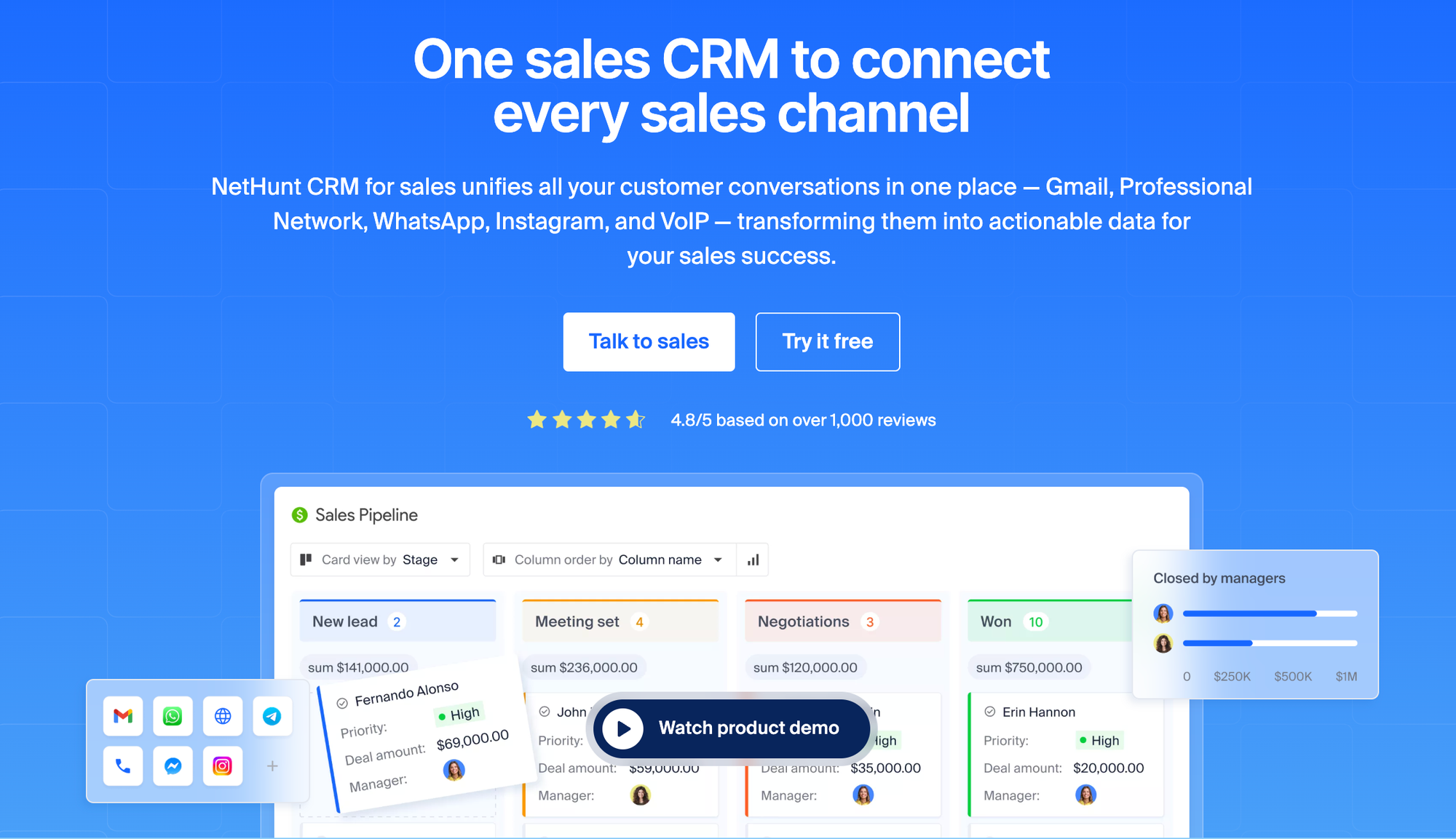
NetHunt CRM lives inside Gmail the same way Streak does — your pipeline, contact records, and email history all exist within the Gmail environment. The difference is what's underneath: a powerful CRM with full sales automation, multi-channel sequences, native integrations with WhatsApp, Instagram, Facebook Messenger, and Professional Network, and a reporting suite that goes well beyond Streak's basic reporting.
Founded in 2015 and used by over 10,000 businesses across 75+ countries, the platform is a scalable Google Cloud Partner that undergoes annual Google Security Assessments. For teams who chose Streak because they wanted their CRM inside Gmail but need more power as they grow, it is the natural next step.
Key features:
- Full CRM embedded in Gmail — manage contacts, deals, and emails without leaving your inbox
- Advanced workflow automation with branching logic, triggers based on email interactions, and automatic stage progression
- Native integrations with WhatsApp, Instagram, Facebook Messenger, Viber, and Professional Network — stay connected across all channels and manage all conversations from one place
- Multi-channel email sequences with open and click tracking
- Custom fields, formula fields, multiple pipelines, and role-based field visibility
- Sales forecasting and pipeline reports, team performance tracking, and native Looker Studio integration
- Direct import from Streak (step-by-step guide)
- Lead capture via web forms, webhooks, and social channels
- MCP (Model Context Protocol) integration — connect ChatGPT, Claude, or Grok to your CRM and search records, analyze deals, update contacts, and automate tasks using plain natural language (learn more)
- Mobile app with business card scanning
Scoring breakdown:
| Criterion | Score | Notes |
|---|---|---|
| Gmail & Google Workspace integration | 14/15 | Native inbox integration, full Google Workspace sync |
| Automation & manual work reduction | 13/15 | Branching workflows, email triggers, auto deal progression, MCP AI control |
| Pricing & value for smaller teams | 12/15 | $24/user/mo basic; automation from $48/user/mo |
| Pipeline & customization | 9/10 | custom data fields, formula fields, multiple pipelines |
| Native integrations | 10/10 | WhatsApp, Instagram, LinkedIn, Intercom, Apollo, and more |
| Ease of use & onboarding | 8/10 | Familiar Gmail environment; some onboarding time for automation |
| Reporting & analytics | 8/10 | Pipeline reports, forecasting, Looker Studio |
| customer support | 5/5 | Rated 4.7/5 on G2, praised for response times |
| Total | 88/100 |
Pros:
- CRM lives inside Gmail — zero context switching
- Most comprehensive native integrations of any Gmail CRM (WhatsApp, Instagram, LinkedIn)
- Automation goes far beyond what Streak offers
- Direct Streak data import built in
- MCP support: control your CRM with ChatGPT, Claude, or Grok via natural language
- Transparent, competitive pricing vs Streak
Cons:
- No free offering (14-day trial available)
- Automated sales operations starts on Business plan ($48/user/mo)
- Steeper learning curve than Teamopipe for very basic use cases
Pricing:
- Basic: $24/user/month (billed annually)
- Basic Plus: $34/user/month
- Business: $48/user/month (includes automation)
- Business Plus: $68/user/month
- Advanced: $96/user/month
What users say:
NetHunt CRM helps me keep daily consultation work, follow ups, and communication more organized without making things complicated. I work as a Dietician & Nutritionist, manage a homeopathy clinic, and also create health education content, so handling reminders, patient follow-ups, and pending tasks in one place is very useful for my workflow.
Ease of implementation felt smooth because creating tasks, tracking follow-ups, and organizing activities was simple from the beginning. I use it regularly for diet consultation tracking, patient follow-ups, reminder management, and organizing daily activities. Gmail integration is one of the most useful features for me because most communication already happens there, so managing emails and follow-up activities together saves time and keeps work structured.
I also like the pipeline, task management, automation, and reminder features because they help track active consultations, pending reviews, and completed work clearly. Performance has also been good for regular daily use. Tasks open quickly, records are easy to access, and switching between activities feels smooth during busy clinic hours. The number of features feels balanced for professional work without making the system feel too heavy. Customer support was also helpful whenever I needed basic setup guidance. Overall, NetHunt CRM feels practical, simple, and useful for managing consultation work, follow-ups, communication, and health education related workflow in an organized way.
What do you dislike about NetHunt CRM?
Basic task management and follow-up tracking are easy to handle, but when I tried exploring more advanced workflow setup and automation features, it took some extra time to fully understand everything. Also, reporting and analytics are good for regular tracking, but deeper reports could be more detailed.
What problems is NetHunt CRM solving and how is that benefiting you?
It is helping me solve the problem of managing follow-ups, consultation activities, and daily communication in a more organized way. Earlier, small tasks, pending follow-ups, reminder notes, and consultation updates were scattered across different places, which made tracking work difficult during busy clinic hours.
Now I can keep consultation follow-ups, task reminders, communication history, and daily activities in one workflow, which saves time and reduces confusion. It also helps me track pending diet reviews, active consultations, and completed follow-ups more clearly. The Gmail integration is also helpful because most of my communication already happens there, so keeping emails and follow-up activities connected makes daily work easier to manage. Task management and reminder features help me avoid missing important follow-ups and keep routine work more structured. I also create health education content, so sometimes I use it for organizing content-related follow-ups and planning activities as well. Overall, it helps me stay more organized, improves daily workflow management, and reduces manual tracking work.
2. Copper — Best for deep Google Workspace integration
Copper CRM is the only tool officially recommended by Google for Google Workspace. It integrates directly with Gmail, Calendar, and Drive, and when you add a new contact, Copper automatically pulls in a full year of past email history — no manual logging needed. For teams that operate entirely within the Google ecosystem, it's the most seamless option after NetHunt.
The tradeoff is the pricing ladder. The entry tier ($23/user/month) covers contacts but not pipelines. Most sales reps end up on the Professional plan at $69/user/month to get automation and workflow features.
Key features:
- Native Gmail and Google Calendar integration with automatic contact creation
- Automated data capture from emails — no manual entry for contacts
- Pipeline management with drag-and-drop deal tracking
- Built-in email templates, sequences, and open tracking
- Project management features alongside CRM
- 100+ third-party integrations including Slack, QuickBooks, and Zapier
Scoring breakdown:
| Criterion | Score | Notes |
|---|---|---|
| Gmail & Google Workspace integration | 14/15 | The deepest Google integration on this list |
| Automation & manual work reduction | 10/15 | Good auto-capture; limited branching workflows |
| Pricing & value for lean teams | 9/15 | Entry plan lacks pipelines; real features start at $69 |
| Pipeline & customization | 7/10 | Solid but less flexible than NetHunt |
| Native integrations | 7/10 | Good ecosystem, fewer messenger integrations |
| Ease of use & initial setup | 9/10 | Very intuitive, Google-native feel |
| Reporting & analytics | 7/10 | Decent reports; forecasting on higher tiers |
| support quality | 4/5 | Generally well-rated |
| Total | 74/100 |
Pros:
- Feels like a Google product — minimal learning curve
- Automatic email history import when adding contacts
- Strong Google Calendar and Drive sync
- project tracking built in
- deeper Gmail-native context than HubSpot or Pipedrive MCP
Cons:
- No free plan
- Pipelines locked behind second tier ($29/user/mo)
- Automation requires Professional ($69/user/mo)
- Requires Google Workspace — no Outlook support
Pricing:
- Starter: $12/user/month (contacts only, no pipelines)
- Basic: $29/user/month (pipelines added)
- Professional: $69/user/month (automation, lead management)
- Business: $134/user/month
What users say:
Copper CRM is fast loading, easy to search and load my clients on the fly. As a web/advertising agency, we were able to customize Company fields to streamline our workflow. The visibility is amazing with Workspace integration where we can see all of our email conversations.
From the sales side, I love the pipeline flow - especially the automations that add reminders to my calendar and tasks from a single view to follow up on deals. The email automation has reduced the amount of time doing check ins with referral partners, past clients, and potential clients. My deals are closing faster, our team is operating more efficiently, and our visibility has increased. Love it!
What do you dislike about Copper?
I wish the fields were live and had a Copy/Save icon next to each. When moving quickly to copy data from a field, I worry we will wipe the data out. I don't like not having an undo or restore functionality if there is a mistake.
What problems is Copper solving and how is that benefiting you?
Streamlined business development, increased visibility, and automated email follow ups.
3. Teamopipe — Best budget Gmail-native option
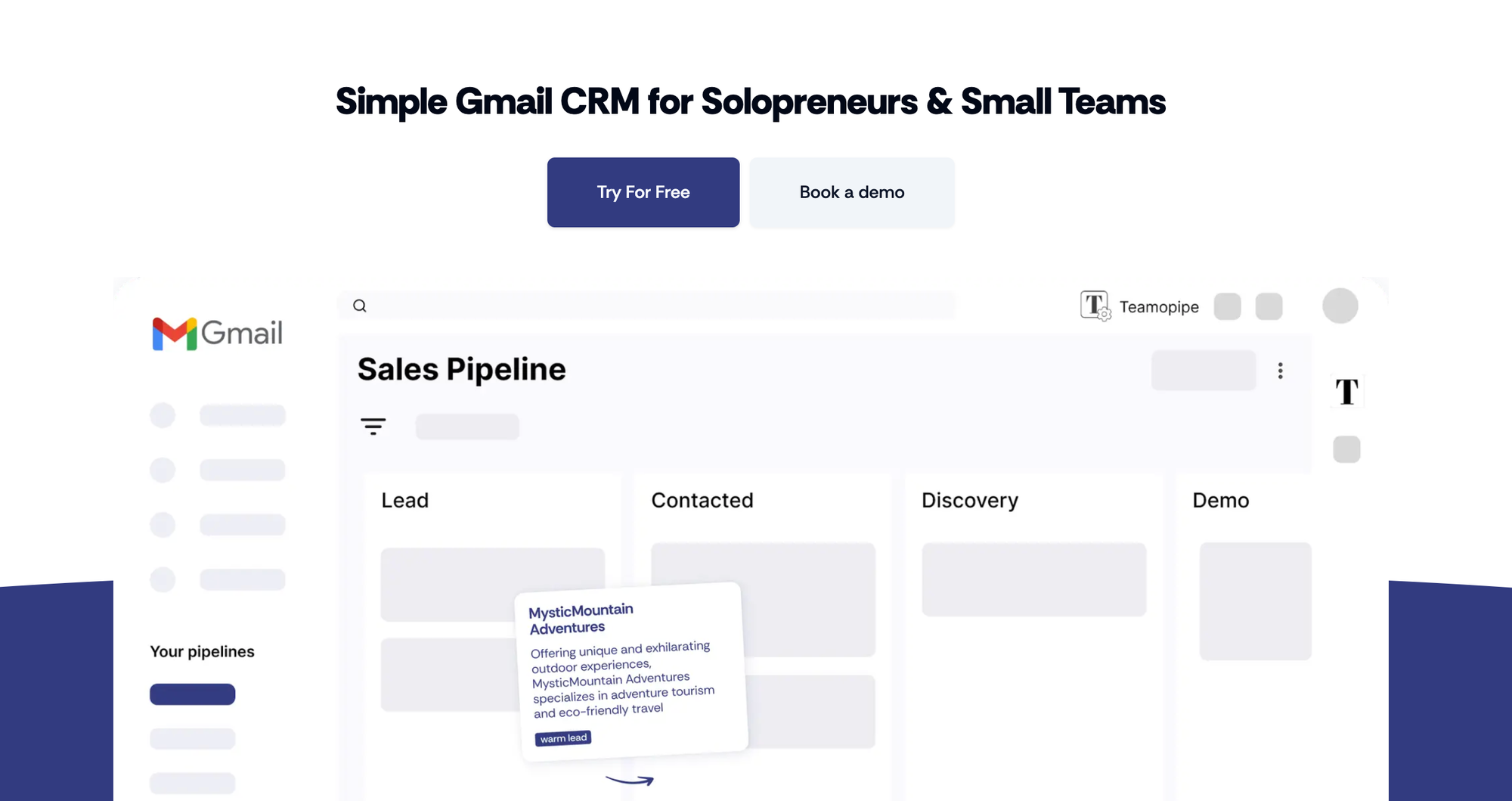
Teamopipe is what Streak used to be before the pricing change — a favourite among solopreneurs: a lightweight, affordable CRM extension that brings pipeline management into Gmail without adding complexity. At $9/user/month (with a free level), it solves the core use case — pipeline visibility inside Gmail — at a fraction of Streak's current price.
What you gain in affordability, you trade in depth. Teamopipe doesn't have native messenger integrations, advanced automation, or sophisticated reporting. It's deliberately simple, and for solo founders or compact teams who just need structured pipeline management inside Gmail, that simplicity is the point — real pipeline management without overcomplicating your workflow.
Key features:
- Gmail Chrome extension — pipeline operates within your inbox
- Contact management and deal tracking
- Kanban board pipeline visualization
- Google Sheets integration for reporting
- Free getting started program for paid users
- Dedicated success manager on all paid plans
Scoring breakdown:
| Criterion | Score | Notes |
|---|---|---|
| Gmail & Google Workspace integration | 11/15 | Gmail-native but less deep than the product or Copper |
| Automation & manual work reduction | 5/15 | Very limited — mostly manual |
| Pricing & value for tight-knit teams | 14/15 | $9/user/mo is the best value on this list |
| Pipeline & customization | 6/10 | Core pipeline features, limited customization |
| Native integrations | 3/10 | Google Sheets only; Zapier on roadmap |
| Ease of use & setup process | 9/10 | Extremely simple, fast setup |
| Reporting & analytics | 4/10 | Basic, relies on spreadsheet |
| support team | 5/5 | Dedicated success manager on all plans |
| Total | 63/100 |
Pros:
- Cheapest Gmail-native CRM on this list
- Zero-cost plan available
- Dedicated support on every paid plan
- Very low learning curve
Cons:
- Minimal automation
- No native messenger integrations
- Limited reporting
- Early-stage product — fewer integrations than established tools
Pricing:
- Free access available
- Paid from $9/user/month
4. folk — Best for relationship-focused sales
folk takes a different angle on CRM: contacts, not deals, are the center of the world. It's built for teams whose sales operation is fundamentally relationship-driven — PR, partnerships, recruiting, agency work — rather than transactional pipeline management.
The browser extension captures contacts from LinkedIn, Gmail, and other platforms in one click. AI-powered enrichment fills in missing details. Shared contact lists make collaboration natural. If your work is about building and maintaining relationships rather than moving deals through stages, folk fits that workflow better than any other tool on this list.
Key features:
- folkX browser extension for one-click contact capture from LinkedIn and Gmail
- AI-powered contact enrichment — find missing emails, titles, and company details
- Customizable pipelines for any workflow
- Bulk email campaigns and sequences
- Task management and activity tracking per contact
- Shared contact lists for team collaboration
- AI sales assistants working in the background
Scoring breakdown:
| Criterion | Score | Notes |
|---|---|---|
| Gmail & Google Workspace integration | 9/15 | Sync-based, not Gmail-native |
| Automation & manual work reduction | 9/15 | Good sequences; AI enrichment reduces manual work |
| Pricing & value for modestly-sized teams | 11/15 | $20/user/mo for Standard; sequences on Premium ($48) |
| Pipeline & customization | 8/10 | Highly flexible, great for non-standard workflows |
| Native integrations | 7/10 | Strong LinkedIn; decent Gmail; growing ecosystem |
| Ease of use & ramp-up | 9/10 | Beautiful, intuitive UI |
| Reporting & analytics | 5/10 | Basic dashboards; deeper on Premium |
| help desk quality | 4/5 | Well-rated, responsive |
| Total | 69/100 |
Pros:
- Best LinkedIn integration on this list
- Beautiful, modern interface
- Genuinely useful AI enrichment
- Great for relationship-based sales operations
- Free plan available
Cons:
- Not Gmail-native — separate app
- Email sequences locked behind Premium ($48/user/mo)
- Pipeline reporting is limited on lower tiers
- Less suited for traditional deal-based sales
Pricing:
- no-charge option available
- Standard: $20/user/month
- Premium: $48/user/month
What users say:
There are quite a few features I find really valuable in the folk system. First, you can “add to folk” contacts from sites like LinkedIn, websites, and more, which makes it simple to bring new contacts into the CRM. Second, you can “enhance” contacts — folk fills in missing contact data — which I’ve found especially helpful for business development.
Third, it’s easy to set up multiple views, groups, and boards, so I can organize my contacts the way I want. Finally, customer service is very responsive and genuinely helpful whenever I have questions. I could go on. I switched from Hubspot and have found folk much easier to use for my small business.
What do you dislike about folk?
I don’t think there are many downsides. I do wish I could set my notifications to go to Slack or to my email, although those options might already exist and I just haven’t found them yet. I also haven’t figured out the best way to track multiple deals with a single client. I’m fortunate to have repeat clients, and I’m not sure how to capture multiple projects and proposals under one client in a clear, organized way.
What problems is folk solving and how is that benefiting you?
folk helps me manage my business development pipeline and outreach. I really like the enhancement function — I save a lot of time hunting down up-to-date contact info, and folk does that for me. It’s also set up in a more intuitive way, which makes me more likely to actually use it day to day. Overall, it’s helped me get organized and stay more consistent with my outreach.
5. HubSpot CRM — Best free starting point
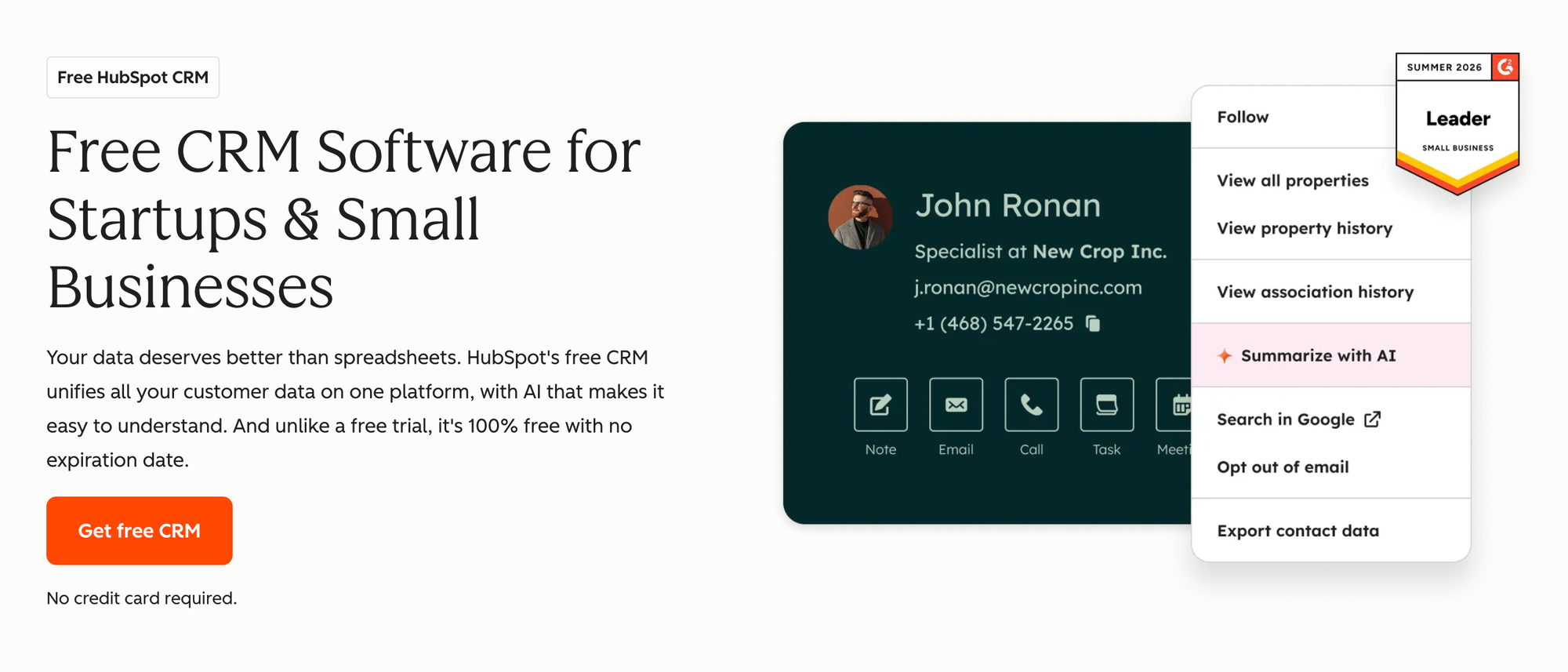
HubSpot's free CRM tier is genuinely useful — contact management, deal management, Gmail sync, and basic reporting, all at no cost, for unlimited users. For teams just getting started with structured sales operationes, it removes the financial barrier entirely.
The catch is well-documented in Reddit discussions: "HubSpot is way more product than I need" and "it seemed to be a nightmare" are recurring themes from people who tried it as a Streak alternative. The no-cost plan is real, but the moment you need automation, sequences, or proper reporting, you're looking at $100/user/month (Professional), plus a mandatory $1,500 implementation fee.
Key features:
- Free plan covers unlimited users and contacts with no time limit
- Gmail sync with email tracking and logging
- Visual deal pipeline with drag-and-drop management
- Contact and company management with activity timeline
- Basic reporting and dashboards
- Extensive app marketplace (1,000+ integrations)
- Built-in marketing automation capabilities for email campaigns and lead nurturing
- Native MCP server (GA April 2026 at mcp.hubspot.com) — read and write CRM data via Claude or ChatGPT on any HubSpot plan, including free
Scoring breakdown:
| Criterion | Score | Notes |
|---|---|---|
| Gmail & Google Workspace integration | 8/15 | Sync-based; solid but not Gmail-native |
| Automation & manual work reduction | 10/15 | Good on Starter; excellent on Professional |
| Pricing & value for growing teams | 10/15 | unpaid tier is real; jump to Professional is steep |
| Pipeline & customization | 8/10 | Highly adaptable at higher tiers |
| Native integrations | 9/10 | Largest app ecosystem on this list |
| Ease of use & setup experience | 7/10 | Simple for basic use; complex at scale |
| Reporting & analytics | 8/10 | Strong at Professional tier |
| support responsiveness | 4/5 | Good documentation; live support on paid tiers |
| Total | 71/100 |
Pros:
- Genuinely useful free plan
- Largest integration ecosystem
- Strong brand — easy to justify internally
- Scales well if you grow into the full suite
Cons:
- Not Gmail-native
- Automation and sequences require Professional ($100/user/mo)
- $1,500 mandatory getting up to speed fee on Professional
- Can feel overwhelming for two-to-ten person teams
- Upgrade pressure through the product
Pricing:
- Free (unlimited users)
- Starter: $20/user/month
- Professional: $100/user/month + $1,500 setup phase fee
6. Pipedrive — Best standalone pipeline tool
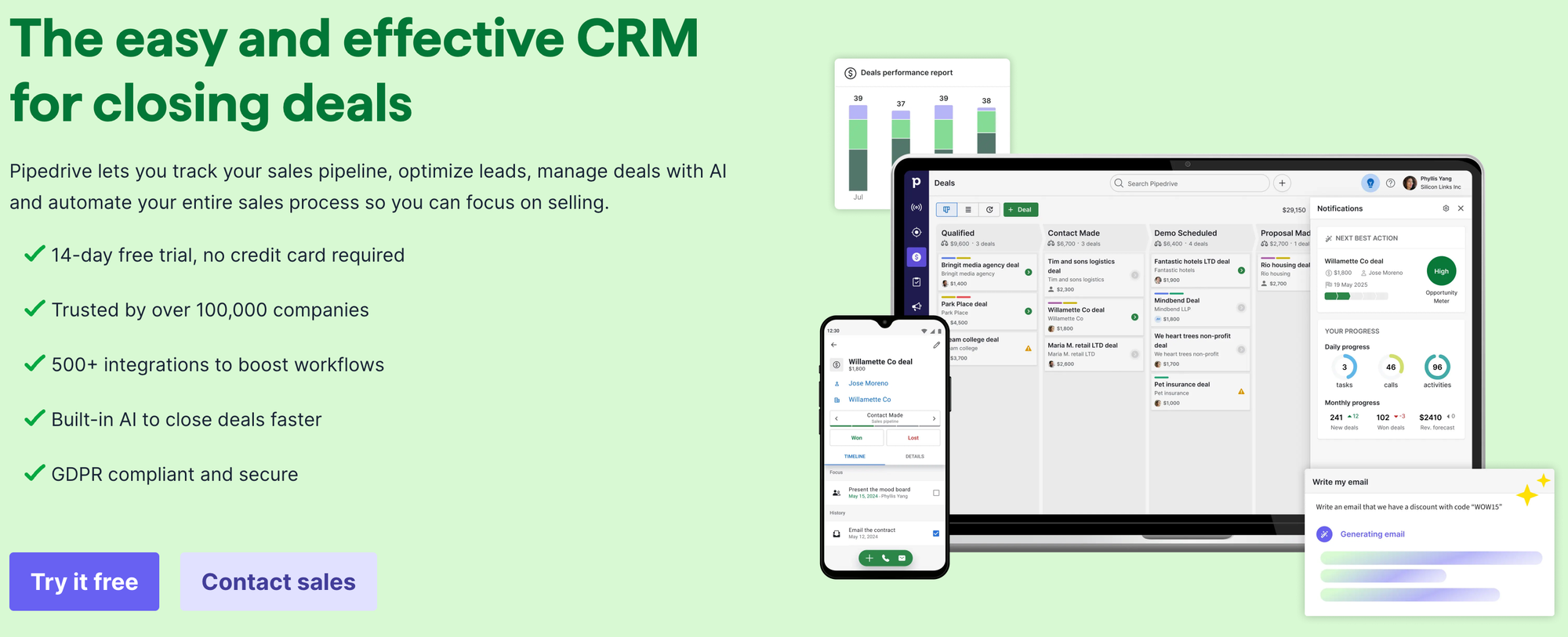
Pipedrive invented the visual sales pipeline category and still does it better than almost anyone. If your team's main need is a clean, structured way to manage deals — with good forecasting, solid team reporting, and reliable email sync — Pipedrive delivers without unnecessary complexity.
It's not a Gmail CRM. Pipedrive syncs with Gmail rather than living inside it, which means your inbox stays fast and your pipeline stays organized in a separate, purpose-built interface. For teams that have outgrown the inbox-as-CRM model, that separation is a feature, not a bug.
Key features:
- Visual kanban pipeline with drag-and-drop deal management
- Two-way Gmail sync with email open tracking (from Growth tier)
- automated sales operationes and workflow builder
- AI-powered sales assistant with deal insights
- Revenue forecasting and team performance reports
- 400+ integrations via native connections and Zapier
- Native MCP server (launched June 2026) — connect Claude or ChatGPT to your pipeline data via natural language
Scoring breakdown:
| Criterion | Score | Notes |
|---|---|---|
| Gmail & Google Workspace integration | 7/15 | Sync-based; 2-way sync from Growth ($49/user/mo) |
| Automation & manual work reduction | 11/15 | Strong workflow automation |
| Pricing & value for boutique teams | 10/15 | $14 entry; full features from $49 |
| Pipeline & customization | 9/10 | Best visual pipeline on this list |
| Native integrations | 8/10 | 400+ integrations, strong ecosystem |
| Ease of use & launch process | 8/10 | Clean, intuitive interface |
| Reporting & analytics | 8/10 | Solid forecasting and team reports |
| support experience | 4/5 | Well-rated across review platforms |
| Total | 72/100 |
Pros:
- Best-in-class visual pipeline
- Strong automation on mid-tier plans
- AI sales assistant built in
- Extensive integration ecosystem
- Clean, focused interface — not bloated
Cons:
- Not Gmail-native
- Two-way email sync requires Growth plan ($49/user/mo)
- No free version
- Less suitable if you need CRM inside Gmail specifically
Pricing:
- Essential: $14/user/month (BCC email only)
- Advanced: $29/user/month
- Professional: $59/user/month
- Power: $69/user/month
What users say:
As an experienced sales pro who has used most CRMs on the market, I love the visual ease of the Kanban view of deals. What makes this even better, is that I can customise the cards/view and see all the key data at once, making tracking deals much easier. The easy sequences for leads also stand out as a favourite feature for me. It's very visual, which helps in tracking hot leads and deals more efficiently than conventional CRM systems, ensuring that you focus your time on the real prospects.
Also, easy integration with our other tools, and email sync, so all the data is visible in place.
Something you don't notice, as it is just so normal now, is the speed and performance of it too, regardless of whether you are in the customer, deal or reports view, yet being very competitively priced too. Regular update webinars help to get the best out of the system too, with a dedicated support team who has been able to answer all our questions. Future AI features look exciting, too, with some already implemented and in daily use.
What do you dislike about Pipedrive?
The labels could be better, especially on the reporting side. It's frustrating that you can't use combinations like 'this label and that label' or 'this label, but not that one'. You're limited to just using a single label at a time.
What problems is Pipedrive solving and how is that benefiting you?
Pipedrive helps us track to convert leads faster, and especially to convert the cooler leads by automation, whilst I can focus either to the new hot leads, or those converted by the automated sequences and deals easily with its visual approach, and customising cards lets me see key data at once, making tracking much simpler than conventional CRM.
7. Zoho Bigin — Best budget pick
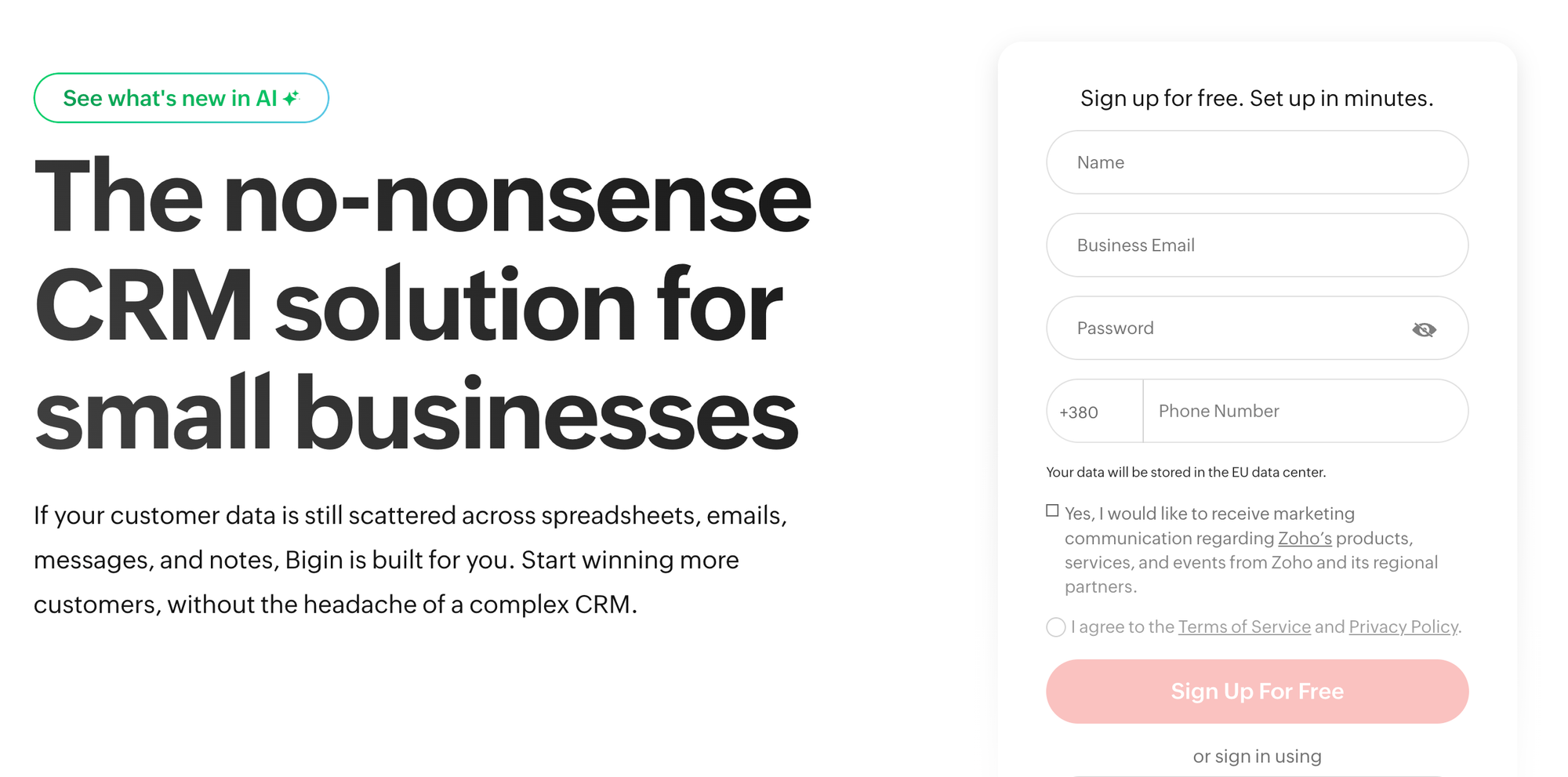
Zoho Bigin is the most affordable all-in-one solution on this list that still qualifies as a real CRM. At $7/user/month, it offers contact organization, pipeline tracking, basic automation, and a mobile app — enough for early-stage businesses or teams moving off spreadsheets for the first time.
The Gmail integration is partial rather than native: Bigin connects via Google Workspace but doesn't live inside Gmail. For teams on very tight budgets who don't need Gmail-native functionality, it's a sensible starting point. Multiple Reddit users mentioned it specifically as a budget Streak alternative with "a really nice UI that's logical and easy to use."
Key features:
- Simple pipeline management with multiple pipeline support
- Basic workflow automation and task tracking
- Google Workspace integration (Calendar, Contacts sync)
- Mobile app for iOS and Android
- Built-in telephony on higher tiers
- gratis plan for single users
- Native MCP support via Zoho MCP — connect AI agents to fetch records, trigger workflows, and automate tasks
Scoring breakdown:
| Criterion | Score | Notes |
|---|---|---|
| Gmail & Google Workspace integration | 7/15 | Partial integration, not Gmail-native |
| Automation & manual work reduction | 7/15 | Basic automation; limited compared to others |
| Pricing & value for startup-sized teams | 14/15 | Best price-to-feature ratio at entry level |
| Pipeline & customization | 6/10 | Multiple pipelines; limited custom data fields |
| Native integrations | 5/10 | Zoho ecosystem strong; third-party limited |
| Ease of use & initial configuration | 8/10 | Praised for clean, user-friendly interface and logical UI |
| Reporting & analytics | 5/10 | Basic dashboards |
| assistance quality | 4/5 | Zoho support has a solid reputation |
| Total | 62/100 |
Pros:
- Cheapest complete CRM on this list ($7/user/mo)
- Free account for solo users
- Clean, easy-to-use interface
- Good mobile app
- Multiple pipelines even on entry tier
Cons:
- Not Gmail-native
- Limited automation depth
- Reporting is basic
- Can feel restrictive as you grow
- Stepping up to Zoho CRM (full version) is a significant jump
Pricing:
- Free (1 user)
- Express: $7/user/month
- Premier: $12/user/month
What users say:
What I like most about Zoho CRM is its ability to centralize customer data, sales activities, and automation in one platform. The interface is intuitive, customization options are extensive, and workflow automation significantly reduces repetitive tasks.
I also appreciate its seamless integrations with other Zoho products and third-party applications, detailed reporting dashboards, and AI-powered insights that help prioritize leads and improve sales decisions. Overall, it provides excellent value by combining powerful CRM capabilities with flexibility for businesses of different sizes.
What do you dislike about Zoho CRM?
Zoho CRM is a comprehensive platform, but the large number of features can make the initial setup and learning process challenging for new users. Some advanced customizations require additional time to configure, and certain premium capabilities are only available in higher-tier plans. I would also like to see a more modern interface in some areas, and faster performance.
What problems is Zoho CRM solving and how is that benefiting you?
Zoho CRM solves the challenge of managing customer relationships, sales pipelines, and follow-up activities in a single platform. Before using it, customer information and sales updates were spread across different tools, making it difficult to track opportunities and maintain consistency.
With Zoho CRM, we can automate workflows, centralize customer data, monitor the sales pipeline in real time, and generate detailed reports. This has improved team collaboration, reduced manual administrative work, accelerated response times, and helped close opportunities more efficiently while providing better visibility into overall sales performance.
What to look for in a Streak CRM alternative
Before picking any CRM software to replace Streak, there's one question that matters more than any feature comparison:
Does your pipeline need to live inside Gmail, or just connect to it?
Gmail-native CRMs like NetHunt, Copper, and Teamopipe render your pipeline directly in your inbox. You never leave Gmail to check deals, log activity, or update stages. The tradeoff is that you're dependent on the extension and the Gmail interface.
Standalone CRMs that sync with Gmail (Pipedrive, HubSpot, folk, Zoho Bigin) live in their own app and pull email data in. Your inbox stays fast and uncluttered. The tradeoff is a tab-switch to check your pipeline.
Neither is objectively better — the right fit depends entirely on your workflow. The right answer depends entirely on how your team works.
Beyond that split, the criteria that actually matter for most teams leaving Streak are:
- Automation tools and depth — can it move deals, assign tasks, and send follow-ups without you touching anything? Reddit users consistently named "so automated" as the thing they loved most about Streak when it worked.
- Pricing that fits a small team — the sweet spot from Reddit discussions is $10–$30/user/month. Anything above $50 starts feeling like enterprise pricing for a non-enterprise team.
- Gmail sales integration quality — even for standalone tools, how well does it actually sync? Does it capture inbound emails automatically, or do you need to BCC every thread?
- Ease of use — one of the most common complaints about HubSpot in these discussions is that it's "way more product than I need." The best Streak alternative is one your team will actually use consistently.
How we evaluated these Streak CRM alternatives
We scored each tool's CRM features across eight criteria, weighted to reflect what actually drives the decision for teams leaving Streak. The top three criteria carry 1.5× weight because they map directly to the core pain points in user discussions: Gmail integration, automation, and pricing.
| Criterion | Weight | Max score | Why this weight |
|---|---|---|---|
| Gmail & Google Workspace integration | ×1.5 | 15 | The reason people chose Streak in the first place |
| Automation & manual work reduction | ×1.5 | 15 | The #1 functional complaint about Streak |
| Pricing & value for small teams | ×1.5 | 15 | The #1 reason people are leaving Streak |
| Pipeline & customization flexibility | ×1.0 | 10 | Important but less acute as a pain point |
| Native integrations | ×1.0 | 10 | Streak's 4-integration limit frustrates users |
| Ease of use & onboarding | ×1.0 | 10 | "HubSpot is a nightmare" — simplicity matters |
| Reporting & analytics | ×1.0 | 10 | More relevant as teams grow |
| customer support quality | ×0.5 | 5 | Rarely the primary decision driver |
| Total (normalized to 100) | 100 |
A note on AI: MCP (Model Context Protocol) support is becoming a standard feature across CRMs in 2026. HubSpot (GA since April 2026), Pipedrive (launched June 2026), and Zoho Bigin all offer native MCP. NetHunt launched its MCP integration at nethunt.com/mcp-ai. folk has a community-built server (not official). Copper and Teamopipe don't have MCP yet. We haven't factored MCP into the scoring since it's rapidly evolving and parity is shifting fast — check each vendor's current status before deciding.
Transparency note: NetHunt CRM is our product. We've scored it honestly against the same criteria applied to every other tool. We'd rather you pick the right CRM for your business needs than the wrong one that happens to be ours.
How to choose the right Streak alternative for your team
Choosing the right CRM means finding flexibility without complexity. Three questions will narrow it down. Answer them in order.
Question 1: Does your pipeline need to live inside Gmail?
If yes — you want CRM data visible in your inbox without switching tabs — your options are NetHunt, Copper, or Teamopipe. NetHunt if you need automation and integrations. Copper if you want the deepest Google Workspace connection with minimal setup. Teamopipe if budget is the primary constraint.
If no — you're fine with a separate app that syncs with Gmail — your options open up to folk, HubSpot, Pipedrive, and Zoho Bigin.
Question 2: What's your real budget per user per month?
- Under $10: Teamopipe or Zoho Bigin (both have free offerings)
- $10–$30: the platform Basic, folk Standard, Pipedrive Essential, or HubSpot Starter
- $30–$60: it Business (with automation), Copper Professional, folk Premium
- Free to start, pay later: HubSpot (no-charge plan is genuinely usable)
Question 3: What's your team's primary sales motion?
- Email-driven outreach with follow-up sequences → NetHunt or Pipedrive
- Relationship and network-based selling → folk
- High-volume deal management → Pipedrive
- Multi-channel (WhatsApp + Instagram + Gmail) → NetHunt
- Just getting started, need structure → HubSpot free or Zoho Bigin
| If you... | Go with... |
|---|---|
| Need CRM inside Gmail with full automation | NetHunt CRM |
| Want the deepest Google Workspace sync | Copper |
| Need Gmail-native on a tight budget | Teamopipe |
| Sell through relationships and LinkedIn | folk |
| Want to start free and scale later | HubSpot |
| Need the best visual pipeline | Pipedrive |
| Have the tightest possible budget | Zoho Bigin |
How to migrate from Streak to a new CRM
Migrating off Streak is smaller than it feels. The data lives in your Gmail account, not inside Streak, so nothing disappears when you cancel.
- Step 1: Export your Streak pipelines Go to each pipeline's settings in Streak and export to CSV or spreadsheet. Do this for every pipeline, including inactive ones — you'll decide what to keep later.
- Step 2: Clean your data before importing Delete dead leads, merge duplicates, standardize deal values, and make sure key fields (email, company, deal stage) are consistent. A clean export takes an hour. Migrating messy data just moves the problem.
- Step 3: Import into your replacement tool If you're moving to NetHunt, we have a direct import guide for Streak data that maps Streak's fields to NetHunt's structure automatically. For other tools, most offer CSV import with field mapping.
- Step 4: Set up email sync on day one Don't wait. Connect Gmail sync or install the extension on the first day. A CRM without email sync is just a contact database — the value comes from having communication history tied to every record.
- Step 5: Recreate your automations and followup sequences Don't migrate Streak's automation settings — use the move as a chance to rethink them. Map out the workflows your team actually needs, then build them fresh in the new tool.
- Step 6: Run both tools in parallel for one week Keep Streak active while your team gets comfortable in the replacement tool. After seven days, cancel Streak. The overlap removes the risk of losing anything mid-migration.
FAQ
What is the best free alternative to Streak CRM?
HubSpot CRM offers the most fully-featured gratis tier — unlimited users, contact organization, deal management, and Gmail sync at no cost. Teamopipe and Zoho Bigin also have free subscriptions, though more limited. the platform doesn't have a no-cost access but offers a 14-day trial with full features.
Is it CRM better than Streak?
For teams that have outgrown Streak's pricing or need more automation, yes. NetHunt offers deeper automated workflows, native integrations with WhatsApp, Instagram, and LinkedIn, and more flexible pipeline customization — all at a lower starting price ($24/user/month vs Streak's $49/user/month). For true solo users who only need basic email open tracking and pipeline visibility, Streak's interface may feel more familiar.
What CRM works best inside Gmail?
NetHunt CRM and Copper both live natively inside Gmail. NetHunt offers more automation and integrations; Copper offers deeper Google Workspace sync and a more Google-native feel. Teamopipe is the most affordable Gmail-native option.
How much does Streak CRM cost in 2026?
Streak no longer offers a free level. The Pro plan costs $49 per user per month (billed annually), Pro+ at $69/user/month, and Enterprise at $129/user/month. All alternatives on this list start lower, with several offering free access levels.
Can I import my Streak data into the product?
Yes. NetHunt has a built-in direct import for Streak data. You export your pipelines from Streak as CSV files and import them into NetHunt using the guided import tool, which maps Streak's field structure automatically. See the import guide linked in the migration section above.
What do micro teams actually pay for a Streak alternative?
Based on Reddit discussions and pricing research, most tight teams (2–10 people) end up paying $15–30/user/month for a Streak alternative with real automation. Teamopipe ($9) and Zoho Bigin ($7) are the exceptions at the lower end. it's most popular plan for petite teams is Business at $48/user/month, which includes full automation.





 product experts — let's find the best setup for your team