








- A sales sequence is a planned series of touchpoints — email, calls, LinkedIn, and other channels — sent to a prospect on a set schedule until they reply, book a meeting, or exit the sequence. Each step automates a followup so reps don't have to track it manually — the core promise of modern sales automation tools.
- Most effective sequences run 6–12 touches over 2–3 weeks and combine at least two channels; email-only sequences see noticeably lower reply rates than sequences spanning several channels.
- The top sales sequence tools differ mainly on three things: how many channels they cover natively, whether sequences live inside your CRM or in a separate point solution, and how transparent their pricing actually is.
- We scored 7 tools — NetHunt CRM, Saleshandy, Apollo, Outreach, Lemlist, Reevo, and HubSpot — across 8 criteria, from channel coverage to pricing transparency.
- Below you'll find a step-by-step framework for building your own sequence, two ready-to-adapt day-by-day examples, a full comparison table, and copy-paste templates.
What is a sales sequence?
A sales sequence is a pre-planned series of outreach touchpoints — emails, calls, LinkedIn messages, and other channels — sent to a specific prospect at scheduled intervals, with the goal of starting a conversation or booking a meeting. Sequences are also called cadences, and the two terms are used interchangeably across the industry. A well-built sequence brings structure and consistency to what would otherwise be ad hoc follow-up, helping sales reps connect with prospects without relying on memory or guesswork.
Unlike a single cold email, a sequence assumes the first touch probably won't get a reply. It builds in follow-ups, channel switches, and a logical stopping point, so reps don't have to remember who to contact next or improvise a follow-up message on the spot. For B2B sales prospecting in particular, where the sales cycle often involves multiple stakeholders, a predictable sequence beats a sales rep trying to track every account from memory.
How we evaluated these sales sequence software tools
We scored each of the 7 tools below against 8 criteria that matter most when choosing software to run sales sequences, using a 0–2 scale per criterion (16 points max). Every tool was scored against the same criteria, using publicly available pricing pages, product documentation, and verified third-party pricing research current as of mid-2026.
| Criterion | 0 points | 1 point | 2 points |
|---|---|---|---|
| Multi-channel coverage | Email only | Email + 1–2 channels | Email + LinkedIn + social/messengers (3+ channels) |
| CRM-native vs point solution | Separate tool, no CRM sync | Integrates via API/Zapier | Sequences live inside the CRM |
| Ease of setup (no-code) | Requires technical/dev resources | Moderate learning curve | No-code, ready in minutes |
| Personalization depth | Basic name/company tokens | CRM fields + segmentation | Behavior-based personalization + AI assist |
| Deliverability & inbox safety | No built-in protection | Basic sending limits | Inbox warming + anti-spam logic + safe LinkedIn automation |
| Exit logic / automation flexibility | Runs regardless of reply | Manual unenroll on reply | Automatic stop-on-reply + conditional subsequences, predefine once and let the system automate follow-up |
| Pricing transparency | Quote-only, not published | Published but complex/tiered | Published, simple, all-inclusive |
| Reporting & analytics | Basic open/click tracking | Reply rate, meeting rate | Channel-level + step-by-step performance reporting |
A high score on this scale doesn't mean a tool is objectively "best" — it means it scores well on the specific things that matter for running sequences across several channels. A team that only ever sends email, for instance, may not need (or want to pay for) that kind of channel coverage.
Best sales sequence software in 2026: comparison table
| Tool | Channel coverage | CRM-native | No-code setup | Personalization | Deliverability | Exit logic | Pricing transparency | Reporting | Total |
|---|---|---|---|---|---|---|---|---|---|
| NetHunt CRM | 2 | 2 | 2 | 2 | 1 | 2 | 2 | 1 | 14/16 |
| Reevo | 2 | 2 | 1 | 2 | 2 | 2 | 0 | 2 | 13/16 |
| Saleshandy | 1 | 0 | 2 | 2 | 2 | 1 | 2 | 1 | 11/16 |
| Lemlist | 2 | 0 | 1 | 2 | 2 | 1 | 1 | 1 | 10/16 |
| Apollo | 2 | 0 | 1 | 1 | 1 | 1 | 1 | 1 | 8/16 |
| HubSpot | 0 | 2 | 1 | 1 | 0 | 1 | 1 | 1 | 7/16 |
| Outreach | 2 | 0 | 0 | 1 | 1 | 1 | 0 | 2 | 7/16 |
Methodology note: scores reflect publicly verifiable product capabilities as of mid-2026. Pricing and features change frequently — always confirm current details on the vendor's official pricing page before purchasing.
Detailed reviews: best sales software for your sales team
1. NetHunt CRM — best for high-performing sales sequences
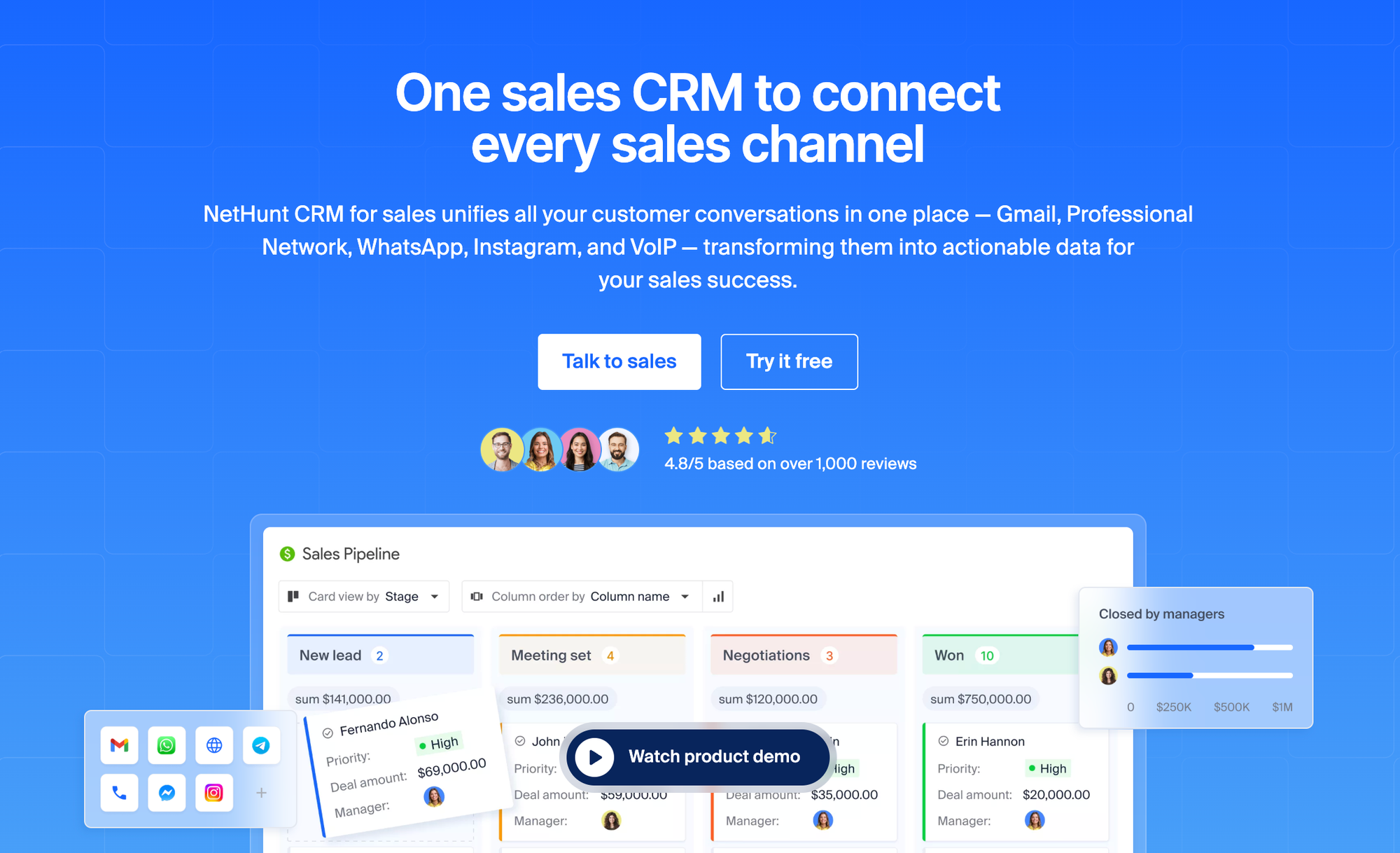
NetHunt is a CRM that lives inside Gmail and combines pipeline management with native multi-channel sequences — outreach spanning email, LinkedIn, WhatsApp, Instagram, and Facebook — all built on the same no-code Workflows automation engine that powers the rest of the CRM.
Key features:
- Sequences across channels, combining email and Professional Network messages in a single automated flow
- No-code Workflows with triggers, actions, and conditional logic
- Built-in contact enrichment via Apollo and Hunter integrations
- Automatic auto-reply and bounce detection to protect deliverability
- Native Gmail integration — sequences run from the same inbox reps already use
Pros:
- Sequences, CRM, and email all live in one place — no copy-pasting data between tools
- Channel mix (WhatsApp, Instagram, Facebook) goes beyond the email + LinkedIn + phone combination
- All-inclusive, transparent pricing with no hidden feature gates
Cons:
- No native dialer — calls remain a manual task rather than an automated sequence step
- No built-in inbox warming tool, unlike some dedicated cold-email platforms
- Sequencing across channels is only available from the Business plan upward, not on entry-level tiers
Pricing: Plans start at $24–30/user/month (Basic, billed annually/monthly) for core CRM features. Cross-channel sequencing requires the Business plan, starting at $60/user/month (billed annually). All plans are all-inclusive — see the full pricing breakdown.
What users say:
It keeps my entire sales pipeline organized within Gmail, bringing together all client emails, notes, and deal stages in a single location. This helps me avoid a cluttered inbox and makes sure I never overlook a follow-up.
What do you dislike about NetHunt CRM?
The reporting features are a bit limited when it comes to in-depth analytics. Additionally, creating complex and customized automation workflows can be challenging and requires some time to fully learn and master.
What problems is NetHunt CRM solving and how is that benefiting you?
It keeps my entire sales pipeline organized within Gmail, bringing together all client emails, notes, and deal stages in a single location. This helps me avoid a cluttered inbox and makes sure I never overlook a follow-up.
2. Saleshandy
Saleshandy is a cold email and multichannel outreach platform built around its Subsequence feature — behavior-based branching that sends different follow-ups depending on whether a prospect opened, clicked, or ignored the previous email.
Key features:
- Subsequences that branch automatically based on prospect engagement
- Built-in B2B lead database (852M+ contacts) and email verification
- AI-generated email variants for personalization at scale
- Add-on dialer and inbox placement testing
Pros:
- Genuinely useful behavior-based branching logic, not just linear follow-ups
- Lower entry price than most competitors on this list
- Strong deliverability tooling (verification, inbox placement tests, sender rotation)
Cons:
- Not CRM-native — pipeline/deal data lives in a separate, lighter-weight CRM module
- LinkedIn automation is not part of the core sequencing product
- Many features (AI credits, verification, dialer) are metered add-ons rather than included
Pricing: Outreach Starter begins at $25/user/month billed annually ($36/month billed monthly), covering 2,000 active prospects and 6,000 emails/month. Higher tiers (Pro, Scale, Scale Plus) scale up to $209/user/month.
What users say:
I run all the cold outreach for my software company through Saleshandy as a solo founder. I have 10 mailboxes across 5 domains connected, and the sequences with inbox rotation let me manage everything from one place instead of juggling accounts. The built-in email verification keeps my bounce rates down before campaigns go out, and the unified inbox makes it easy to catch and reply to interested prospects quickly.
What do you dislike about Saleshandy?
The credit system for extras could be friendlier: email verification credits are one-time grants rather than monthly refills, so they run out and you have to buy more separately. I'd also like the Lead Finder trial to include more credits to properly evaluate it.
What problems is Saleshandy solving and how is that benefiting you?
As a one-person operation, my problem is booking conversations with cold prospects without hiring anyone. Saleshandy is most of my outbound stack: it handles sequencing, follow-ups, and mailbox rotation across all my sending domains automatically, which would otherwise be hours of manual work every day. That lets me focus my time on replying to interested prospects instead of managing sends.
3. Apollo
Apollo combines a large B2B contact database with built-in sequencing, making it a popular all-in-one choice for teams that need both data and outreach in a single subscription.
Key features:
- Large contact database (250M+ contacts) bundled into every paid plan
- Sequences spanning email, calls, and LinkedIn
- Built-in dialer with call recording (Professional plan and up)
- AI-assisted lead scoring and email writing
Pros:
- Database and sequencing bundled together — no need to buy data separately, unlike Outreach
- Strong value at the entry tier for teams that need both data and outreach
- Wide integration ecosystem (Salesforce, HubSpot, Outreach, and others)
Cons:
- Credit-based system for data actions (phone reveals, exports) can make real costs unpredictable beyond the seat price
- Not CRM-native — best used alongside a separate pipeline/deal management tool
- International calling and advanced reporting are gated behind the highest tier
Pricing: Free plan available. Paid plans run Basic $49/user/month, Professional $79/user/month, Organization $119/user/month (all annual billing; monthly billing roughly 20% higher). Apollo's pricing page lists current details, though credit consumption can add meaningfully to the sticker price.
Apollo's pricing page lists current details, though credit consumption can add meaningfully to the sticker price.
What users say:
What I like best about Apollo is its combination of accurate contact data, advanced prospecting filters, and outreach capabilities in a single platform. It helps me quickly identify the right decision-makers, build highly targeted lists, and engage prospects efficiently, which significantly reduces prospecting time and increases meeting bookings.
What do you dislike about Apollo.io?
While Apollo is a powerful platform, contact data accuracy can occasionally vary for certain regions or niche industries, requiring manual verification. Additionally, some advanced features and reporting capabilities have a learning curve and could be more intuitive for new users.
What problems is Apollo.io solving and how is that benefiting you?
Apollo solves the challenge of finding and engaging the right prospects efficiently. Instead of spending hours researching contacts and building lists manually, I can quickly identify decision-makers, access verified contact information, and launch targeted outreach campaigns. This has significantly reduced prospecting time, improved reply rates, and helped me generate more qualified meetings and pipeline opportunities.
4. Outreach
Outreach is an enterprise sales engagement platform built for large SDR teams that need deep Salesforce integration, conversation intelligence, and AI-assisted sequence optimization.
Key features:
- Sequences spanning email, phone, and LinkedIn
- Deal Agent and conversation intelligence (Kaia) for engagement signal analysis
- A/B testing built into the sequence editor
- Deep, bi-directional Salesforce sync
Pros:
- Mature, enterprise-grade sequencing with strong analytics depth
- Best-in-class Salesforce integration, frequently cited as a reason large teams stay
- Proven at scale — used by large, complex sales organizations
Cons:
- Pricing is not published anywhere; every quote requires a sales call
- Requires its own data source — Outreach does not include a contact database
- Steep learning curve; new reps typically need 2–4 weeks to ramp up
- Mandatory annual contracts, no monthly or self-serve option
Pricing: Not publicly listed. Third-party procurement data (Vendr) and industry estimates place per-seat costs around $100–160/user/month depending on tier, plus implementation fees commonly in the $5,000–25,000 range. Contact Outreach directly for a quote.
What users say:
What I like most is how effectively Outreach manages sales sequences and multi-channel cadences. It automates our email follow-ups, organizes our daily call tasks, and brings LinkedIn touchpoints together seamlessly in a single workflow. This saves our team hours of manual tracking each day and helps ensure that no prospect falls through the cracks.
What do you dislike about Outreach?
We occasionally run into frustrating sync lag between Outreach and our CRM, which then requires manual auditing to make sure the data stays accurate. It also takes a significant amount of administrative oversight to keep sequences and governance rules running smoothly and to prevent errors from creeping in.
What problems is Outreach solving and how is that benefiting you?
It eliminates manual CRM data entry and helps scale outbound sales, saving our reps hours each week.
5. Lemlist
Lemlist is a cold email and multichannel outreach tool known for image and video personalization at scale, plus built-in inbox warming on every paid plan.
Key features:
- Dynamic image/video personalization unique among tools on this list
- LinkedIn automation and an in-app dialer on the Multichannel plan
- Lemwarm inbox warming included on all paid tiers
- Condition-based sequences with A/B testing
Pros:
- Image personalization is a genuinely differentiated feature, not available elsewhere on this list
- Inbox warming bundled in rather than sold as a separate product
- Solid all-in-one option for small teams running email + LinkedIn
Cons:
- Strictly per-user pricing with no volume discount below Enterprise — costs scale linearly with headcount
- Not CRM-native; pairs with a separate pipeline tool
- Credit-metered lead database can make real costs exceed the advertised seat price
Pricing: Email Pro starts around $63–69/user/month (annual billing); Multichannel Expert runs $87–99/user/month (annual billing). Enterprise is custom-quoted with a 5-seat minimum.
See Lemlist's pricing page for current rates.
What users say:
What I like best is that lemlist brings the entire outbound process together in one place - you can see and run both LinkedIn and email in the same sequence instead of stitching tools together. It's genuinely effective.
The AI, agents and workflows do a lot of the heavy lifting, and the signals feature is great for triggering outreach at the right moment. Being able to see the whole multichannel process side by side is what makes it click for me.
What do you dislike about lemlist?
Honestly there isn't much I dislike. There's a bit of a learning curve to get the most out of all the features when you first start, but once you're set up it works really well and the breadth of functionality is worth it.
What problems is lemlist solving and how is that benefiting you?
lemlist runs our entire outbound motion in one place. Before, LinkedIn and email outreach lived in separate tools and it was hard to see the full picture of a prospect's journey.
Now we manage multichannel sequences together, so the whole outbound process is visible and coordinated. The AI, agents and workflows automate a lot of the manual steps, and the signals let us reach out at the right moment - which has made our prospecting far more efficient and effective.
6. Reevo
Reevo is an AI-native "revenue operating system" launched in late 2025, combining CRM, sequencing, a native dialer, and meeting intelligence into a single platform designed to replace a fragmented sales stack.
Key features:
- Native cross-channel sequencing plus a built-in dialer — no separate calling tool needed
- AI-driven meeting intelligence: automatic call transcription, sentiment analysis, and task creation
- Signal-based trigger automation tied to real-time buying signals
- Single data model shared across sequencing, CRM, and reporting
Pros:
- Genuinely unified platform — no integrations needed between data, sequencing, and CRM
- Strong AI layer built on first-party data rather than bolted onto a legacy system
- Backed by well-funded, fast-moving team with rapid feature shipping
Cons:
- Pricing is entirely custom-quoted — no published numbers, and third-party estimates vary widely
- New platform (launched November 2025) with a shorter track record than established competitors
- Best suited to teams ready to consolidate their entire stack, not just add a sequencer
Pricing: Not published. Plans are tiered by team size (Core: up to 5 users, Pro: up to 10 users, Enterprise: 10+ users), all quote-based. A startup program offers up to 50% off. Contact Reevo directly for pricing.
What users say:
I use Reevo to streamline my outreach and inbound lead processes, making it easy to have everything documented in one place. I really like their meeting prep/recording and follow-up feature as it saves so much time by taking the research/prep and question outline off my plate.
The synthesis, summarizing, and email follow-up after the meeting are also key benefits I enjoy. Reevo integrates really well with Slack, Google Meet, and Gmail, working wonderfully with them. The initial setup of Reevo was amazingly easy, and the team offers white glove services, making it a breeze.
What do you dislike about Reevo?
They are a startup themselves, so they work great for all the basic sales pipeline processes, but for larger companies or SLED based, they lack a bit in quotes, contracts, etc.
What problems is Reevo solving and how is that benefiting you?
I use Reevo to streamline my outreach, document everything in one place, and keep track of sales progress. It simplifies dealing with complicated tech stacks and gathers relevant data to close deals. The meeting prep/recording feature saves me time by handling research, questions, and follow-ups.
7. HubSpot
This platform bundles email sequences into its broader CRM, making it a natural fit for teams already using it for marketing and wanting sales sequencing in the same system — without building a dedicated outbound tool.
Key features:
- Linear email sequences with task reminders for manual call/LinkedIn steps
- Native integration across Marketing, Sales, and Service modules
- Workflow automation for triggering and unenrolling sequences based on contact behavior
- Reporting tied into the broader CRM analytics
Pros:
- If already running this platform for marketing, sequences sit in the same system with no extra integration
- Solid CRM foundation with mature reporting across the funnel
- Free CRM tier is genuinely usable for basic pipeline tracking
Cons:
- Sequences are email-only and linear — no native cross-channel branching or conditional logic
- Sequences require the Professional plan or higher; not available on Starter
- Mandatory one-time onboarding fee ($1,500 at Professional, $3,500 at Enterprise) on top of seat pricing
Pricing: Free and Starter tiers ($15–20/seat/month) do not include sequences. Sequences require the Sales Hub Professional plan, $90–100/seat/month (annual billing) plus a $1,500 onboarding fee. The top tier runs $130–150/seat/month plus $3,500 onboarding.
Sales sequence vs sales cadence vs drip campaign
These three terms get mixed up constantly, and the confusion costs teams real reply rates, because a sequence built like a drip campaign reads as spam.
| Sales Sequence (Cadence) | Marketing Drip Campaign | |
|---|---|---|
| Primary goal | Book a meeting or start a 1:1 conversation | Nurture, educate, build brand awareness |
| Targeting | One-to-one or one-to-few, highly targeted | One-to-many, often thousands of contacts |
| Channels | Cross-channel: email, phone, LinkedIn, SMS | Almost always email-only |
| Format | Plain text, looks personally written | Branded, HTML-heavy design |
| Stop condition | Stops immediately when the prospect replies | Runs until unsubscribe or campaign end |
"Sales cadence" and "sales sequence" mean the same thing in practice — cadence tends to emphasize the timing between touches, while sequence emphasizes the workflow of steps inside a platform. NetHunt's own Workflows documentation draws a similar line between bulk email campaigns and automated sequences: a campaign is built for reach, a sequence is built for response.
Why effective sales sequences work (the data)
The case for sequences over one-off outreach comes down to persistence. Research repeatedly shows it takes far more than one or two attempts to get a response from a cold prospect — getting a response at all is the first hurdle in outbound sales, long before a conversation even starts.
A widely cited Rain Group study found it takes an average of 8 touches to start a conversation with a cold prospect, while top performers can do it in fewer. Other sources push that number higher: Revenue.io recommends at least 8 touches over a minimum of 10 days, and practitioner accounts collected by NetHunt's own community of sales experts range from 10–12 touches to as many as 13–18, depending on industry and deal size. Across these sources, the common thread for building a proven sales cadence is the same: build a sales process around persistence, not a single perfect message.
The persistence gap is real on the rep side too — most salespeople give up after just one or two attempts, while the prospects who do respond often do so much later in the sequence than reps expect.
On the performance side, Outreach's aggregated customer data offers useful benchmarks: the average sequence email open rate is 27.2%, the average reply rate is 2.9%, and bounce rate sits around 2.8%. Expected outcomes vary heavily by sequence type:
| Sequence type | Expected reply rate | Expected meeting rate |
|---|---|---|
| Cold outbound | 8–15% | 1–3% |
| Warm inbound | 20–30% | 8–12% |
| Customer expansion | 25–40% | 15–20% |
| Win-back / nurture | 10–18% | 2–5% |
Sequences that span several channels consistently outperform single-channel ones. Sequences that coordinate touches across email, phone, and LinkedIn rather than relying on email alone see roughly 2x higher response rates, because they meet prospects on whichever channel they actually check. This is the core mechanic behind effective B2B sales outreach at scale: rather than hoping one channel lands, a well-built sequence to a specific prospect's preferences brings structure and consistency to outreach that would otherwise depend on a rep's memory. Teams that genuinely use the sequences they build — instead of letting them sit half-configured — tend to see the strongest results, because a strong sales process only works if it's actually run consistently.
Key channels for sales outreach in a sales sequence
A sequence is only as strong as its channel mix. Here's how the main channels stack up.
Email: is the backbone of most sequences — scalable, low-cost, and easy to personalize at volume. Its weakness is exactly its strength: because everyone uses it, prospects' inboxes are crowded, and a generic email struggles to cut through the noise.
Phone calls: have the highest potential to convert a single touch into a booked meeting, since objections can be handled live. The tradeoff is that calling doesn't scale the way email does — a high volume of "no answer" attempts eats into rep time.
LinkedIn outreach: works well as a warm-up channel before a cold email or call lands, and according to LinkedIn's own data, InMails get a 300% higher response rate than equivalent cold emails.. It's a useful way to stay top of mind between other touches, though it's less scalable than email and depends on the prospect actually being active on the platform.
SMS and messaging apps connected to a WhatsApp CRM have very high open rates and work well for reminders or confirmations with warm leads — but they read as intrusive when used for cold outreach, so they're best reserved for prospects who've already engaged.
Social media: (Instagram, Facebook) is a softer, supporting channel — useful for staying visible and building familiarity, especially with founders, creators, and smaller businesses, but rarely the primary channel in a sequence.
The right mix of channels depends on the audience: B2B decision-makers respond well to email plus LinkedIn for sales, while smaller or more informal businesses may respond better to a mix that leans on messengers and social.
How to create a sequence: building sales sequences step-by-step (best practices)
Define your goal & target prospect
Every sequence needs one clear objective — book a demo, qualify a lead, or re-engage a stalled deal — because the goal shapes every message and CTA that follows. Before writing a single line, segment your audience and narrow down who the sequence is for: a tight, well-defined target list of 10–25 prospects per list tends to outperform broad, loosely targeted ones, since reps can stay genuinely personalized at that volume and address specific pain points rather than writing generically. A predefined set of actions for each segment turns this from guesswork into a repeatable process, and helps the whole team focus effort on qualified leads instead of spreading attention thin.
Choose your channel mix
Decide upfront which channels the sequence will use and in what order. A common, well-tested pattern is to lead with email, layer in LinkedIn after a couple of days, and reserve a phone call for when there's already some context to reference — rather than opening cold on the phone. Match the channel mix to the deal size: higher-value accounts justify more manual, higher-touch channels like calls and handwritten notes; lower-priority segments are better served by lighter, more automated sequences.
Map the sales cadence (timing & touch count)
Most effective sequences run 6–12 touches over 2–3 weeks, though longer sequences (up to 30–60 days) make sense for enterprise accounts with multiple stakeholders. The number of touches matters less than the spacing: front-load the first few touches close together (Day 1, Day 2–3, Day 4–5), then widen the gaps as the sequence progresses. Sending every day reads as spam; waiting too long between touches lets the prospect forget who you are.
Write copy that doesn't sound robotic
The biggest copy mistake is leading with a catchy hook and then pivoting straight into a generic pitch — it reads as a bait-and-switch. Each message should tie its opener directly to the value proposition, focus on one problem the prospect actually has, and end with a single, low-friction call to action ("worth a quick chat?" rather than a hard ask for 30 minutes). Real personalization goes beyond a first-name token — it means referencing something specific to that person's role, company, or recent context. Write a distinct subject line for every step in the sequence rather than reusing one — a fresh subject line signals a new thought, not a recycled bump.
Set exit criteria with automation
A sequence has to stop the moment a prospect replies, books a meeting, or unsubscribes — nothing damages a relationship faster than an automated "just bumping this" landing in someone's inbox 20 minutes after they've already responded. This is also where deliverability hygiene matters: a sequence tool that can automate this and automatically recognizes auto-replies and bounces — removing those contacts as a trigger fires — protects sender reputation without manual cleanup at every sequence step.
Sales sequence examples for different sequences you can steal
Day-by-day cold outreach sequence
For a list with no prior relationship or trigger event, this 7-touch, cross-channel structure spreads touches over roughly three weeks:
- Day 1: Personalized email referencing a specific, relevant detail about the prospect's role or company.
- Day 3: LinkedIn connection request, no pitch — just a short note referencing the email.
- Day 5: Phone call. Reference the email or LinkedIn touch; don't pitch cold.
- Day 8: Value-add email — share a case study or resource relevant to their likely pain point.
- Day 12: Second LinkedIn touch — a short message, not another connection request.
- Day 16: Second phone attempt, ideally at a different time of day than the first.
- Day 20: Breakup email — short, low-pressure, gives the prospect an easy "not now" out.
Day-by-day inbound / warm lead sequence
For a prospect who's already shown interest — requested a demo, downloaded a pricing sheet, or engaged with content — speed and intensity matter more than spacing:
- Day 1 (same day): Email plus a call attempt — "here's the info you asked for."
- Day 2: LinkedIn connection request with a short note, followed by a voicemail if the call wasn't answered.
- Day 3: Follow-up email — "any questions on what I sent over?"
- Day 5: Pull back from active outreach and move the contact into a longer-term track where you nurture leads through email sequences if there's still no response.
Sales sequence templates for building sequences that book more meetings
The templates below work as a starting point for an automated email sequence — copy the structure, then swap in your own value proposition and proof points. Each email template uses bracketed placeholders you can fill from CRM fields.
Cold email sequence template
Email 1 — Intro (Day 1)
Subject: [First Name], quick idea for [Company Name]
Hi [First Name],
I noticed [specific, relevant detail about their role or company]. Thought I'd reach out.
We help teams like yours [solve specific pain point] without [common frustration]. [Similar company] saw [specific result] in [timeframe] after making a similar change.
Worth a quick look at how this might apply to [Company Name]?
Best, [Your Name]
Email 2 — Follow-up (Day 4)
Subject: Re: quick idea for [Company Name]
Hi [First Name],
Following up in case this got buried. Still think there's a fit here given [relevant priority or trend].
Worth 10 minutes this week or next?
[Your Name]
Email 3 — Value-add (Day 8)
Subject: A resource that might help
Hi [First Name],
No worries if now isn't the time. In the meantime, here's something that's helped similar teams: [link to resource].
Happy to share specific ideas for [Company Name] if useful.
[Your Name]
Email 4 — Breakup (Day 14)
Subject: Closing the loop
Hi [First Name],
Haven't heard back, so I'll close this out on my end. If timing changes, the door's open — just reply any time.
[Your Name]
Multi-channel sequence template (email + LinkedIn)
- Day 1: Send Email 1 (intro, as above).
- Day 3: LinkedIn connection request — short note referencing the email, no pitch.
- Day 5: If connected, send a brief LinkedIn message: "Thanks for connecting — wanted to share [one-line value prop]. Worth a quick chat?"
- Day 8: Send Email 3 (value-add, as above).
- Day 12: Phone call, referencing the email and LinkedIn touches already sent.
- Day 16: Send Email 4 (breakup, as above).
How to choose the right sales sequence tool: best sales software for your GTM team
If you're a small team already running on Gmail and want sequences inside your CRM — not bolted on as a separate tool — NetHunt's multi-channel sequences keep everything (pipeline, email, LinkedIn, WhatsApp) in one workspace without adding a second subscription to manage.
If your priority is cold email at the lowest possible entry price, Saleshandy or Lemlist's Email Pro tier offer the cheapest way into sequencing, with built-in deliverability tooling that smaller teams would otherwise have to buy separately.
If you need a contact database and sequencing in one subscription, Apollo remains the most bundled option — just budget for credit consumption beyond the seat price.
If you're an enterprise team with 50+ reps already standardized on Salesforce, Outreach's depth and Salesforce integration justify the premium price and onboarding investment that would be wasted on a smaller team — it's built specifically for enterprise sales teams running highly personalized, high-volume motions.
If you're building a sales stack from scratch and want to avoid a "Frankenstack" of five point tools, Reevo's unified CRM-plus-sequencing-plus-dialer approach is worth evaluating — with the caveat that pricing requires a sales conversation, and the platform is newer than established alternatives. Teams that use ai-driven signals to prioritize accounts tend to get the most out of this kind of unified platform.
If you're already deep in that ecosystem for marketing, keeping sequences in Sales Hub avoids adding another tool — accepting that sequences stay email-only and linear compared to dedicated cross-channel platforms.
Whichever outreach tools your sales reps end up using, the strongest predictor of success isn't the software itself — it's whether the team actually uses the sequences consistently. A smart sales process beats a powerful tool that sits half-configured.
FAQ
How many touches should a sales sequence have?
Most effective sequences run 6–12 touches across 2–3 weeks. Research on cold outreach points to an average of 8 touches to start a conversation (Rain Group), though some experienced practitioners report needing 13–18 touches for harder-to-reach decision-makers. The right number depends more on deal size and audience than on a fixed rule.
How much time should I leave between sequence steps?
A common pattern is to front-load the first few touches close together (1–2 days apart), then widen the gaps as the sequence continues (every 3–5 days by the second week). Reaching out every single day across multiple channels reads as aggressive and can trigger spam filters or simply annoy the prospect.
Should I use email, phone, or LinkedIn for sales outreach?
Use a combination rather than picking one. Sequences spanning several channels — email, phone, and LinkedIn — see roughly double the response rate (Reevo) of email-only sequences, because they reach prospects on whichever channel they actually check regularly.
What's the difference between a sales sequence and a sales cadence?
In practice, the terms are interchangeable — both describe a structured series of outreach touches spaced over time. Some teams use "cadence" to describe the timing pattern specifically, while "sequence" refers to the actual workflow set up inside a tool, but the underlying concept is the same.
When should I switch channels within a sequence?
Switch after one or two emails with no response, rather than waiting through the entire sequence on a single channel. Introducing a second channel early — a LinkedIn touch or a call — tends to produce better engagement than persisting on email alone for weeks.
How do I know if my sequence is too long?
If the reply rate on your final step is still reasonably close to your earlier steps (roughly above 3% for cold prospecting), the sequence is probably ending too early — there's more response left to capture by adding a step. If replies have dropped to near zero by the midpoint, the sequence is likely too long or not landing with the audience.






 product experts — let's find the best setup for your team