










We evaluated 40+ CRMs across 7 criteria. Here's who actually beats HubSpot on price, flexibility, and ease of use.
HubSpot is powerful. Nobody's arguing that. But "powerful" and "right for your business" aren't the same thing — and for a lot of small businesses, HubSpot's pricing, complexity, and feature paywalls create more problems than they solve.
We tested 40+ CRM tools and shortlisted the 11 that genuinely fix what frustrates HubSpot users most.
What is a HubSpot alternative?
A HubSpot alternative is a CRM platform that covers what HubSpot does — contact management, sales pipelines, email marketing, workflow automation, reporting — but with different trade-offs on price, complexity, or focus.
The best alternatives aren't just cheaper versions of the same thing. They make deliberate choices:
- Sales-first CRMs — built around the pipeline, not the marketing hub (NetHunt CRM, Pipedrive, Salesflare)
- All-in-one platforms for small businesses — CRM + email marketing + automation at a fraction of HubSpot's pricing (EngageBay, Zoho CRM)
- Niche-fit tools — designed for a specific workflow, like Gmail-native CRM or relationship-driven sales (folk CRM)
- Enterprise-grade platforms — more powerful than HubSpot, but equally complex (Salesforce)
The right HubSpot alternative solves your specific bottleneck — not the one with the longest feature list.
11 Best alternative to HubSpot CRM software
| # | CRM | Starting price | Free trial | Best for | Score |
|---|---|---|---|---|---|
| 1 | NetHunt CRM | $30/user/mo | 14 days | Teams who run their operations in Gmail & Google Workspace | 9.4/10 |
| 2 | Salesflare | $35/user/mo | 30 days | B2B SMBs who hate data entry | 8.6/10 |
| 3 | EngageBay | $13.79/user/mo | Free plan | Affordable HubSpot replacement | 8.4/10 |
| 4 | Zoho CRM | $20/user/mo | 15 days | Customizable all-in-one CRM platform | 8.3/10 |
| 5 | Freshsales | $15/user/mo | 21 days | AI-powered sales teams | 8.1/10 |
| 6 | ActiveCampaign | $19/mo | 14 days | Email marketing and marketing automation | 8.1/10 |
| 7 | Brevo | $9/mo | Free plan | High-volume email and SMS on a small budget | 8.0/10 |
| 8 | Pipedrive | $14/user/mo | 14 days | Visual sales pipeline management | 7.9/10 |
| 9 | Monday CRM | $12/user/mo | 14 days | Project-led sales processes | 7.9/10 |
| 10 | Salesforce | $25/user/mo | 30 days | Enterprise-grade requirements | 7.7/10 |
| 11 | Keap | $249/mo (annual) | 14 days | All-in-one automation for high-ticket service businesses | 6.7/10 |
The 11 best HubSpot alternatives in 2026, reviewed
1. NetHunt CRM — best HubSpot CRM alternative for Gmail teams
Best for: Sales and marketing teams working in Gmail and Google Workspace who want powerful CRM without ever leaving their inbox.
Score breakdown:
| Criterion | Score |
|---|---|
| Ease of use | 9.5 |
| Pricing value | 9.5 |
| Automation | 8.5 |
| Customization | 9.5 |
| Integrations | 9.5 |
| Support quality | 9.5 |
| HubSpot gap score | 9.5 |
| Overall | 9.4 |
NetHunt CRM is built directly inside Gmail. Not integrated with Gmail — inside it. Your inbox becomes a full CRM workspace: create deals, track emails, log contacts, and trigger workflow automations without opening a second tab.
That's a meaningful difference for teams who live in their inbox. Most CRM software pulls you out of your natural workflow. NetHunt doesn't.
HubSpot charges per Hub. NetHunt charges per user — one flat price, all features included from your plan tier. No surprise upgrades when you need a third sales pipeline. No contact-based billing that scales against your growth. And unlike HubSpot, where small businesses often hit feature walls on Starter plans, NetHunt gives you unlimited pipelines and workflow automations from day one.
Key features:
- Native Gmail and Google Workspace integration (Calendar, Drive, Contacts)
- Unlimited sales pipelines, fields, and saved filters (views) on all plans
- Built-in sales automation workflows: triggers from emails, form submissions, any field changes
- Multi-channel communication: WhatsApp, Telegram, Instagram, LinkedIn — all linked to CRM records
- Email marketing campaigns with segmentation, tracking, and scheduling
- Data enrichment via Apollo and Hunter native integrations
- Looker Studio and BigQuery integrations for custom reporting dashboards
What makes it unique compared to HubSpot:
HubSpot's Gmail integration is an add-on that syncs data. NetHunt lives inside Gmail — the CRM panel appears directly next to your emails. For sales teams that run their business from their inbox, this eliminates context switching entirely. There's also no mandatory onboarding fee, no consultants required, and human support is available on every plan — not just enterprise.
NetHunt CRM supports the Model Context Protocol (MCP) — an open standard that lets AI assistants connect securely to external applications. In practice, that means your CRM becomes something you can talk to.
Connect ChatGPT, Claude, Grok, or any MCP-compatible assistant through OAuth, then work in plain language:
- Search: "Find deals worth more than $10,000 that haven't been updated in two weeks."
- Analyze: "Compare the average time deals spend in each pipeline stage." Or simply: "Why hasn't this deal closed yet?"
- Act: "Move the Acme deal to Negotiation." "Create a company called Beta Corp, add John Doe as the contact, and link them."
- Configure: "Add a Contract Expiration Date field to the Customers folder."
That last one is the part most AI CRM features don't do. Plenty of platforms let AI read your data or draft an email. Far fewer let it restructure the CRM itself — creating folders and custom fields on request, without touching settings.
Security is inherited rather than bolted on: the connection uses OAuth, data transfer is encrypted, access can be revoked at any time, and the AI can only see and edit what the connected user is already permitted to see and edit. It's an official integration built and maintained by the NetHunt team, not a third-party bridge.
Pricing:
| Plan | Price/user/mo | Key features |
|---|---|---|
| Basic | $30 | CRM essentials, 1 messenger account, Google Workspace sync |
| Basic Plus | $42 | Mass email marketing campaigns, extra folders, custom roles |
| Business | $60 | Sales automation, multi-channel sequences, VoIP, enrichment |
| Business Plus | $84 | Extra automation workflows, dedicated account manager |
Pros:
- Zero learning curve for Gmail users — the CRM is already in your inbox
- Unlimited pipelines, fields, and workflow automation even on standard plans
- Human support on every plan, not tiered by pricing
- No contact-based billing surprises
- Native WhatsApp, Telegram, and Instagram integration
Cons:
- No built-in marketing hub (email campaigns available, but not a full marketing automation platform)
- No permanent free plan — 14-day free trial only
- Advanced analytics require Looker Studio setup
What Users Say
It keeps my entire sales pipeline organized within Gmail, bringing together all client emails, notes, and deal stages in a single location. This helps me avoid a cluttered inbox and makes sure I never overlook a follow-up.
What do you dislike about NetHunt CRM?
The reporting features are a bit limited when it comes to in-depth analytics. Additionally, creating complex and customized automation workflows can be challenging and requires some time to fully learn and master.
What problems is NetHunt CRM solving and how is that benefiting you?
It keeps my entire sales pipeline organized within Gmail, bringing together all client emails, notes, and deal stages in a single location. This helps me avoid a cluttered inbox and makes sure I never overlook a follow-up.
2. Salesflare — best HubSpot alternative for B2B teams who hate data entry
Best for: B2B small and medium businesses where manual data entry is the bottleneck.
Score breakdown:
| Criterion | Score |
|---|---|
| Ease of use | 9.0 |
| Pricing value | 8.5 |
| Automation | 8.0 |
| Customization | 7.5 |
| Integrations | 8.5 |
| Support quality | 9.0 |
| HubSpot gap score | 8.5 |
| Overall | 8.6 |
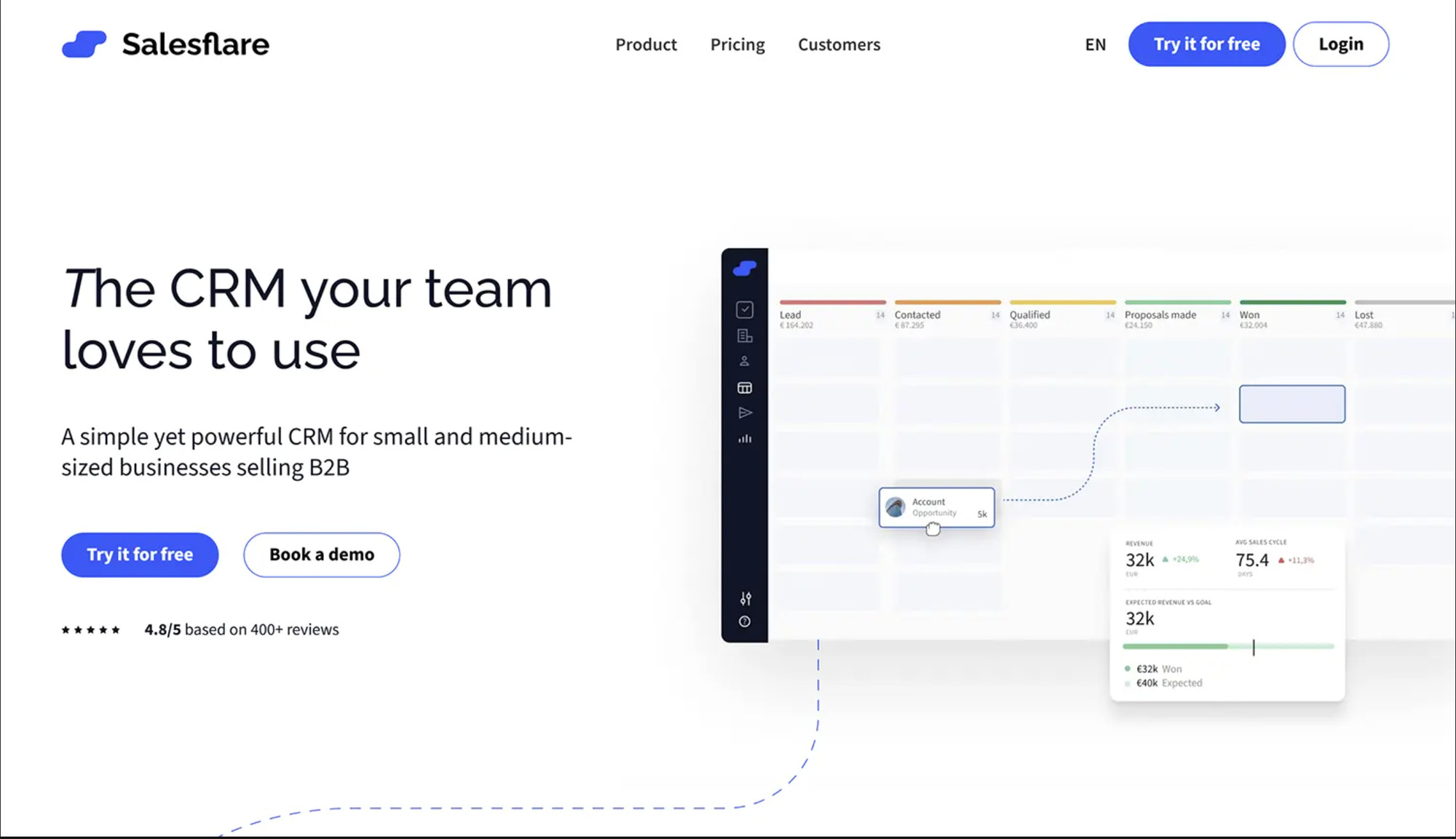
Salesflare's premise is simple: most CRM data already exists somewhere — in your emails, calendar, LinkedIn, phone contacts — and entering it manually is a waste of your sales team's time. Salesflare pulls it together automatically.
Add a contact and Salesflare auto-fills their name, role, company, social profiles, and email address. Have a meeting — it logs it. Exchange emails — it tracks them. The CRM software fills itself out.
HubSpot requires consistent manual data entry to stay useful. Skip it for a week and your pipeline becomes unreliable. Salesflare removes that requirement almost entirely, which means your team actually uses the CRM in practice. The sales process stays clean without the admin overhead.
Key features:
- Automated contact and company enrichment from emails, social, and calendar
- Visual sales pipeline with drag-and-drop stages
- Gmail and Outlook sidebar for in-email CRM access
- LinkedIn integration and Chrome extension for prospecting
- Automated follow-up reminders based on lead inactivity
- Email tracking: opens, clicks, link activity
- Built-in email sequences, templates, and marketing campaigns
What makes it unique compared to HubSpot:
Salesflare's data automation on standard plans is genuinely better than HubSpot's. HubSpot requires explicit data input or expensive integrations for enrichment. Salesflare does it silently in the background, keeping your CRM accurate without relying on team discipline.
Pricing:
| Plan | Price/user/mo | Key features |
|---|---|---|
| Growth | $35 | Core CRM, email sequences, basic reporting |
| Pro | $55 | Workflows, multiple pipelines, dashboards |
| Enterprise | $99 | Custom setup, dedicated support, SSO |
Pros:
- Best-in-class automated data capture saves hours weekly
- Clean, uncluttered interface with minimal setup
- 30-day free trial (longer than most CRMs on this list)
- Strong Gmail, Outlook, and LinkedIn integration
- Highly rated customer support
Cons:
- No built-in marketing automation platform
- Less customizable than enterprise-grade CRM software
- Reporting is limited on the Growth plan
- Not ideal for teams with complex, multi-department sales workflows
What Users Say
What they like
Salesflare is a lightweight, automation-driven CRM that automatically fills in contacts and timelines from emails, meetings, and calls — so sales teams spend less time on admin work and more time selling.
Pratik M.
Senior Software Engineering
Enterprise (> 1000 emp.)
3. EngageBay — best affordable HubSpot alternative for small businesses
Best for: Small businesses and startups that need HubSpot's full feature set at a fraction of the pricing.
Score breakdown:
| Criterion | Score |
|---|---|
| Ease of use | 8.0 |
| Pricing value | 9.5 |
| Automation | 8.0 |
| Customization | 7.5 |
| Integrations | 7.5 |
| Support quality | 8.0 |
| HubSpot gap score | 9.0 |
| Overall | 8.4 |
If your primary frustration with HubSpot is pricing, EngageBay is the most direct answer on this list. It was explicitly designed as an all-in-one HubSpot alternative — combining marketing automation, CRM, sales pipelines, email marketing, and customer service tools in a single platform — for small businesses that can't afford HubSpot's tier structure.
The free plan is unusually generous: 250 contacts, email marketing campaigns, lead capture forms, and basic CRM features all at zero cost.
Why it beats HubSpot on pricing for small businesses:
HubSpot's Marketing Hub Professional costs approximately $800/month for 3 users. EngageBay's all-in-one Growth plan is $13.79/user/month. For a sales and marketing team of 5, that's roughly $70/month vs $800/month for broadly comparable functionality. For small businesses and startups, that difference is significant.
Key features:
- All-in-one CRM platform: CRM + marketing automation + help desk + live chat
- Visual drag-and-drop email marketing builder and landing page creator
- Lead scoring and contact segmentation for targeted campaigns
- Sales workflow automation and automated follow-up sequences
- Built-in appointment scheduling
- A/B testing for email marketing campaigns and landing pages
- Free plan with 250 contacts and basic email marketing
EngageBay's pricing model is transparent and scales linearly — no surprise Hub upgrades, no contact-based billing cliffs. The free-to-paid upgrade path is predictable, which makes it particularly good for early-stage small businesses that need to plan around budget. Unlike HubSpot, the core CRM and marketing automation tools don't sit behind separate paid products.
Pricing:
| Plan | Price/user/mo | Contact limit |
|---|---|---|
| Free | $0 | 250 contacts |
| Basic | $13.79 | 500 contacts |
| Growth | $45.99 | 5,000 contacts |
| Pro | $91.99 | Unlimited |
Pros:
- Closest feature-for-feature HubSpot replacement at a much lower price
- Genuinely useful free plan for small businesses getting started
- Marketing + Sales + Service in one platform
- No per-Hub upgrade traps
Cons:
- Interface is less polished than HubSpot
- Reporting is relatively basic
- Fewer native integrations than HubSpot or Salesforce
- Contact limits on lower plans can be restrictive for fast-growing teams
What Users Say
What do you like best about EngageBay All-in-One Suite?
We mainly use EngageBay to manage our sales pipeline and keep track of follow-ups. The deal view is simple and easy to work with which honestly made adoption easier for our team. One thing I personally found useful was setting up lead scores based on email activity and page visits, since it gives a rough idea of which leads are actually engaged. It's not perfect, but it definately helps prioritize work better than doing everything manually.Review collected by and hosted on G2.com.
Tim C.
SDR
Information Technology and Services
Small-Business (50 or fewer emp.)
4. Zoho CRM — customizable CRM platform with enterprise-grade features
Best for: Growing small and medium businesses that want enterprise-level CRM features at an affordable price.
Score breakdown:
| Criterion | Score |
|---|---|
| Ease of use | 7.0 |
| Pricing value | 9.0 |
| Automation | 8.5 |
| Customization | 9.0 |
| Integrations | 9.0 |
| Support quality | 7.0 |
| HubSpot gap score | 8.0 |
| Overall | 8.3 |
Zoho CRM is one of the most feature-rich CRM platforms on this list — comparable to HubSpot in total capability, but at significantly lower pricing. The Enterprise plan, which includes advanced AI, deep sales process customization, and multi-user territories, costs $50/user/month. Comparable HubSpot functionality runs $100–$300/user/month.
Why it's a strong HubSpot alternative on pricing:
Zoho CRM's pricing scales linearly and the features-per-dollar ratio is hard to match. The Zia AI assistant — predictive lead scoring, anomaly detection, next-step recommendations for your sales team — is available on the Professional plan at $35/user/month. Similar CRM features in HubSpot require the Enterprise tier.
Key features:
- Zia AI: sales predictions, anomaly alerts, intelligent workflow automation recommendations
- Blueprint: visual workflow builder for enforcing your sales process
- Multichannel communication: email marketing, phone, live chat, social media
- Sandbox environment for testing CRM changes before going live (Enterprise)
- 50+ native Zoho app integrations (Books, Desk, Campaigns, Projects, etc.)
- Custom modules, layouts, and fields for deep CRM customization
- Territory management and advanced sales forecasting
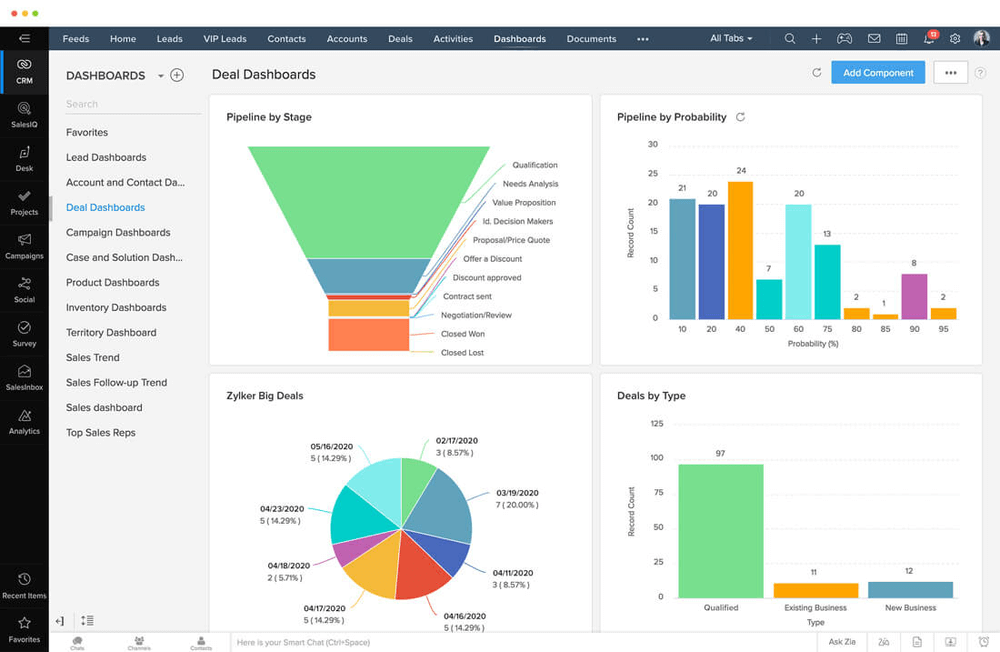
The Zoho ecosystem is genuinely comprehensive. Adopt Zoho CRM and you can bundle it with Zoho Books (accounting), Zoho Campaigns (email marketing), Zoho Projects (project management), and Zoho Desk (helpdesk). Zoho CRM allows these to be bundled significantly cheaper than assembling equivalent tools separately — or paying HubSpot's per-hub structure.
Pricing:
| Plan | Price/user/mo | Key features |
|---|---|---|
| Standard | $20 | Scoring rules, workflows, bulk email marketing |
| Professional | $35 | Blueprint, inventory, multi-currency |
| Enterprise | $50 | Zia AI, multi-user portals, sandbox |
| Ultimate | $65 | Enhanced storage, BI analytics |
Pros:
- Excellent features-to-pricing ratio — hard to beat for the cost
- Deep CRM customization even on standard plans
- Zia AI available at lower price than HubSpot's equivalent
- Strong Zoho ecosystem for growing companies
- Robust analytics and sales reporting
Cons:
- Steeper learning curve — interface can feel cluttered for new users
- Performance can slow with large datasets
- Support quality varies; not always fast on lower tiers
- Integration with non-Zoho tools is sometimes inconsistent
What Users Say
What do you like best about Zoho CRM?
What I like best about Zoho CRM is how easy it is to use while still being powerful. It doesn’t feel overly complicated, even for someone who’s not very technical, but at the same time it offers all the features needed to manage leads, track deals, and automate daily tasks.Review collected by and hosted on G2.com.
Arpit S.
Customer Success Associate
Information Technology and Services
Mid-Market (51-1000 emp.)
5. Freshsales — affordable HubSpot alternative for AI-powered sales teams
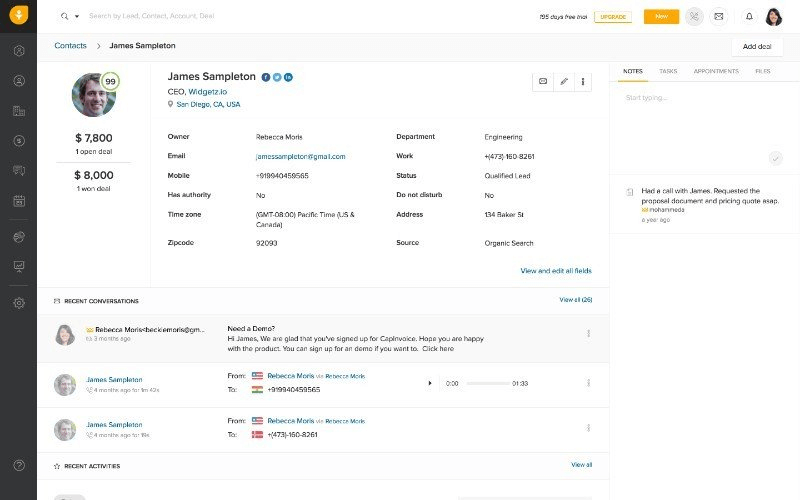
Best for: Sales-led teams that want AI-powered lead prioritization without paying HubSpot Sales Hub prices.
Score breakdown:
| Criterion | Score |
|---|---|
| Ease of use | 8.5 |
| Pricing value | 8.5 |
| Automation | 8.0 |
| Customization | 7.5 |
| Integrations | 8.0 |
| Support quality | 8.0 |
| HubSpot gap score | 7.5 |
| Overall | 8.1 |
Freshsales is a product by Freshworks — the company behind Freshdesk — and it shows in the design philosophy: clean, modern, immediately usable. The Freddy AI assistant sets it apart from most HubSpot competitors in this pricing range, offering contact scoring, deal insights, and AI-generated personalized email drafts out of the box.
Why it's a strong HubSpot alternative:
Freshsales' Growth plan at $15/user/month includes AI contact scoring, sales sequences, built-in calling, and a visual sales pipeline — CRM features that require HubSpot's Pro plan or higher. For sales-focused small businesses, this is a meaningful pricing difference that compounds as the team grows.
Key features:
- Freddy AI: contact scoring, deal insights, next-best-action recommendations, AI email generation
- Built-in VoIP calling and call recording — no separate integration needed
- Visual Kanban sales pipeline with drag-and-drop workflow
- Automated sales sequences and follow-up reminders
- Website visitor tracking to see which pages leads visit before they reach out
- Custom reports and sales team performance dashboards
- Available as a bundle with Freshdesk (support) and Freshmarketer (marketing automation)
What makes it unique compared to HubSpot:
Freddy AI is available at lower pricing tiers than HubSpot's Breeze AI assistant. For sales teams, the built-in calling is also a significant advantage — HubSpot's calling features require a separate integration or a Pro plan upgrade. Freshsales bundles both in the base CRM.
Pricing:
| Plan | Price/user/mo | Key features |
|---|---|---|
| Growth | $15 | AI scoring, sequences, sales pipeline |
| Pro | $39 | Multi-pipeline, territory management |
| Enterprise | $69 | Custom modules, audit logs, AI forecasting |
Pros:
- Freddy AI available at competitive pricing
- Built-in calling — no third-party VoIP needed
- Modern, fast-loading interface with good onboarding
- Affordable starting price for small businesses
Cons:
- Advanced customization locked behind Enterprise plan
- Marketing automation features require separate Freshworks products
- Full Freshworks ecosystem can become as expensive as HubSpot if bundled
- Native payment processing not available
What Users Say
What do you like best about Freshsales?
I use Freshsales for management because it offers easy access to my working contacts management and sales management services. I like how easy it is to use; just a tap and almost all work is done. There are many more features in the application like managing our work, setting reminders, or even automating some tasks with it. The initial setup was very easy. Overall, compared to Zoho CRM, Freshsales is much easier to use.Review collected by and hosted on G2.com.
Sahil B.
Small-Business (50 or fewer emp.)
6. ActiveCampaign — best HubSpot alternative for email marketing and marketing automation
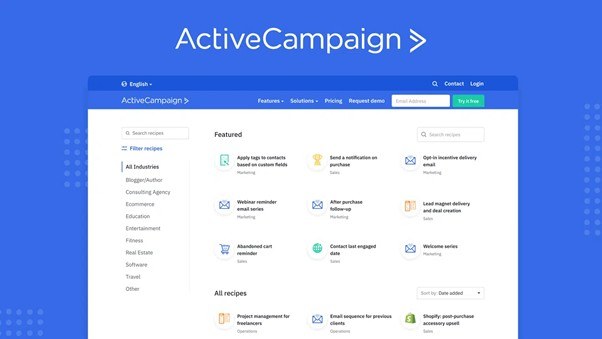
Best for: Teams where email marketing automation is the primary use case and the sales CRM is secondary.
Score breakdown:
| Criterion | Score |
|---|---|
| Ease of use | 7.0 |
| Pricing value | 7.5 |
| Automation | 9.5 |
| Customization | 8.0 |
| Integrations | 9.0 |
| Support quality | 8.0 |
| HubSpot gap score | 7.5 |
| Overall | 8.1 |
ActiveCampaign is the strongest marketing automation platform on this list. If HubSpot's Marketing Hub is what you're trying to replace — and you want more power, not less — ActiveCampaign is likely the answer. Its workflow builder handles conditional logic, branching email sequences, predictive sending, and customer journey mapping at a depth that HubSpot's comparable tiers don't match.
Why it's a strong HubSpot alternative:
For marketing-first businesses, ActiveCampaign's Starter plan at $19/month includes email marketing automation, basic CRM, and a visual sales pipeline — functionality that requires HubSpot Marketing Hub Professional at $800/month. That's a meaningful pricing difference. The trade-off: the CRM side is less developed than HubSpot's Sales Hub, so it works best for teams where email marketing campaigns drive the majority of revenue.
Key features:
- Industry-leading visual marketing automation workflow builder with conditional logic
- AI predictive lead scoring and win probability
- Multichannel: email marketing, SMS, site messaging, and Facebook Custom Audiences
- Sales pipeline with automated deal creation and stage progression
- Customer journey mapping across multiple marketing touchpoints
- Extensive segmentation: behavioral, demographic, tag-based
- 900+ native integrations including Shopify, WordPress, Slack, and Salesforce
- Email marketing campaign analytics with attribution reporting
ActiveCampaign's marketing automation depth on entry-level plans is unmatched. You can build complex multi-branch email marketing sequences — wait for condition A, if true go to B, if false go to C, wait 3 days, check condition D — without paying for an enterprise tier. HubSpot's equivalent workflow automation lives behind the Professional plan paywall.
Pricing:
| Plan | Price/mo | Contacts | Key features |
|---|---|---|---|
| Starter | $19 | 1,000 | Email marketing automation, basic CRM |
| Plus | $59 | 1,000 | CRM pipelines, landing pages, SMS |
| Professional | $99 | 1,000 | Predictive sending, split automation |
| Enterprise | Custom | Custom | Custom reporting, SSO, custom domain |
Pros:
- Best-in-class email marketing and marketing automation on lower-tier plans
- 900+ native integrations
- Strong reporting and attribution for marketing campaigns
- Excellent resource library and training
Cons:
- Interface can feel complex for users who only need basic CRM software
- Contact-based pricing scales quickly for large email marketing lists
- CRM features less developed than sales-focused alternatives
- Custom form builders and site tracking require CSS knowledge for advanced styling
What Users Say
What do you like best about ActiveCampaign?
What I like most is that the UI/UX is very clear and easy to use. It also has one of the best automation systems out there—I use automations a lot, and this is by far the best one I’ve worked with. I also love the CRM management: the way it filters tags and organizes everything about each contact into columns makes it very straightforward and simple to manage.
Tomás Alejandro M.
Chief Creative Officer
Small-Business (50 or fewer emp.)
7. Brevo — best HubSpot alternative for high-volume email on a small budget
Best for: Small businesses with large contact lists and modest send frequency — where HubSpot's contact-based billing is the specific thing that breaks the budget.
Score breakdown:
| Criterion | Score |
|---|---|
| Ease of use | 8.5 |
| Pricing value | 9.0 |
| Automation | 8.0 |
| Customization | 6.5 |
| Integrations | 8.0 |
| Support quality | 6.5 |
| HubSpot gap score | 8.5 |
| Overall | 8.0 |
Brevo — formerly Sendinblue — bundles email marketing, SMS, WhatsApp, transactional email, and a lightweight sales CRM into one platform. But the reason it belongs on a HubSpot alternatives list has almost nothing to do with the feature list and everything to do with one structural decision: Brevo bills by emails sent, not by contacts stored.
That single difference reframes the economics for a whole category of business.
Why it's a strong HubSpot alternative:
HubSpot's marketing pricing scales with your contact database. Grow the list and the bill grows, whether or not you email those people. Brevo inverts it — you can store up to 100,000 contacts on the free plan and pay only for send volume.
For a business with a 50,000-contact list that emails twice a month, that difference is the entire budget conversation. The same list on a contact-priced platform costs several times more for identical output.
Key features:
- Send-based pricing model — store up to 100,000 contacts on the free plan
- Free tier with 300 emails per day, no time limit
- Email, SMS, and WhatsApp campaigns from a single contact database
- Visual marketing automation workflow builder (Standard plan and above)
- Built-in sales CRM with pipelines, deals, and shared inbox
- Transactional email API — a Sendinblue legacy strength, well regarded for deliverability
- Aura AI suite: marketing copy generation, send-time optimization, sales assistant, chat summarization
- MCP server, so AI tools can connect directly to campaign and contact data
HubSpot has no transactional email product. If you send order confirmations, password resets, or invoices, you need a second tool alongside HubSpot. Brevo handles marketing and transactional sending from one account with one deliverability reputation to manage. For a lean ecommerce team, that removes an entire vendor from the stack.
Pricing:
| Plan | Price/mo | Key features |
|---|---|---|
| Free | $0 | 300 emails/day, up to 100,000 contacts, 1 user |
| Starter | from $9 | Removes daily send cap; no automation or A/B testing |
| Standard | from $18 | Automation, A/B testing, landing pages, branding removal |
| Professional | from $499 | WhatsApp, push, contact scoring, AI segmentation |
| Enterprise | Custom | SSO, dedicated IP, sub-accounts, dedicated support |
Pros:
- Send-based pricing is dramatically cheaper than contact-based billing for large, low-frequency lists
- Genuinely usable free tier with no expiry
- Email, SMS, WhatsApp, and transactional sending in one platform
- Approachable automation builder for non-technical marketers
Cons:
- Support response times are the most consistent user complaint, especially on lower tiers
- The CRM is shallow compared to a dedicated sales platform — thin pipeline and deal management
- Steep jump from Standard to Professional
- Branding removal, extra seats, and SSO are paid add-ons that change the real price
7. Pipedrive — HubSpot alternative built around the sales pipeline
Best for: Sales teams that want the clearest, most visual pipeline management available, with minimal overhead.
Score breakdown:
| Criterion | Score |
|---|---|
| Ease of use | 9.0 |
| Pricing value | 8.0 |
| Automation | 7.5 |
| Customization | 7.5 |
| Integrations | 8.5 |
| Support quality | 7.5 |
| HubSpot gap score | 7.5 |
| Overall | 7.9 |
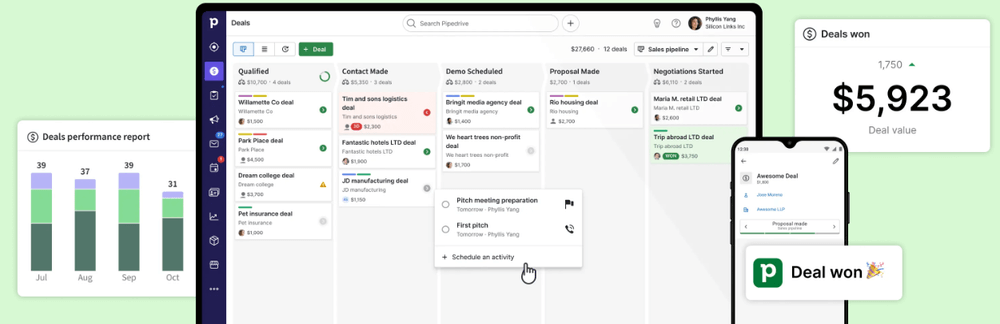
Pipedrive has one job: help sales teams close deals. It does that better than almost any other CRM software on this list. The sales pipeline view is the product's backbone — a clean Kanban board where deals move visually from stage to stage. Everything in Pipedrive is built around that pipeline.
Over 100,000 companies use it, which speaks to the fit. It's particularly strong for sales teams that came from spreadsheets and want something structured but not overwhelming.
Why it's a strong HubSpot alternative:
Pipedrive's entry pricing ($14/user/month) is significantly lower than HubSpot's equivalent paid plan. Onboarding is fast — most sales teams are productive within a day. There's no marketing hub, no service hub, no content hub to navigate past. Just a clean, fast sales CRM that works.
Key features:
- Visual drag-and-drop sales pipeline with customizable stages
- Activity-based selling: every deal has a clear next step
- AI deal insights and sales forecasting
- Email tracking, templates, and scheduling
- 350+ integrations including Google Workspace, Slack, and Zoom
- Customizable sales pipeline stages, fields, and deal cards
- Mobile app with offline capability
Pipedrive's sales pipeline UX is genuinely cleaner than HubSpot's for teams focused purely on deals. HubSpot's deal view is powerful but takes longer to configure for a small sales team. Pipedrive works well out of the box, with less setup time, fewer decisions to make, and a better pricing model for teams that don't need the full HubSpot marketing automation stack.
Pricing:
| Plan | Price/user/mo | Key features |
|---|---|---|
| Essential | $14 | Sales pipeline, contacts, calendar sync |
| Advanced | $29 | Email workflow automations, templates |
| Professional | $59 | AI, revenue forecasting, groups |
| Power | $69 | Project planning, phone support |
| Enterprise | $99 | Unlimited permissions, SSO |
Pros:
- Fastest onboarding of any CRM software on this list
- Best-in-class visual sales pipeline
- Strong mobile app
- Clean, uncluttered interface — no feature overload
Cons:
- Email marketing and marketing automation require add-ons or higher tiers
- Advanced customization limited to higher-priced plans
- No built-in email marketing module on the base plan
- Project management is an add-on ($8/user/month)
What Users Say
What do you like best about Pipedrive?
I love this platform for its user friendly interface. This platform enhances productivity by making the platform relatively simple. I also love the ability of this platform to integrate with much needed google platform. This greatly enhances the robustness of this platform. The capability of this platform to import data is really useful which allows continuity of the task effectively. The ability of this platform to pipeline the activity and schedule it is one key features that enhances the capability of the team.Review collected by and hosted on G2.com.
Konjengbam M.
BDR
Financial Services
Mid-Market (51-1000 emp.)
8. Monday CRM — HubSpot alternative for project-driven sales teams
Best for: Teams where sales is part of a broader project workflow, and the handoff between closing and delivery matters.
Score breakdown:
| Criterion | Score |
|---|---|
| Ease of use | 8.5 |
| Pricing value | 7.5 |
| Automation | 7.5 |
| Customization | 8.5 |
| Integrations | 8.5 |
| Support quality | 8.0 |
| HubSpot gap score | 7.0 |
| Overall | 7.9 |
Monday CRM sits at the intersection of project management and CRM software. It's built on Monday.com's work OS — so the interface will feel familiar to anyone who's used Monday for project tracking. The flexibility is remarkable: boards can be configured as sales pipelines, contact databases, email logs, or activity trackers depending on your business needs.
Why it's a strong HubSpot alternative:
For teams already using Monday.com for operations, bringing CRM into the same platform removes a context switch. The $12/user/month Basic plan includes unlimited boards, contacts, and 200+ integrations — the CRM functionality is genuinely capable at this pricing tier.
Key features:
- Highly customizable boards — configure for any sales workflow or sales process
- Multiple views: Kanban, list, timeline, calendar, map
- Built-in workflow automation with 200+ pre-built recipes
- Native email marketing integration with tracking
- 200+ integrations including Salesforce, HubSpot, and Jira
- Dashboards aggregating data across multiple boards
- Sales and operations boards can link — deals connect to delivery projects
Monday CRM's strength is the seamless handoff between sales and delivery. When a deal closes, it can automatically create a project board, assign team members, and kick off an onboarding workflow — without a separate integration. This is genuinely hard to replicate in HubSpot without custom workflows and additional Hub costs.
Pricing:
| Plan | Price/user/mo (min 3 users) | Key features |
|---|---|---|
| Basic | $12 | Unlimited boards, 200+ integrations |
| Standard | $17 | Workflow automations, timeline, calendar |
| Pro | $28 | Private boards, time tracking, charts |
| Enterprise | Custom | Advanced security, SSO, white label |
Pros:
- Best-in-class flexibility for custom sales workflows
- Seamless sales-to-delivery handoff
- Beautiful interface with high user adoption rates
- Strong automation recipe library
Cons:
- Minimum 3 users required — not suitable for solo operators
- Less sales-native than Pipedrive or Freshsales
- Reporting requires higher-tier plans
- Pricing can increase quickly as features are added
10. Salesforce — HubSpot alternative for enterprise-grade requirements
Best for: Medium-to-large enterprises with dedicated CRM admins, complex multi-team processes, and a genuine need for unlimited customization.
Score breakdown:
| Criterion | Score |
|---|---|
| Ease of use | 6.0 |
| Pricing value | 6.5 |
| Automation | 9.5 |
| Customization | 9.5 |
| Integrations | 9.5 |
| Support quality | 7.0 |
| HubSpot gap score | 6.0 |
| Overall | 7.7 |
Salesforce is the most powerful CRM platform ever built. That's not marketing — it's just true. But "most powerful" and "best for your business" aren't the same thing. For most small businesses, Salesforce's complexity is a liability rather than an asset. That's why it scores lower on our HubSpot gap score.
It ranks #10 on this list not because it's worse than HubSpot in raw capability — it's significantly better. It ranks here because it replicates or exceeds HubSpot's main weaknesses for SMBs: high cost, steep learning curve, and the need for specialized admin resources.
When Salesforce beats HubSpot:
For companies with 50+ users, multi-department sales workflows, compliance requirements, and dedicated IT or CRM admin resources, Salesforce is unmatched. Its AppExchange ecosystem has 7,000+ apps. Its workflow automation via Flow Builder is enterprise-grade. Its AI tools (Einstein AI, now Agentforce) are the most capable available.
Key features:
- Einstein AI: predictive scoring, opportunity insights, automated sales forecasting, generative AI for outreach
- Flow Builder: point-and-click workflow automation for complex sales processes
- AppExchange: 7,000+ applications including industry-specific CRM solutions
- Advanced analytics and reporting with Tableau integration
- Territory management, advanced permissions, and multi-org support
- Commerce, Marketing, Service, and Sales Clouds with deep inter-product connectivity
- Slack integration (Salesforce owns Slack)
Pricing:
| Plan | Price/user/mo | Key features |
|---|---|---|
| Starter Suite | $25 | Basic CRM, accounts, contacts |
| Pro Suite | $100 | Automation, integration, CPQ |
| Enterprise | $165 | Advanced customization, AI |
| Unlimited | $330 | Full AI, enhanced support |
| Einstein 1 Sales | $500 | Everything + Slack, Data Cloud |
Pros:
- Unmatched CRM customization and scalability
- Strongest AI and analytics in the market
- 7,000+ AppExchange integrations
- Industry-specific CRM solutions available
Cons:
- Significant implementation time and cost — often requires a Salesforce partner
- Expensive at scale, especially with multiple Clouds
- Not suitable for small businesses without dedicated CRM admin resources
- Doesn't solve HubSpot's core problems of pricing and complexity for SMBs
11. Keap — powerful automation that doesn't solve HubSpot's core problem
Best for: Coaches, consultants, agencies, and high-ticket service businesses that need CRM, automation, invoicing, and payments in one place — and have the budget for it.
Score breakdown:
| Criterion | Score |
|---|---|
| Ease of use | 7.5 |
| Pricing value | 4.5 |
| Automation | 9.0 |
| Customization | 7.5 |
| Integrations | 7.0 |
| Support quality | 8.0 |
| HubSpot gap score | 4.5 |
| Overall | 6.7 |
Keap's automation engine is genuinely excellent. Descended from Infusionsoft, its campaign builder handles branching, conditional logic, and long multi-step sequences with a depth that most tools on this list can't match. Native invoicing, payments, and appointment scheduling are built in, not bolted on. For a consultant running a high-ticket funnel end to end, that's a real advantage.
Why it scores low as a HubSpot alternative:
Our HubSpot gap score measures one thing: does this tool fix what drives people away from HubSpot? Those reasons are cost, complexity, onboarding fees, and feature paywalls.
Keap reproduces most of them. Pricing starts around $249/month billed annually for 1,500 contacts and 2 users. Additional seats and additional contacts both cost extra. Onboarding is typically a paid, effectively mandatory add-on. A team of five with 5,000 contacts lands well above what they were paying HubSpot.
If your reason for leaving HubSpot is "too expensive and too complex," Keap is not the exit. If your reason is "I need deeper automation and built-in payments, and budget isn't the constraint," it's a strong pick.
Key features:
- Campaign builder with branching logic and long-running multi-step sequences
- Native invoicing, quotes, and payment processing
- Built-in appointment scheduling
- Dedicated business phone line and SMS
- Lead capture forms and landing pages
- Lifecycle automation from first touch through post-purchase
- US-based support with coaching and migration assistance included
- Native MCP integration — connect ChatGPT, Claude, or Grok to search, analyze, update, and configure your CRM in plain language
Payments. HubSpot's commerce tools require higher tiers and US-centric setup. Keap has invoicing, quotes, recurring billing, and card processing native to the platform. For a service business that sells, invoices, and collects in one motion, that consolidation is the argument.
Pricing:
| Plan | Price | Included |
|---|---|---|
| Keap (single plan) | $249/mo annual · $299/mo monthly | 1,500 contacts, 2 users, all features |
| Additional users | ~$29–49/user/mo | Varies by agreement |
| Additional contacts | Tiered step pricing | Scales with list size |
| Onboarding | One-time fee | Typically required for new accounts |
Pros:
- Best-in-class automation depth for long, branching lifecycle campaigns
- Native invoicing, payments, and scheduling — no separate billing tool needed
- US-based human support with coaching included, not tiered by plan
- One plan, all features — no feature paywalls between tiers
Cons:
- The most expensive entry point on this list by a wide margin
- Contact-and-seat based pricing scales aggressively as you grow
- Onboarding fee on top of subscription
- Overkill for teams that need a sales pipeline rather than a marketing funnel
- Doesn't solve the cost or complexity problems that drive most HubSpot churn
How we ranked: the NetHunt CRM Scoring System
Every CRM in this list was evaluated across 7 criteria. Each criterion is scored out of 10, and the final score is a weighted average.
| Criterion | Weight | What it measures |
|---|---|---|
| Ease of use | 15% | Time-to-adoption, UI clarity, learning curve |
| Pricing value | 20% | Cost vs. features ratio, pricing transparency, hidden fees |
| Automation | 15% | Depth of workflow automation, triggers, sequences |
| Customization | 15% | Sales pipelines, fields, views, roles — on standard plans |
| Integrations | 10% | Native integrations quality and breadth |
| Support quality | 10% | Response time, availability across plan tiers |
| HubSpot gap score | 15% | How directly it solves HubSpot's 4 core problems |
Frequently asked questions
Is there a free HubSpot alternative for small businesses?
Yes. EngageBay offers a free plan for up to 250 contacts with email marketing and basic CRM. Brevo's free plan is structured differently — it stores up to 100,000 contacts and caps sending at 300 emails per day, with no time limit. If your list is large but you email infrequently, Brevo's free tier goes further than most paid entry plans.
Can I switch from HubSpot without losing data?
Yes. Every major CRM platform on this list accepts CSV imports from HubSpot exports. The key is mapping fields correctly before importing. NetHunt CRM, Pipedrive, Zoho CRM, and Salesforce all have dedicated HubSpot migration guides or in-app import wizards.
What's the best HubSpot alternative for small businesses and startups?
For small businesses and startups under 10 people, NetHunt CRM, Salesflare, Pipedrive, and Freshsales offer the best balance of CRM features and ease of use at affordable per-user pricing. EngageBay and Brevo are the best free options.





 product experts — let's find the best setup for your team