










Choosing a CRM for your marketing agency sounds simple until you're three tools deep, your account manager can't find last week's client brief, and a retainer renewal slipped through because nobody got the reminder.
This guide cuts through the noise. We tested and scored 11 CRM platforms specifically against agency workflows — retainer management, deal pipeline tracking, multi-channel client communication, project management, ad platform integrations, campaign visibility, and team adoption.
Here's what this guide covers:
- What makes a CRM system work for agencies (not just any B2B team)
- The 7 CRM features that matter most for agency operations
- Our Agency CRM Score — a custom scoring system built around agency workflows
- Detailed breakdowns of 11 CRM platforms with honest pros, cons, and verdicts
- A practical framework for choosing the best CRM for your agency model
What is a CRM for marketing agencies?
A customer relationship management system for marketing agencies centralizes every client interaction — leads, deals, communication, tasks, and reporting.
CRM for marketing agency centralizes everything happening around each client – conversations, tasks, requests, deals, team activity, and project status – so the whole team operates from a single source of truth.
In practice, a CRM system helps agencies manage:
- New business pipeline — track leads, proposals, and deal stages from first contact to signed contract
- Client onboarding — structured checklists, access requests, and kickoff workflows for every new client
- Retainer relationships — renewal dates, upsell opportunities, and ongoing communication history in one place
- Project tracking — connect commercial conversations to actual deliverables and deadlines
- Team alignment — account managers, creatives, and performance specialists all see the same client context
Marketing agencies don't just close deals and move on — they manage ongoing retainer relationships, much like a real estate CRM keeps agents connected to clients long after a sale closes
How we scored these CRMs — Agency CRM Score
To move beyond generic rankings, we built a scoring system specifically around marketing agency workflows. Each CRM platform is scored out of 100 across 7 criteria:
| Criterion | Max score | What we evaluated |
|---|---|---|
| Client & retainer management | 20 | Multiple pipelines, retainer tracking, renewal reminders, contract visibility |
| Communication hub | 20 | Email + messenger integrations in one client record; full team visibility |
| Marketing & ad integrations | 10 | Native or deep integrations with Google Ads, Meta Ads, email platforms, analytics tools |
| Automation for agency workflows | 15 | Onboarding automation, approval workflows, retainer reminders, lead assignment |
| Project visibility | 15 | Can you see deal status and delivery status in the same CRM view? |
| Reporting & client reporting | 10 | Internal analytics depth + ability to generate or export client-facing reports |
| Ease of adoption | 10 | G2 ease of use and setup scores + how quickly a new agency team member can get productive |
| Total | 100 |
Scores reflect how well each CRM platform serves marketing agency use cases — not general sales teams.
Quick comparison table
| Tool | Agency CRM Score | Best for | Messenger integration | Automation | Starting price |
|---|---|---|---|---|---|
| NetHunt CRM | 92/100 | All-in-one for digital & creative agencies | ✅ WhatsApp, Instagram, FB, Telegram | ✅ Advanced | $24/user/mo |
| HubSpot | 83/100 | Scaling multi-service agencies | ⚠️ Limited native | ✅ Advanced | $45/user/mo |
| GoHighLevel | 83/100 | Full-funnel agency automation & white-label | ✅ SMS, FB, Instagram | ✅ Advanced | $97/mo flat |
| Salesflare | 69/100 | Small & mid-size agencies, relationship focus | ❌ Via third-party | ⚠️ Basic | €29/user/mo |
| Pipedrive | 68/100 | Simple pipeline management | ⚠️ Via add-ons | ⚠️ Basic | €19/user/mo |
| Monday CRM | 73/100 | CRM + visual project workflows | ❌ Via third-party | ⚠️ Basic | €15/user/mo |
| Zoho CRM | 75/100 | Large customizable ecosystems | ✅ Via Zoho suite | ✅ Advanced | €14/user/mo |
| Copper CRM | 57/100 | Google Workspace-first agencies | ❌ Limited | ❌ Limited | $9/user/mo |
| Insightly | 61/100 | CRM + basic project delivery | ❌ Limited | ⚠️ Basic | $29/user/mo |
| Salesforce | 77/100 | Large & enterprise agencies | ✅ Via AppExchange | ✅ Advanced | $25/user/mo |
| Folk CRM | 50/100 | Boutique agencies & outreach-heavy teams | ❌ Limited | ❌ Limited | $20/user/mo |
11 best CRMs for marketing agencies
1. NetHunt CRM — best all-in-one CRM for digital & creative agencies
Agency CRM Score: 92/100
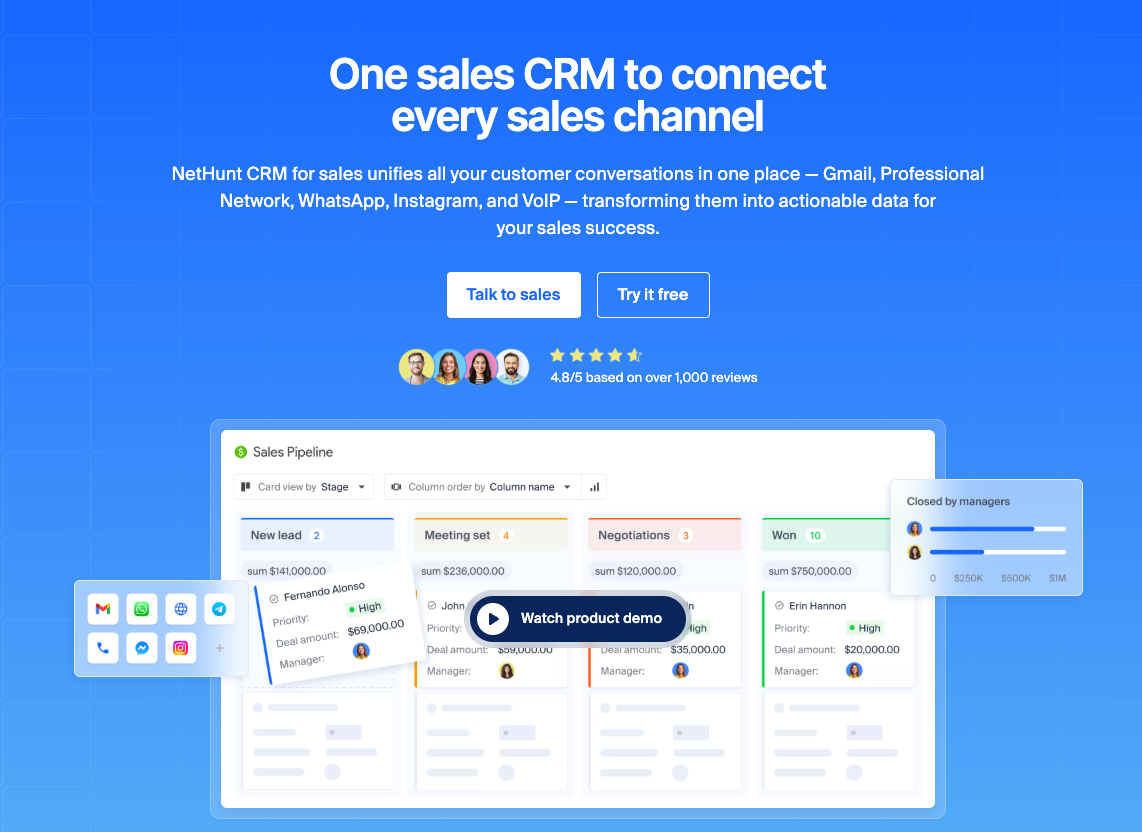
Best for: Digital marketing agencies that want sales, client management, email marketing, project tracking, multi-channel communication, and workflow automations in a single CRM platform — without switching tabs.
NetHunt CRM is built inside Gmail, which means your marketing team manages leads, tracks deals, runs email sequences, and logs client communication without leaving the inbox they already live in. For agencies where account managers handle both sales and client relationships, this eliminates the single biggest CRM adoption barrier: the tool being "somewhere else."
What sets NetHunt apart for digital agencies specifically is the depth of its messenger integrations. WhatsApp, Instagram, Facebook Messenger, and Telegram conversations are stored directly inside client records — so when a client follows up on WhatsApp about a marketing campaign status, anyone on the team can see that conversation alongside every email, task, and deal note. No more context gaps between channels.
NetHunt is a CRM designed specifically for teams that need to help agencies manage both their sales process and client communication in one place — making it especially strong for agencies that manage high communication volume across multiple channels simultaneously.
How NetHunt handles the core agency workflow problems:
- Scattered communication — WhatsApp, Instagram, Facebook Messenger, and Telegram conversations are stored directly inside client records alongside email history
- Missed retainer renewals — automated reminders triggered by custom date fields on the contract record, 30, 60, or 90 days out
- No team visibility — shared client folders with full activity logs, so every team member sees the same picture
- Onboarding chaos — automated checklists triggered when a deal moves to Closed Won, assigning tasks across account management, creative, and ops
- Request tracking — custom pipelines for managing ongoing client requests separately from the sales pipeline
Key agency features:
- Native Gmail integration — CRM lives inside your inbox
- Multi-channel sequences combining email and messenger outreach
- WhatsApp, Instagram, FB Messenger, Telegram all in one client record
- Flexible sales pipeline builder — create separate pipelines for new business, onboarding, retainers, and renewals
- Workflow automation tools for lead assignment, follow-ups, onboarding checklists, retainer reminders
- Built-in email marketing — send campaigns and sequences from the same CRM software
- Fully customizable fields, folders, and permissions per team role
Pros:
- Zero context switching — everything happens inside Gmail
- Most complete messenger integration on this list
- Highly flexible — adapts to any agency structure without custom development
Cons:
- Requires Gmail or Google Workspace (not suitable for Outlook-first teams)
Pricing: From $24/user/month (Basic plan). 14-day free trial available.
Verdict: The strongest all-around CRM solution for digital and creative agencies already using Google Workspace. Particularly strong for teams managing high communication volume across email and messengers simultaneously.
2. HubSpot — best for scaling multi-service agencies
Agency CRM Score: 83/100
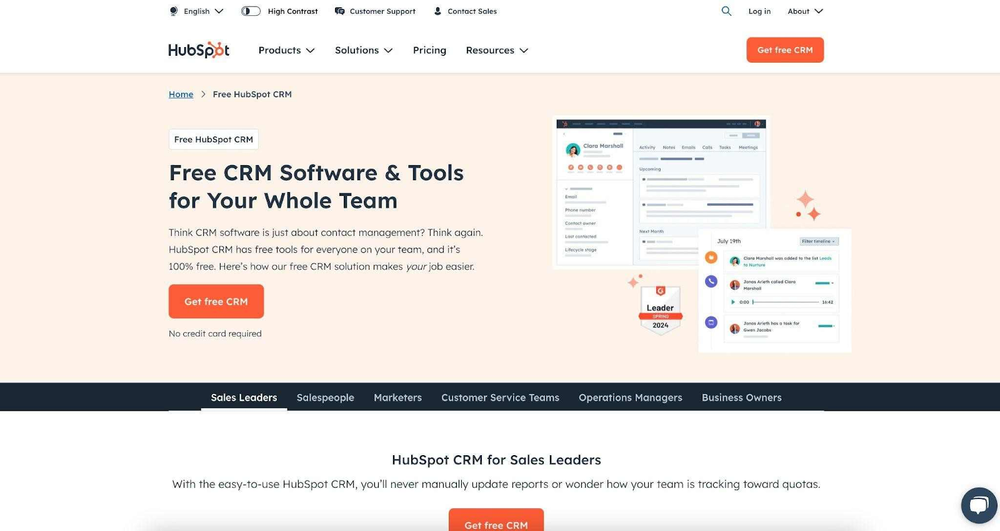
Best for: Agencies handling multiple service lines that need strong automation, native ad integrations, and a CRM platform that scales from 5 to 500 people.
HubSpot CRM is the most complete marketing-native CRM software on this list. It was built with marketers in mind — so features like native Google Ads and Meta Ads integration, landing page builders, email marketing, and marketing campaign attribution reporting come as part of the package rather than bolt-on integrations.
For digital marketing agencies that both sell marketing services and run their own inbound marketing to attract clients, HubSpot creates a rare advantage: you can manage your own sales pipeline with the same tools you recommend to clients. Whether you're comparing HubSpot or Zoho CRM for your agency, HubSpot wins on marketing depth — though Zoho wins on price.
Key agency features:
- Native Google Ads and Meta Ads integration with lead-to-revenue attribution
- Marketing Hub: email campaigns, landing pages, social scheduling, SEO tools
- Sequences and playbooks for structured client outreach and onboarding
- Multi-team pipelines with role-based permissions
- Forecasting and revenue reporting for agency leadership
- Extensive integration ecosystem (1,000+ native integrations)
Pros:
- Strongest ad platform integration on this list
- Free CRM plan available for small teams getting started
- All-in-one: CRM + marketing + sales + service in one platform
Cons:
- Costs scale aggressively — paid plans jump significantly at higher tiers
- Marketing Hub features require a separate (expensive) subscription
- Can be overkill for agencies with simple, consistent workflows
- Native messenger integration is limited without third-party tools
Pricing: Free plan available. Sales Hub from $45/user/month. Full Marketing Hub from $800/month.
Verdict: Best choice for agencies with 10+ people, multiple service lines, and a serious inbound marketing strategy. Budget-conscious smaller agencies may find it more than they need.
3. GoHighLevel — best for full-funnel agency automation & white-label
Agency CRM Score: 83/100
Best for: Agencies that want to build automated client funnels, white-label the CRM platform for their own clients, and manage SMS, email, and social messaging in one place.
GoHighLevel occupies a unique space on this list: it's not just a CRM solution for running your agency — it's a platform you can resell to your clients under your own brand. For agencies that offer marketing automation as a service, this changes the economics entirely. Instead of recommending third-party tools, you can white-label GoHighLevel and charge clients a monthly fee to use it.
From a pure CRM standpoint, GoHighLevel covers the essentials: pipelines, contact management, automated sequences, and reporting. Where it genuinely excels is in funnel building, SMS automation, and reputation management — workflows that are directly relevant to performance marketing agencies managing client campaigns.
Key agency features:
- White-label capability — rebrand and resell the CRM platform to clients
- Full-funnel builder: landing pages, forms, funnels, booking calendars
- SMS, email, Facebook Messenger, and Instagram DM automation
- Reputation management: automate Google and Facebook review requests
- Sub-account structure — manage each client as a separate workspace
- Built-in reporting dashboards per client account
Pros:
- Only platform on this list that's fully white-labelable
- Flat pricing model — one price covers unlimited contacts and sub-accounts
- Strong for agencies selling automation and funnel services
Cons:
- Steep learning curve — complex interface, significant onboarding time
- Not built for relationship-first or retainer-heavy agencies
- Gmail integration is via SMTP only — not native
Pricing: From $97/month flat (Agency Starter). $297/month for unlimited sub-accounts.
Verdict: Purpose-built for performance marketing and automation agencies. If you sell marketing-as-a-service and want to white-label your tech stack, nothing else on this list competes. Not the right CRM software for creative or strategic agencies with simpler needs — professional services teams such as law firms have their own CRM requirements
4. Salesflare — best for relationship-focused small & mid-size agencies
Agency CRM Score: 69/100
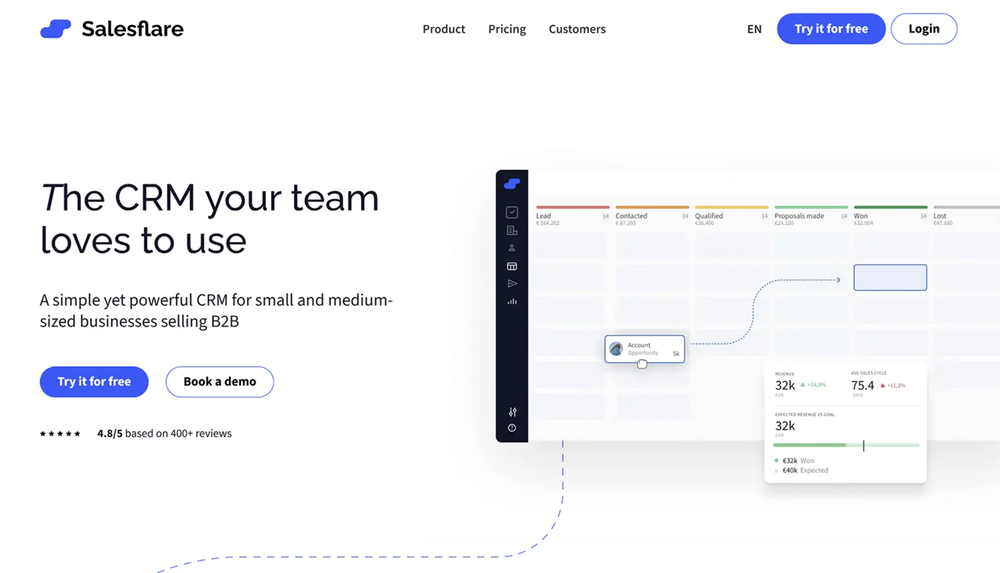
Best for: Small and mid-size B2B marketing agencies that want an advanced CRM that fills itself in automatically and reduces admin overhead.
Salesflare's core promise is that you shouldn't have to manually update your CRM. It pulls contact data from email signatures, logs meetings from your calendar, tracks email opens and link clicks, and surfaces follow-up reminders automatically. For small agency teams where everyone is both selling and delivering, this CRM software significantly reduces admin overhead.
The relationship intelligence features — showing you how warm a relationship is based on email frequency, who in your marketing team knows a contact and how well — are genuinely useful for agencies managing a large network of prospects and partners.
Key agency features:
- Automatic contact enrichment from email signatures and LinkedIn
- Email and meeting logging without manual input
- Relationship strength scores to prioritize follow-ups
- Visual sales pipeline with drag-and-drop deal management
- Email sequences with open and click tracking
- LinkedIn Chrome extension for prospecting
Pros:
- Lowest data entry overhead on this list — CRM largely fills itself in
- Clean, intuitive interface — fast to learn and adopt
- Strong mobile app for account managers on the go
Cons:
- No native messenger integrations — WhatsApp and Instagram require third-party tools
- Limited project management capabilities — not suitable for delivery tracking
- Less customizable than NetHunt or HubSpot CRM for complex agency structures
Pricing: From €29/user/month. 30-day free trial available.
Verdict: Excellent choice for small businesses and agencies (2–15 people) where the founder or a small team handles both sales and account management, and admin time is the biggest constraint. Less suited for larger agencies with complex delivery workflows.
5. Pipedrive — best for simple, visual pipeline management
Agency CRM Score: 68/100
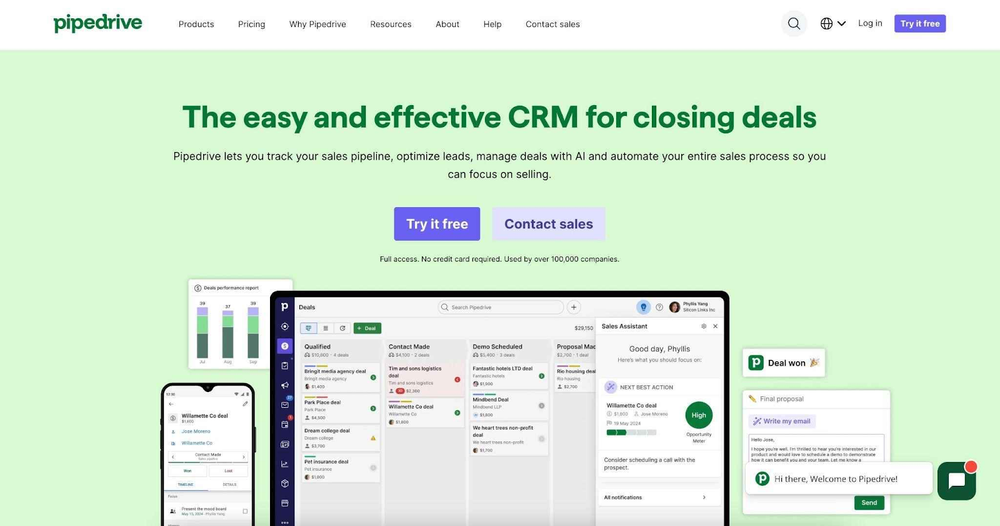
Best for: Small and mid-size agencies that want a clean, visual sales pipeline CRM with minimal complexity and a low learning curve.
Pipedrive does one thing exceptionally well: making it easy to see where every deal stands and what needs to happen next. The visual pipeline interface is intuitive enough that a new team member can be productive within hours. For agencies where the primary CRM use case is managing new business — tracking proposals, following up with prospects, and closing retainer contracts — this CRM tool covers the essentials without unnecessary complexity.
Where it falls short for agencies is in everything that happens after the sale: onboarding, delivery tracking, retainer management, and cross-channel communication. These require add-ons or integrations that add cost and complexity.
Key agency features:
- Visual drag-and-drop sales pipeline — easy to see deal stage at a glance
- Activity reminders and follow-up automation
- Email integration with open and click tracking
- Workflow automation for routine follow-up tasks
- LeadBooster add-on for chatbot and web form lead capture — a basic building block of CRM-driven lead generation
- Strong mobile app
Pros:
- Fastest time-to-value on this list — minimal setup, immediate usability
- Transparent, predictable pricing
- Large integration marketplace for extending CRM capabilities
Cons:
- Limited native messenger integrations
- No built-in project or delivery management
- Reporting capabilities are basic compared to HubSpot or Salesforce
Pricing: From €19/user/month (Essential). 14-day free trial available.
Verdict: Best for agencies that need a straightforward new business pipeline and don't require deep integration with delivery workflows. If your CRM needs go beyond sales tracking, you'll quickly need to supplement it with other tools.
6. Monday CRM — best for agencies that want CRM + visual project management
Agency CRM Score: 73/100
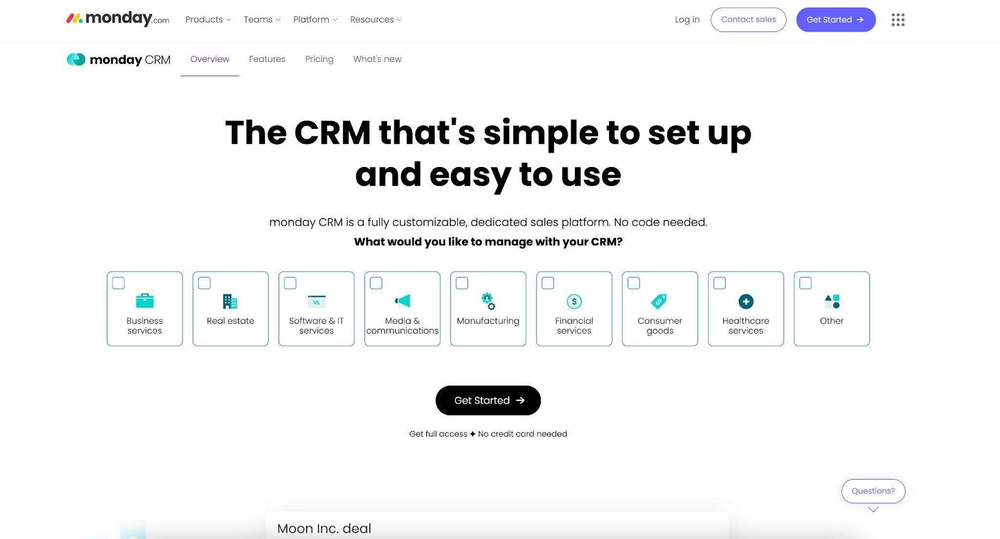
Best for: Creative and digital agencies that want to manage both client relationships and marketing campaign delivery in one visual, board-based CRM platform.
Monday.com started as a project management tool and added CRM functionality — which means it's the strongest option on this list for combining sales pipeline management with campaign and project tracking in a single view. For agencies where account managers also oversee delivery, having deals and deliverables on the same CRM platform reduces handoff friction significantly.
The customizable board structure means you can build a pipeline that looks exactly like your agency's workflow — no forcing your sales process into a pre-defined system. The trade-off is that this flexibility requires setup time, and the CRM features don't go as deep as dedicated CRM software.
Key agency features:
- Fully customizable board structure — build any pipeline or project view
- Connect deals to projects and marketing campaign boards in the same workspace
- Automation builder for status changes, assignments, and notifications
- Dashboards combining CRM metrics and project status
- Integration with email, Slack, and major ad platforms via third parties
- Collaborative workspaces visible to the whole marketing team
Pros:
- Strongest project + CRM combination on this list
- Visual and intuitive — easy for non-sales team members to use
- Scales from small businesses to large agencies without a platform change
Cons:
- CRM depth is shallower than dedicated CRM tools
- No native messenger integrations
- Can become expensive for larger teams when all features are unlocked
Pricing: From €15/user/month (Basic). 14-day free trial available.
Verdict: Strong choice for agencies where account managers and project managers need to work in the same CRM solution. Less suitable for agencies that need deep CRM functionality, advanced automation, or messenger-based client communication.
7. Zoho CRM — best for agencies needing a deep customizable ecosystem
Agency CRM Score: 75/100
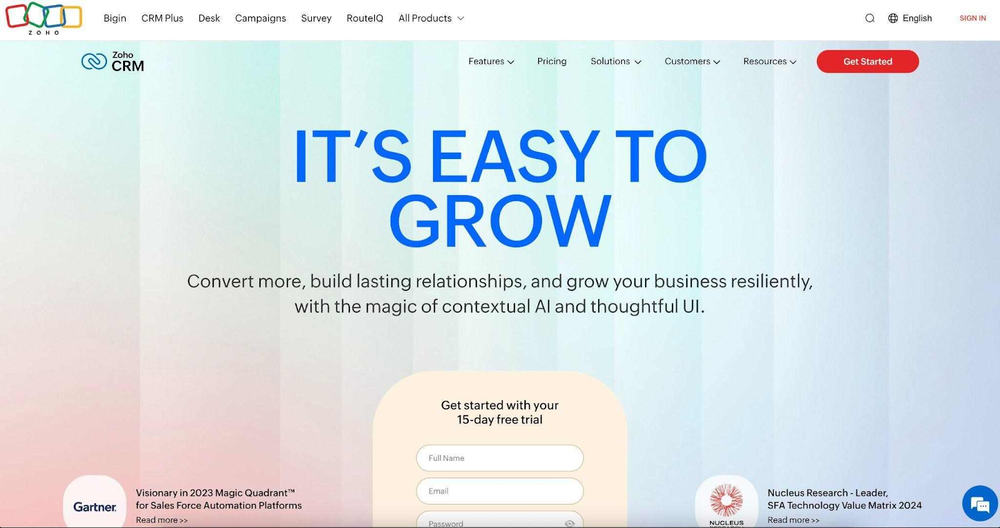
Best for: Mid-to-large digital marketing agencies that need extensive customization, deep automation, and a connected suite of sales, marketing, and service tools.
Zoho CRM's biggest strength is breadth. It connects natively with Zoho Campaigns for email marketing, Zoho Projects for delivery management, Zoho Desk for client support, and Zoho Analytics for reporting — creating an interconnected ecosystem where data flows between tools without manual exports. For agencies of all types that want a single vendor covering most of their operational stack, Zoho is the most affordable CRM solution to achieve that.
When comparing HubSpot or Zoho CRM, Zoho wins on price and ecosystem depth for teams already using multiple Zoho products. HubSpot wins on ease of use and marketing automation out of the box.
Key agency features:
- Deep customization — custom modules, fields, layouts, and workflows
- CommandCenter for mapping and automating full client journeys
- Zia AI for lead scoring, anomaly detection, and conversation summaries
- Native integration with Zoho Campaigns, Projects, Desk, and Analytics
- Multi-channel communication: email, phone, live chat, social
- Territory and role-based permission management
Pros:
- Most affordable full-ecosystem CRM option on this list
- Highly customizable to specific agency workflows
- Strong automation depth once configured
Cons:
- Steeper learning curve than most CRM platforms on this list
- Interface feels dated compared to modern tools
- Best value only realized when using multiple Zoho products together
Pricing: From €14/user/month (Standard). 15-day free trial available.
Verdict: Best for cost-conscious mid-size agencies willing to invest setup time in exchange for a deeply connected CRM ecosystem. Not the best choice for teams that need to be up and running quickly.
8. Copper CRM — best for Google Workspace-first agencies
Agency CRM Score: 57/100

Best for: Small agencies that live entirely in Google Workspace and want a CRM for digital marketing teams that feels like a native Google product.
Copper is purpose-built for Google Workspace, and sits firmly among the simplest CRM solutions on the market. It sits inside Gmail as a Chrome extension, auto-populates contact data from your Google contacts, and logs emails and meetings without any manual input. For agencies where the entire marketing team uses Gmail and Google Calendar as their primary workspace, Copper requires almost no behavioral change to adopt.
The limitations become clear once you need anything beyond basic contact and sales pipeline management: no messenger integrations, limited marketing automation, and no native ad platform connections. For agencies with simple CRM needs and strong Google Workspace usage, those limitations may not matter. For growing agencies, they likely will.
Key agency features:
- Native Gmail Chrome extension — CRM inside your inbox
- Auto-populate contacts from Google Workspace
- Google Calendar event logging without manual input
- Visual pipeline with drag-and-drop deals
- Email templates and tracking
- Basic workflow automation
Pros:
- Lowest learning curve for Google Workspace teams
- Very affordable starting price — a good CRM for small businesses
- Clean, minimal interface that doesn't overwhelm small teams
Cons:
- No messenger integrations
- Limited automation tools compared to NetHunt or HubSpot CRM
- Not scalable for agencies growing beyond ~20 people
Pricing: From $9/user/month. 14-day free trial available.
Verdict: A solid entry-level CRM solution for small, Google Workspace-native agencies with straightforward needs. Agencies planning to grow or needing messenger integrations will outgrow it quickly.
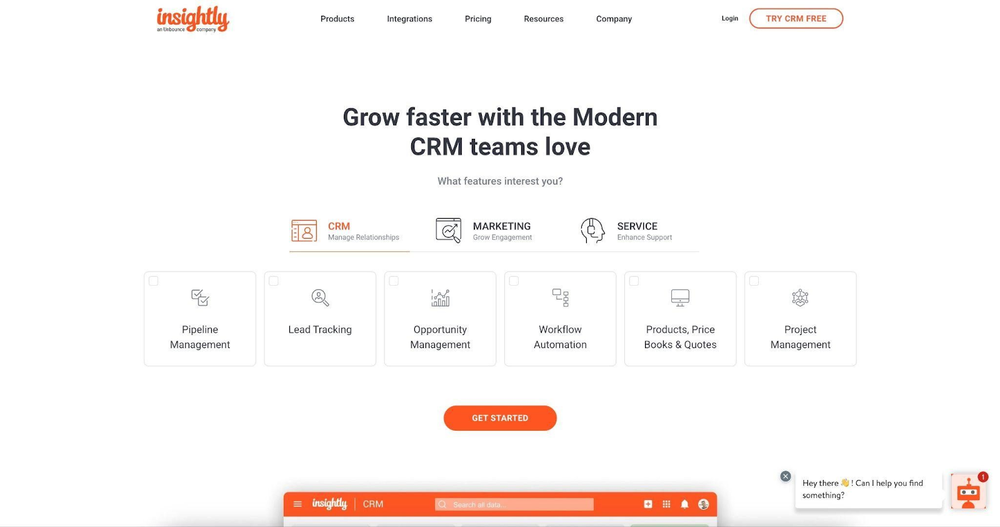
9. Insightly — best for agencies managing both CRM and project delivery
Agency CRM Score: 61/100
Best for: Agencies that need to connect customer relationship management directly with project delivery — without a separate project management tool.
Insightly's differentiator is its built-in project management module, which converts won deals directly into delivery projects. For agencies where the same team member manages the sale and oversees delivery, this creates a continuous client record from first contact through project completion. The handoff from sales to delivery doesn't require exporting data or recreating records in a separate tool.
The limitations are real: no messenger integrations, limited automation on lower pricing tiers, and an interface that hasn't kept pace with more modern CRM software. For agencies that specifically need CRM-to-project continuity, it's worth evaluating. For others, stronger CRM options exist.
Key agency features:
- Convert won deals directly into delivery projects
- Unified contact record across sales and project phases
- AppConnect integration platform for connecting external marketing tools
- Role-based permissions for sales and delivery teams
- Basic email marketing through Insightly Marketing add-on
- Reporting and dashboard builder
Pros:
- Unique CRM-to-project continuity — no data duplication
- Reasonable pricing for the feature set
- Good for agencies with a defined, repeatable delivery process
Cons:
- No native messenger integrations
- CRM automation features limited to higher pricing tiers
- Interface is less polished than competitors
Pricing: From $29/user/month (Plus). 14-day free trial available.
Verdict: Worth considering for service agencies with a clear sales-to-delivery workflow who want to avoid a separate project management tool. Less suitable for agencies focused on retainer relationships or high-volume communication.
10. Salesforce — best for large & enterprise agencies
Agency CRM Score: 77/100
Best for: Large agencies with complex operations, multiple service lines, and dedicated operations or RevOps teams to configure and maintain the CRM system.
Salesforce is the most powerful and customizable CRM platform on this list — and also the most complex. For large agencies managing dozens of enterprise clients, with multiple internal teams and sophisticated reporting requirements, Salesforce can be configured to handle virtually any workflow. The AppExchange marketplace extends it with hundreds of agency-relevant integrations.
For small businesses and mid-size agencies, Salesforce is almost certainly overkill. The setup investment is significant, the learning curve is steep, and the per-user pricing adds up quickly. But for agencies at scale that need enterprise-grade reporting, governance, and customization, no other CRM system matches its ceiling.
Key agency features:
- Custom objects and data model for any agency workflow
- Flow automation builder for complex multi-step sales and marketing processes
- Einstein AI for lead scoring, opportunity insights, and forecasting
- AppExchange integrations including messaging platforms and ad tools
- Advanced role-based permissions and data governance
- Enterprise-grade reporting and Tableau integration
Pros:
- Highest customization ceiling on this list
- Strongest enterprise reporting and forecasting
- Massive integration ecosystem via AppExchange
Cons:
- Significant setup, configuration, and maintenance overhead
- High total cost of ownership for most agencies
- Requires dedicated admin or RevOps support to use effectively
Pricing: From $25/user/month (Starter Suite). 30-day free trial available.
Verdict: The right choice only for large, complex agencies with dedicated operations resources and enterprise client requirements. For everyone else, the setup cost and complexity outweigh the benefits.
11. Folk CRM — best for boutique agencies & relationship-heavy teams
Agency CRM Score: 50/100
Best for: Boutique agencies, consultancies, and independent strategists who prioritize contact intelligence and lightweight relationship management over deep CRM automation.
Folk CRM takes a network-intelligence approach to customer relationship management. Rather than focusing on pipelines and automation tools, it excels at contact enrichment, relationship mapping, and making it easy to manage large, diverse networks of clients, partners, and prospects. For agencies where business development depends heavily on personal relationships and warm introductions, Folk's approach feels more natural than a traditional sales-focused CRM.
The limitations are significant for agencies with operational complexity: automation is basic, no messenger integrations, no ad platform connections, and reporting is minimal. Folk works well as a relationship layer but not as a full agency CRM solution.
Key agency features:
- AI-powered contact enrichment from LinkedIn and web sources
- Smart grouping and tagging of contacts by relationship type
- Pipeline views for basic opportunity tracking
- Email sequences with basic personalization
- Collaborative notes and relationship context sharing
- Chrome extension for capturing contacts from LinkedIn
Pros:
- Best contact enrichment and relationship intelligence on this list
- Clean, modern interface — fast to learn
- Good for agencies that prioritize network quality over volume
Cons:
- Most limited automation on this list
- No messenger integrations
- Not suitable as a primary CRM for agencies with complex operations
Pricing: From $20/user/month. Free plan available for testing.
Verdict: A niche but genuinely useful CRM tool for boutique agencies and independent consultants where relationship quality matters more than pipeline automation. Not suitable as a standalone CRM solution for agencies managing multiple active clients simultaneously.
Why marketing agencies struggle without a CRM
These frustrations point to a structural problem. Most agencies run operations across a tangle of tools: a spreadsheet for contacts, a project management app for tasks, an email platform for campaigns, and Slack for everything else. When a client emails asking for a status update, the account manager checks four places before they can answer.
Without the right CRM software, teams face:
- Lost client context — new team members have no history; client handoffs break
- Missed retainer renewals — no automated reminders, no sales pipeline for renewals
- Scattered communication — client writes on WhatsApp, follows up by email, nobody has the full picture
- Invisible team performance — team leads don't know the activity across leads and clients and their performance, because there's no shared view of who owns what
- Manual reporting overhead — weekly client reports built from scratch every time
The agencies that grow without adding chaos are the ones that centralize everything in one place — which is exactly what a CRM for marketing agencies is built to do. A CRM solution designed for agency workflows eliminates each of these problems systematically — and it's the foundation that helps agencies streamline operations as they scale.
What CRM features should a marketing agency prioritize?
Not all CRM features matter equally for digital marketing agencies — it helps to know which core CRM features actually move the needle:
- Centralized communication across all channels. Clients don't only communicate by email. WhatsApp, Instagram DMs, Facebook Messenger — these need to feed into the same client record as your email threads. If your CRM only logs email, half your communication history is invisible. When a client follows up on something they mentioned in WhatsApp two weeks ago, your team needs to find that without asking the person who originally handled it.
- Email & calendar sync. Every touchpoint automatically logged. No manual data entry, no missed follow-ups, no "wait, did anyone reply to them?" moments. The full email and meeting history should be visible to any team member who opens a client record — a core CRM capability that many tools still get wrong.
- Multi-pipeline support. Agencies need at least three parallel pipelines: a new business pipeline, a client onboarding pipeline, and a retainer management pipeline. A CRM tool that only supports one linear sales pipeline will break your workflow fast.
- Workflow automation for agency ops. Sales automation tools that handle lead assignment are table stakes. What digital marketing agencies actually need: automated onboarding checklists when a deal closes, retainer renewal reminders 60 days out, approval request sequences, and weekly reporting task triggers. If the CRM can't handle these, you'll still be doing it manually.
- Project and delivery visibility. The account team needs to see the commercial relationship and the delivery status in one place. A CRM solution that keeps sales data completely separate from project status creates the exact handoff problems agencies complain about most.
- Client reporting. Agencies prepare reports weekly or monthly, so built-in CRM reports save meaningful time at scale.. A powerful CRM that lets you pull activity data, communication logs, and sales pipeline history into client-ready reports — or at least into a format that makes reporting faster — saves significant time at scale and directly supports business growth.
How to choose the best CRM for your marketing agency
With 11 options evaluated, the real question is which one fits your specific agency. Selecting the right CRM software comes down to three practical steps — and skipping any of them usually leads to an expensive redo six months later.
Step 1: Audit your current stack and identify the real gaps
Before implementing a CRM, map where client information currently lives. Is the main problem lost communication history? Missed retainer renewals? No visibility into which marketing campaigns generate the best clients? The CRM you need depends entirely on which gaps are costing you the most. Choosing the best CRM starts with understanding your unique business needs — an agency losing deals because of slow follow-up needs something different from an agency losing clients because of poor delivery handoffs.
Step 2: Match the CRM to your agency model
Different agency models have different CRM requirements. Finding the best CRM for agencies means being honest about which type of agency you actually are — not which type you aspire to be:
| Agency model | Primary need | Best fit |
|---|---|---|
| Boutique / founder-led | Low admin, fast adoption | NetHunt CRM, Salesflare, Copper |
| Retainer-heavy digital agency | Multi-pipeline, messenger integration | NetHunt CRM, HubSpot |
| Performance marketing agency | Ad integrations, funnel automation | GoHighLevel, HubSpot |
| Creative / production studio | CRM + project delivery | NetHunt CRM, Monday CRM, Insightly |
| Full-service / scaling agency | All-in-one, deep automation | NetHunt CRM, HubSpot, Zoho CRM |
| Enterprise / multi-office | Max customization, governance | Salesforce |
Step 3: Test against your actual workflows during the trial
Free trials are only useful if you test the right things. When choosing the right CRM software for your business, specifically check during the trial:
- Can you build the exact pipeline stages your agency uses?
- Does the CRM capture communication from all the channels your clients use?
- How long does it take a new team member to find a complete client history?
- Can you automate the top three most repetitive tasks your team does manually?
- Can your managers see team progress and performance without asking anyone directly?
If a CRM can't pass these tests during the trial, it won't pass them in production.
FAQ
What is the best CRM for a small marketing agency?
For small marketing agencies (under 10 people), NetHunt CRM and Salesflare are the strongest options — the same names that lead most rankings of the best CRM for small business. NetHunt CRM offers the best balance of CRM features — Gmail integration, messenger support, and automation — without the complexity of enterprise tools. Salesflare is the better choice if minimizing data entry is the top priority, as it auto-populates most fields from email and calendar activity. Both are strong CRM for small businesses that need to get up and running fast.
Can a CRM replace a project management tool?
For most agencies, no — but it depends on your workflow. Monday CRM and Insightly come closest to bridging the gap, with project visibility built into the CRM layer. For agencies managing complex multi-team deliverables, a dedicated project management tool (ClickUp, Asana, or Notion) is still recommended alongside the CRM system. The goal is reducing tool-switching, not necessarily eliminating every specialized tool.
How does a CRM help with client reporting?
A CRM system centralizes communication history, deal data, activity logs, and marketing campaign attribution in one place. When built correctly, this means monthly or weekly client reports can be pulled from the CRM rather than assembled manually from five different tools. HubSpot and Salesforce have the strongest native reporting — worth weighing against how CRM reporting is structured across platforms. NetHunt and Zoho offer solid reporting with exportable data. GoHighLevel is specifically designed for generating per-client reports in a white-label format.
What's the difference between a CRM and an agency management tool?
A CRM focuses on the customer relationship management layer — contacts, deals, communication, pipelines, and sales automation. An agency management tool (like Productive.io or Function Point) focuses on the operational layer — resource planning, time tracking, project profitability, and invoicing. Some agencies need both; others can run on a CRM alone if delivery workflows aren't complex. The line is blurring as tools like Monday CRM and HubSpot expand in both directions.
Is GoHighLevel a CRM?
GoHighLevel includes CRM functionality — pipelines, contacts, deal stages, and communication tracking — but it's more accurately described as a full-funnel marketing automation platform. Its core differentiators are funnel building, SMS automation, reputation management, and white-labeling — features that go well beyond standard CRM software. It's the right CRM for digital marketing agencies that want to automate client acquisition workflows and optionally resell the platform to their own clients.
How important are messenger integrations for an agency CRM?
More important than most CRM evaluations acknowledge. Agency clients communicate across WhatsApp, Instagram, and Facebook Messenger as often as email — and without a proper WhatsApp CRM those conversations never reach the client record. NetHunt CRM and GoHighLevel offer the deepest native messenger integrations on this list. For agencies where client communication is primarily email-based, this matters less.



 product experts — let's find the best setup for your team