Data enrichment functionality and LinkedIn integration
This is a collection of guides and article links on all that you need to know before using LinkedIn with Data enrichment functionality!
NetHunt CRM's LinkedIn and data enrichment services integrations are designed to make connecting with customers easier and more effective. This new functionality integrates seamlessly with popular data enrichment tools, along with LinkedIn for streamlined communication.
How to work with LinkedIn + Data enrichment and what key features to utilize in your journey?
Data Enrichment: You can enrich your contact database with accurate information from enrichment services. This ensures that you're reaching out to the right people with the right details.
To start enriching your Contacts, first, decide which service you would prefer to use, or simply connect both that are currently available!
Next, you will need to proceed with the enrichment of your data accordingly.
Learn about Data Enrichment functionality
Whether it is an existing Contact which you do not yet have the email for, or a new Lead created manually, from a personal email, or added from LinkedIn you can find a verified Email address for them. It is crucial to have First name, Last name and Company name added to the record beforehand to proceed with these steps.
LinkedIn Integration: Streamline the way you manage your professional connections and outreach efforts. With this feature, you can seamlessly link existing clients, add new prospects, and connect with leads using NetHunt LinkedIn extension.
-
-
-
3
Our strong recommendations on best practices when utilizing the integration

LinkedIn Chats functionality allows you to have conversations with clients all within NetHunt (yep, even in the Gmail tab).
LinkedIn Automations streamlines your outreach efforts. Not only, you can send LI connection requests to your clients without leaving your NetHunt workspace, but also send drip email campaigns alongside LI messages. Here is a more in-depth depiction of LI Actions and Helpers in Workflows.
Build your first LinkedIn Workflow
Providing you with an example of how you can use LinkedIn Automation features in one Workflow.
-
1
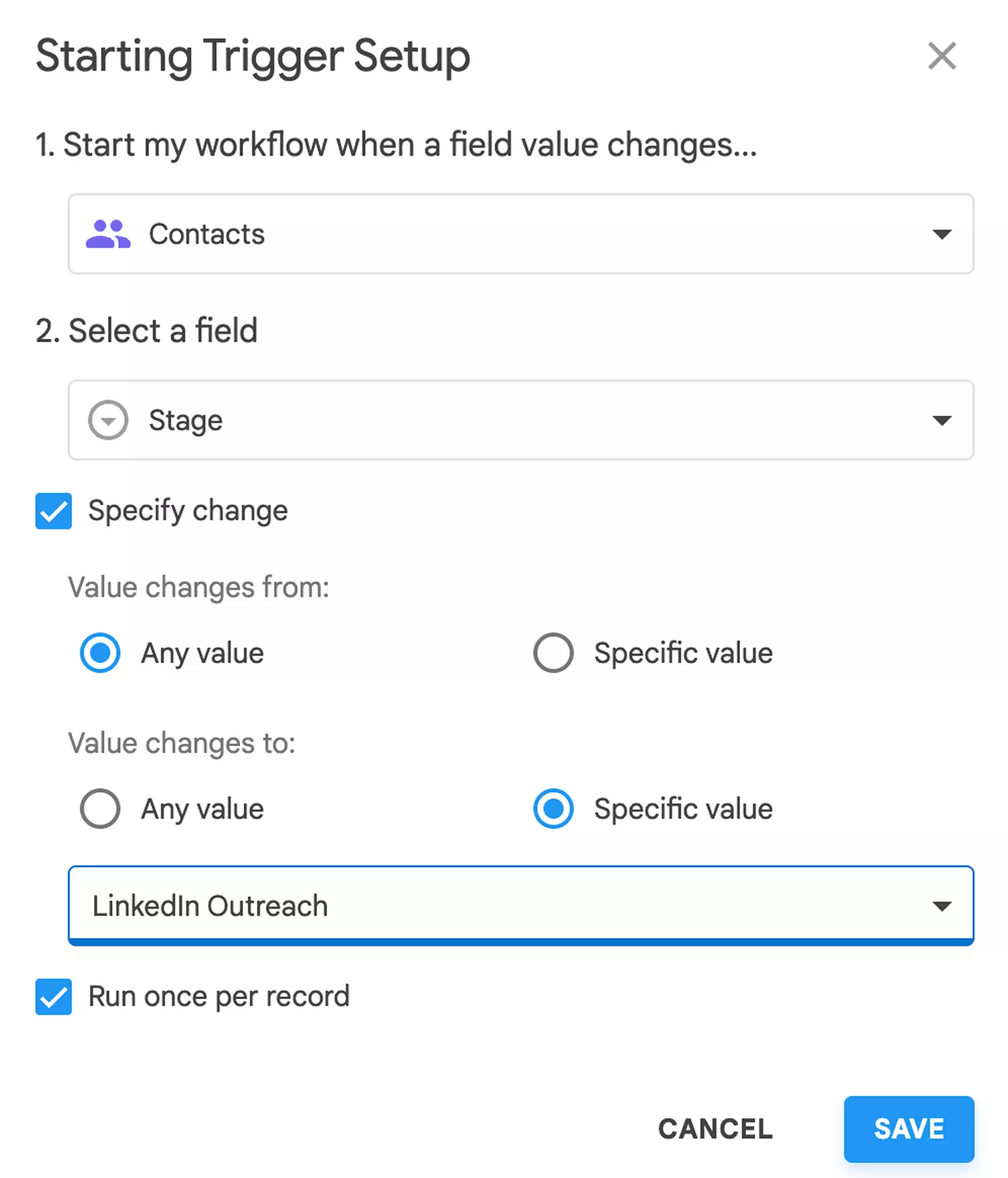
Start with selecting a Trigger (e.g. Field value changes > Contact is moved to Stage "LinkedIn Outreach"):
-
2
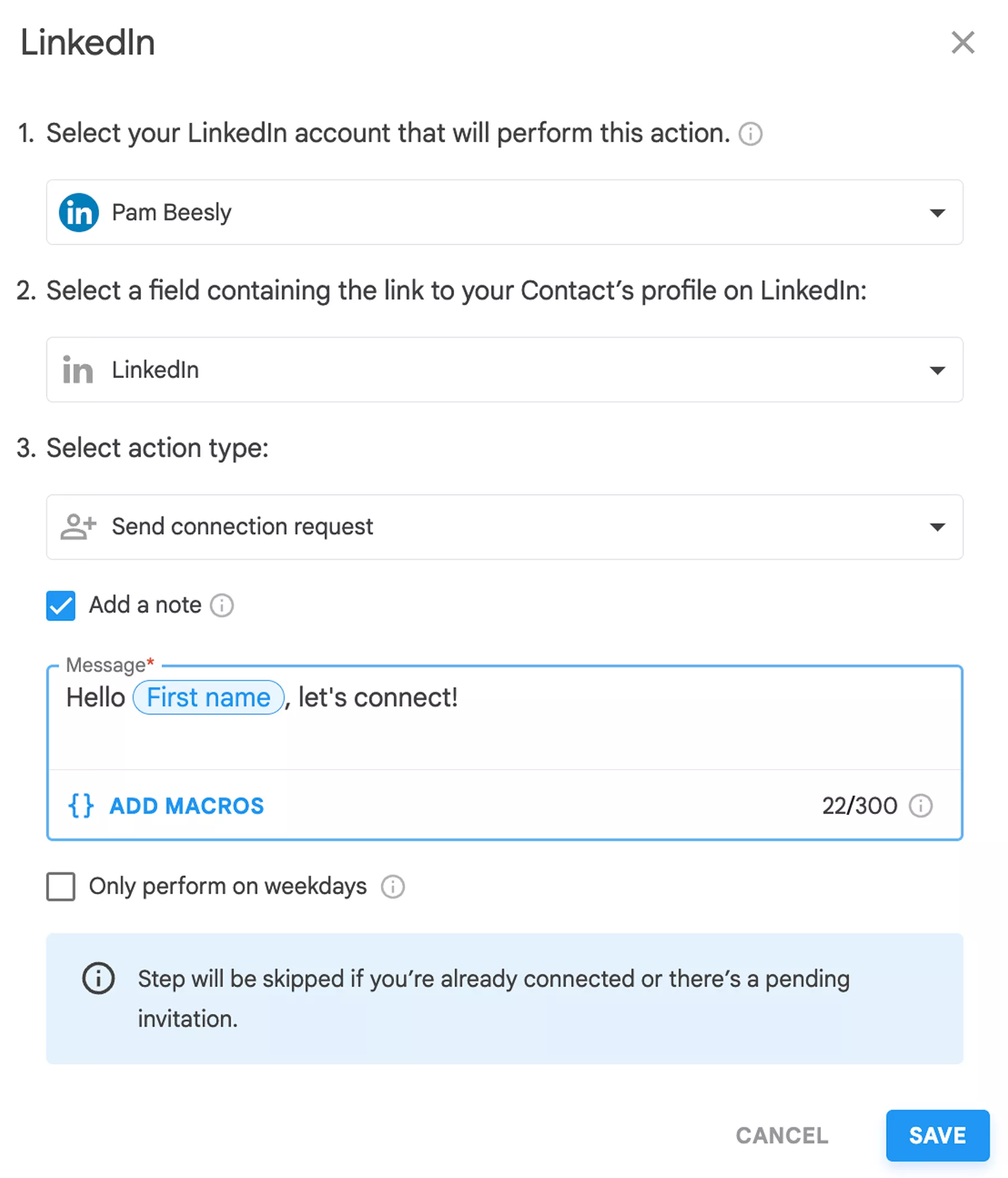
Add an action of sending a LinkedIn connection request with a Note:
-
3
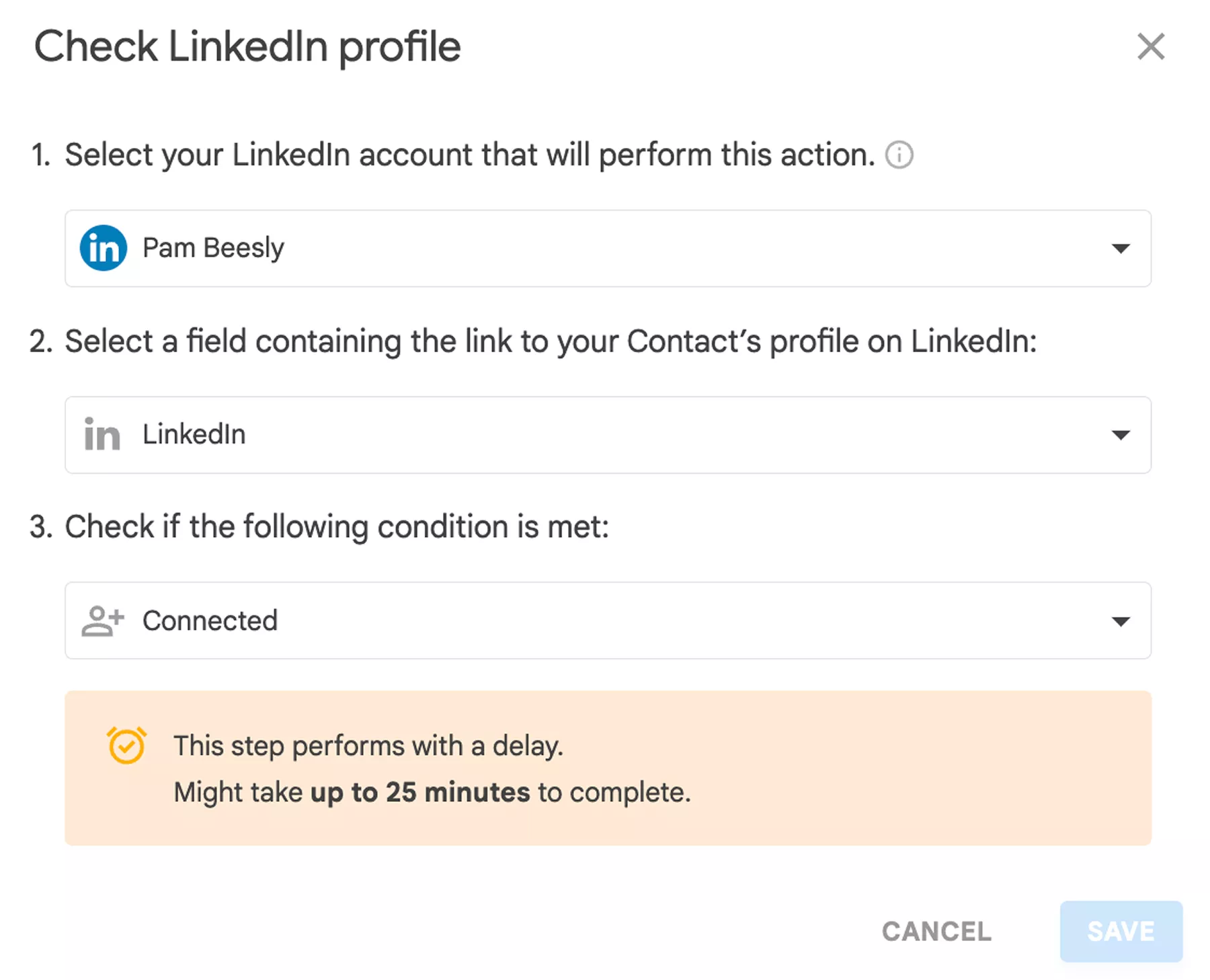
Check if you are already connected with the triggered record:
-
4
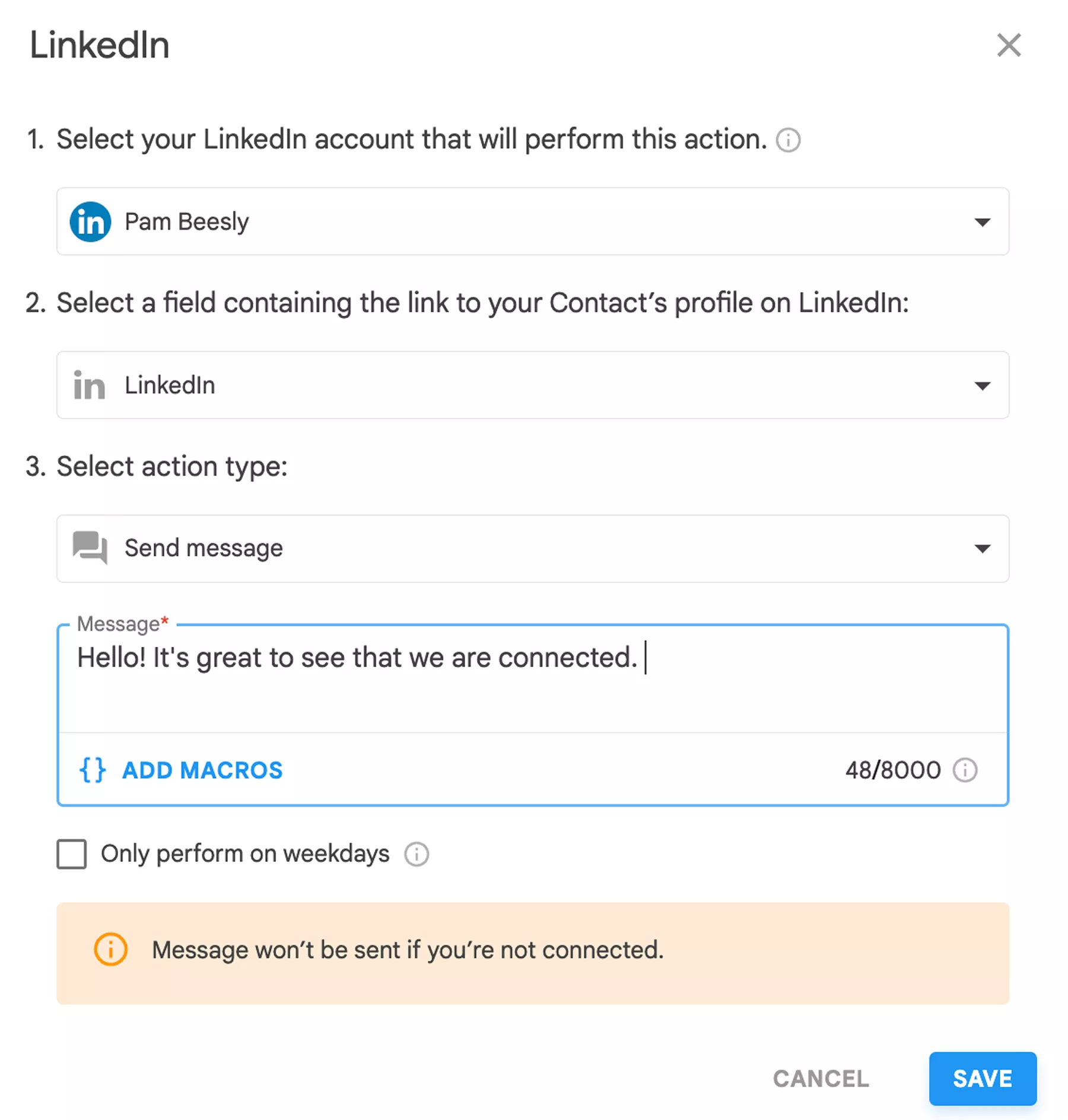
If Yes, you are free to send a LI message to the Client through the Workflow:
-
5
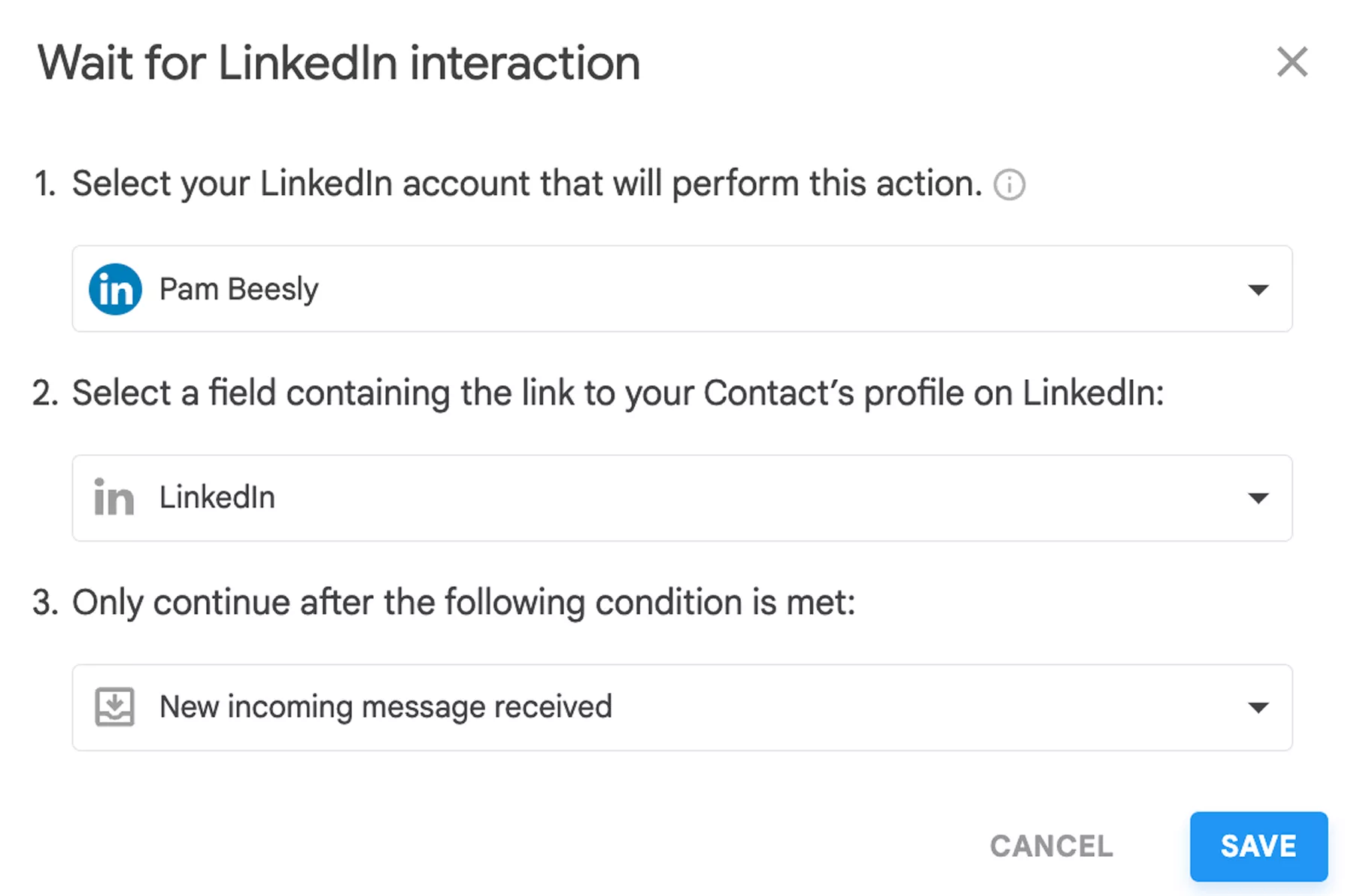
You can then Wait for their reply and create a task for yourself to check LinkedIn chat with this Contact:
-
6
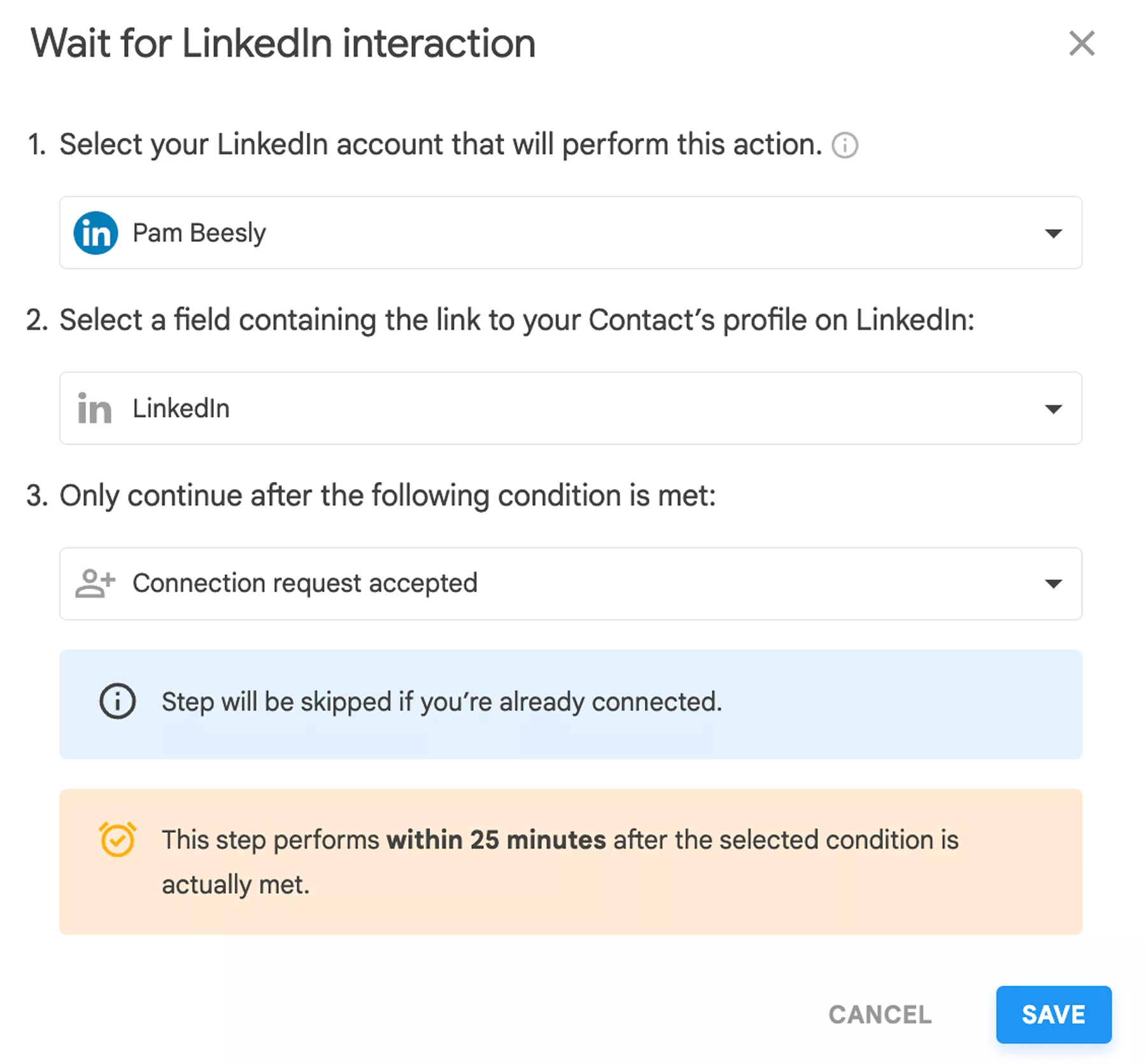
If No, it is necessary to Wait for the connection request to be accepted:
-
7
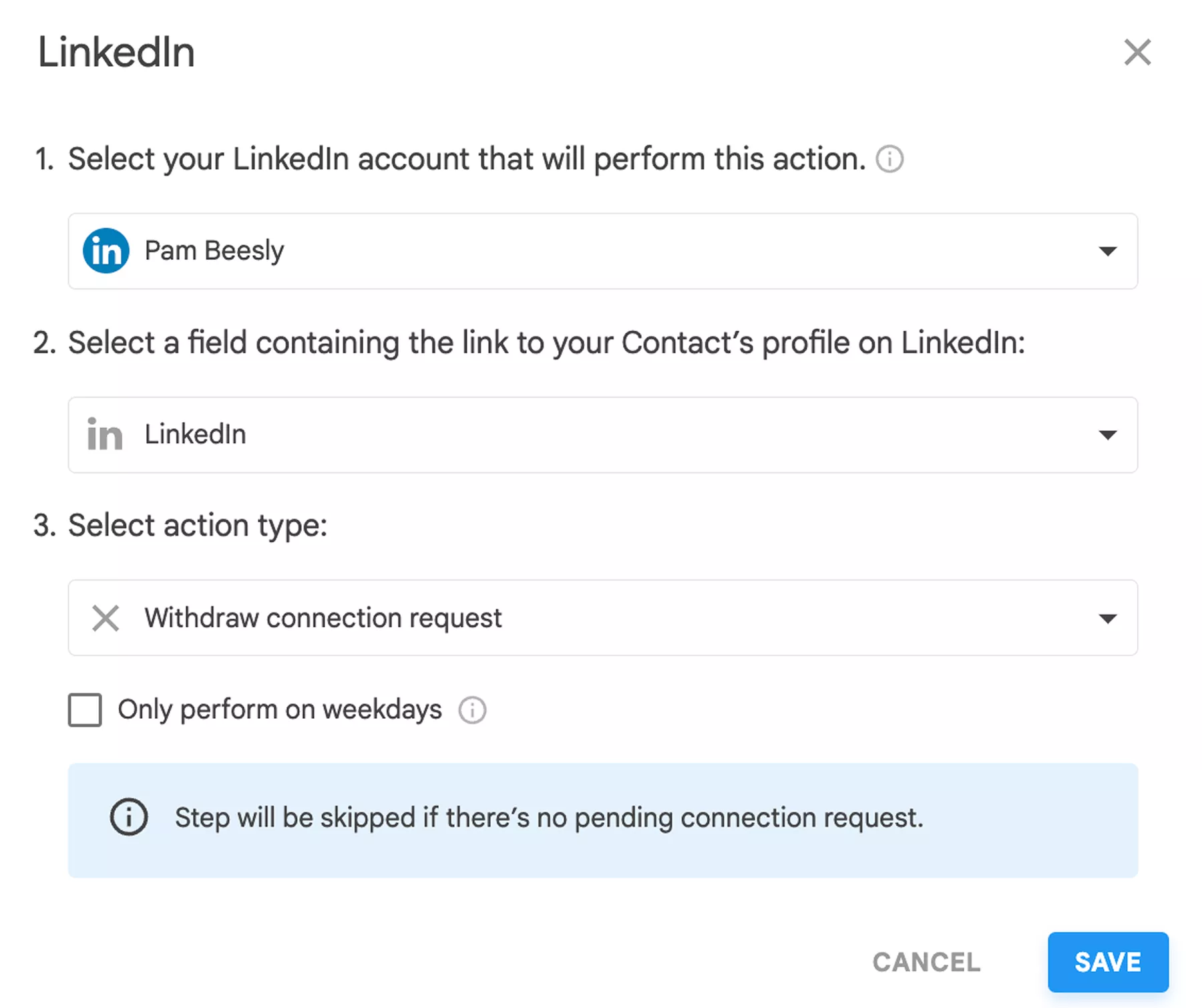
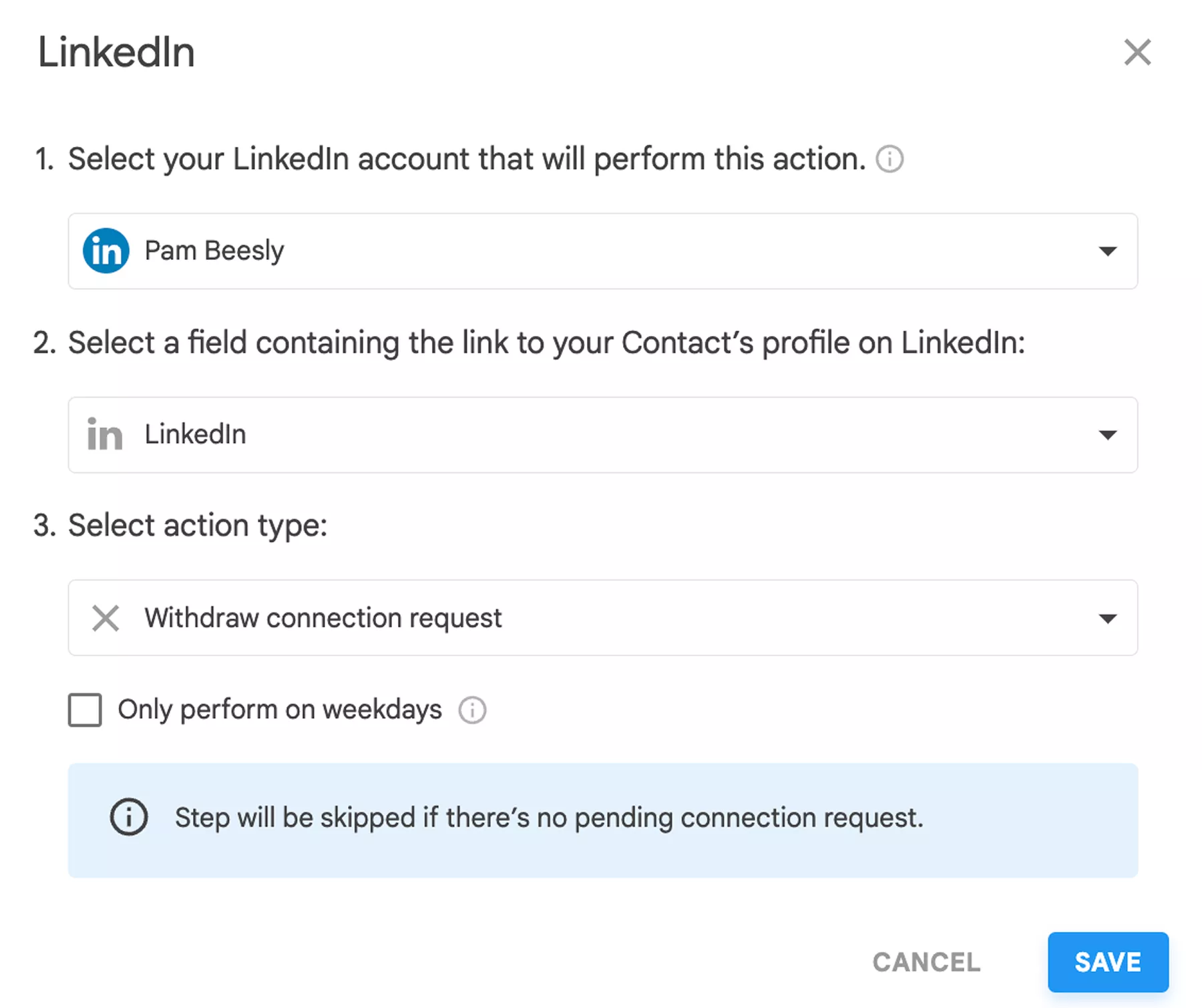
Additionally, you can wait for some time and withdraw the request once the time runs out:
-
8
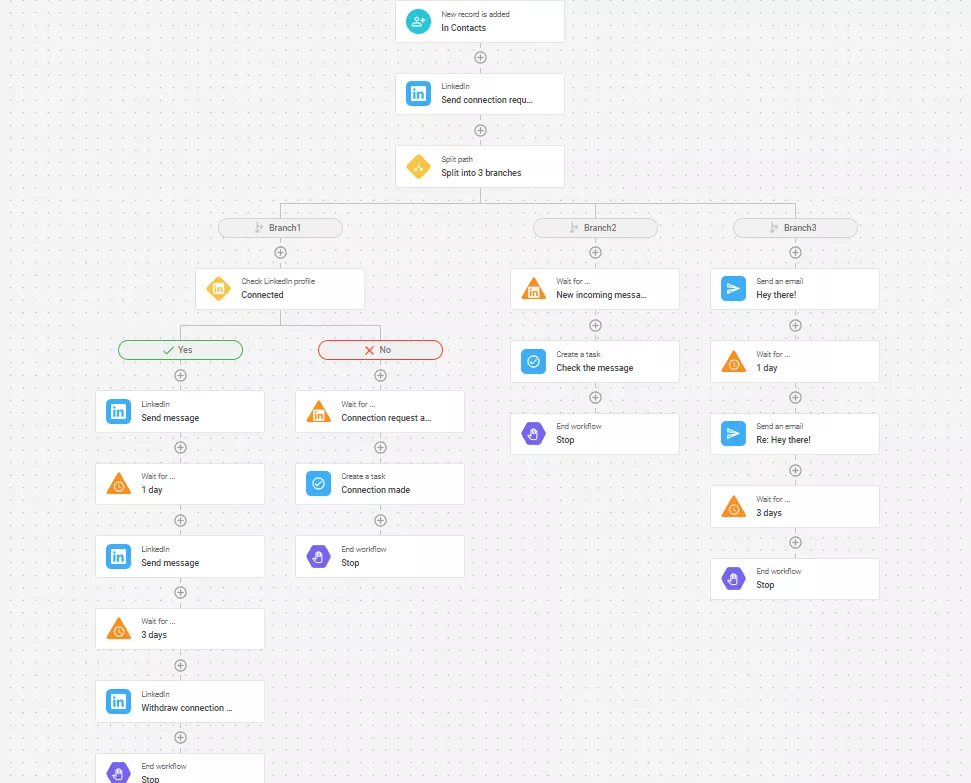
Here is the finished Workflow!

This is a simple workflow that can be improved and changed with extra steps such as: different Triggers, additional Tasks, drip email sequences alongside LI messages, tracking, filters, etc.
Explore, enjoy, play around and remember that should any questions or concerns regarding this functionality arise, you can reach us out at support@nethunt.com or using Live Chat!
Haven’t found the answers you’re looking for? Ask our Users Community.
Getting started with LinkedIn integration
A starter guide that will help you set up and start using your LinkedIn integration efficiently
NetHunt's integration with LinkedIn and Sales Navigator is built to allow one-click capturing of contacts and companies and bringing them to your CRM.
NetHunt-LinkedIn integration is available in Business, Business+, and Advanced plans. Provided you are using the Trial period or the Business plan - you will be given 14 days to test the new feature and later upgrade.
LinkedIn platform limits and Best practices
And now, in more detail!
Installation
To start using NetHunt's integration with LinkedIn:
-
Install with directions above.
Upon successful installation, you will be redirected to NetHunt CRM to log in or create a new account, if you don't have one yet.
-
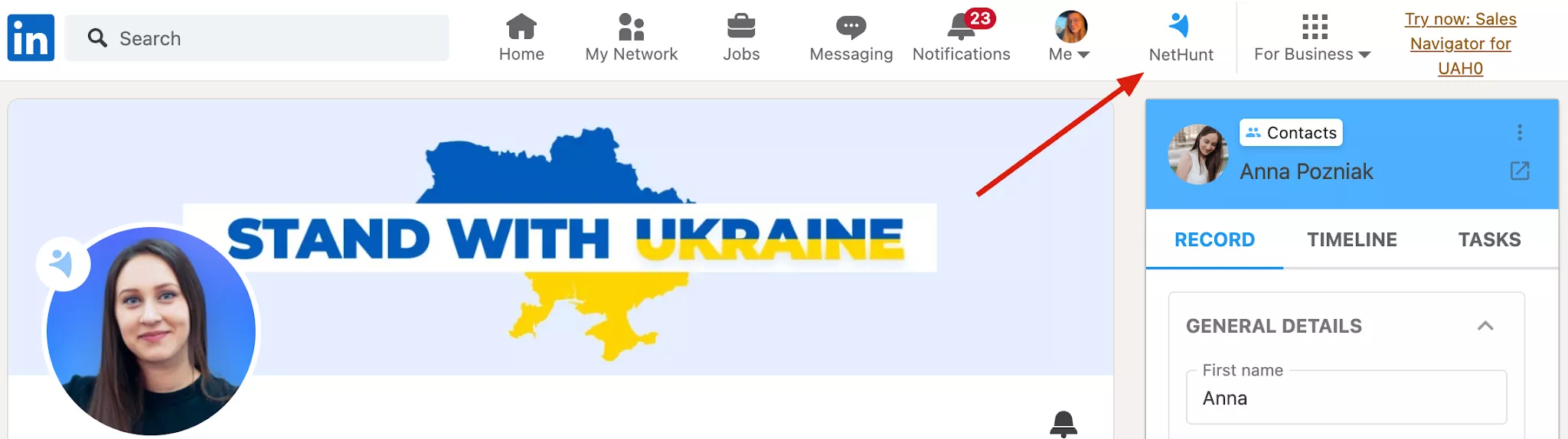
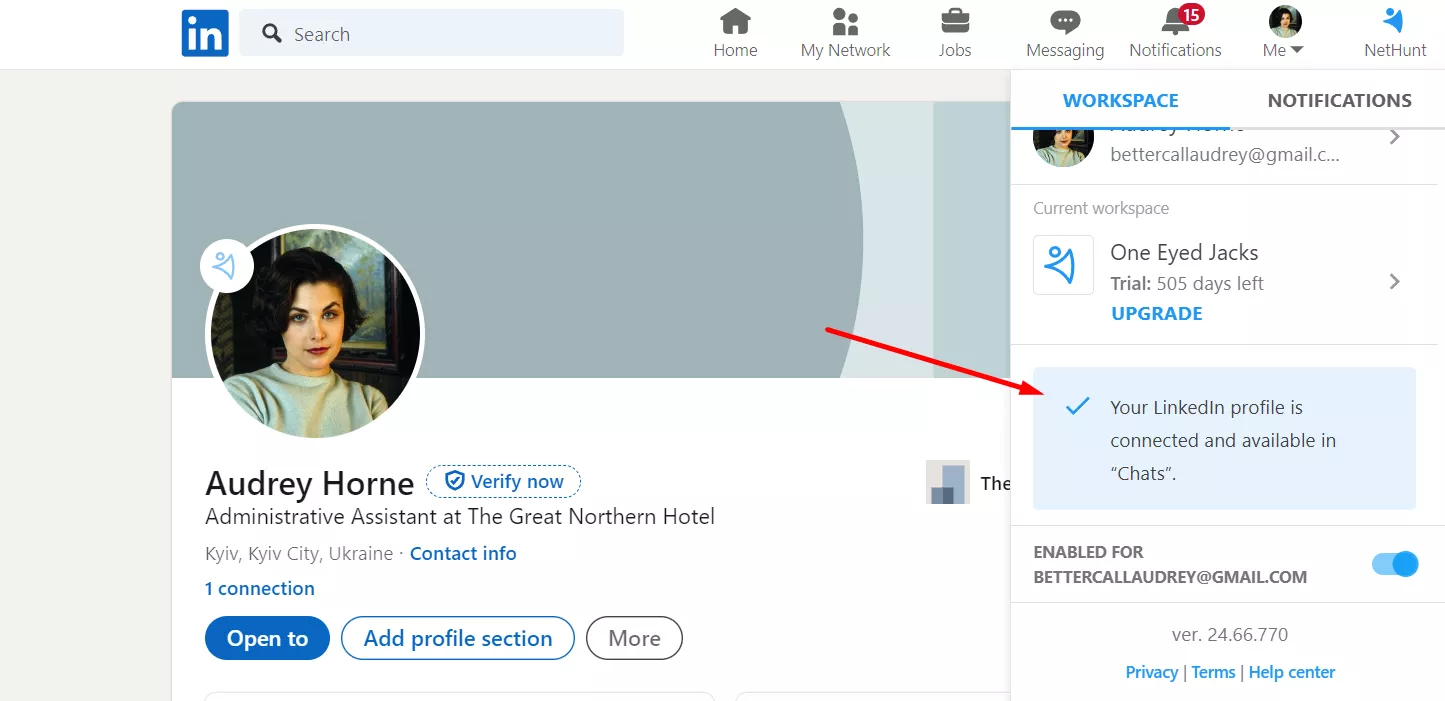
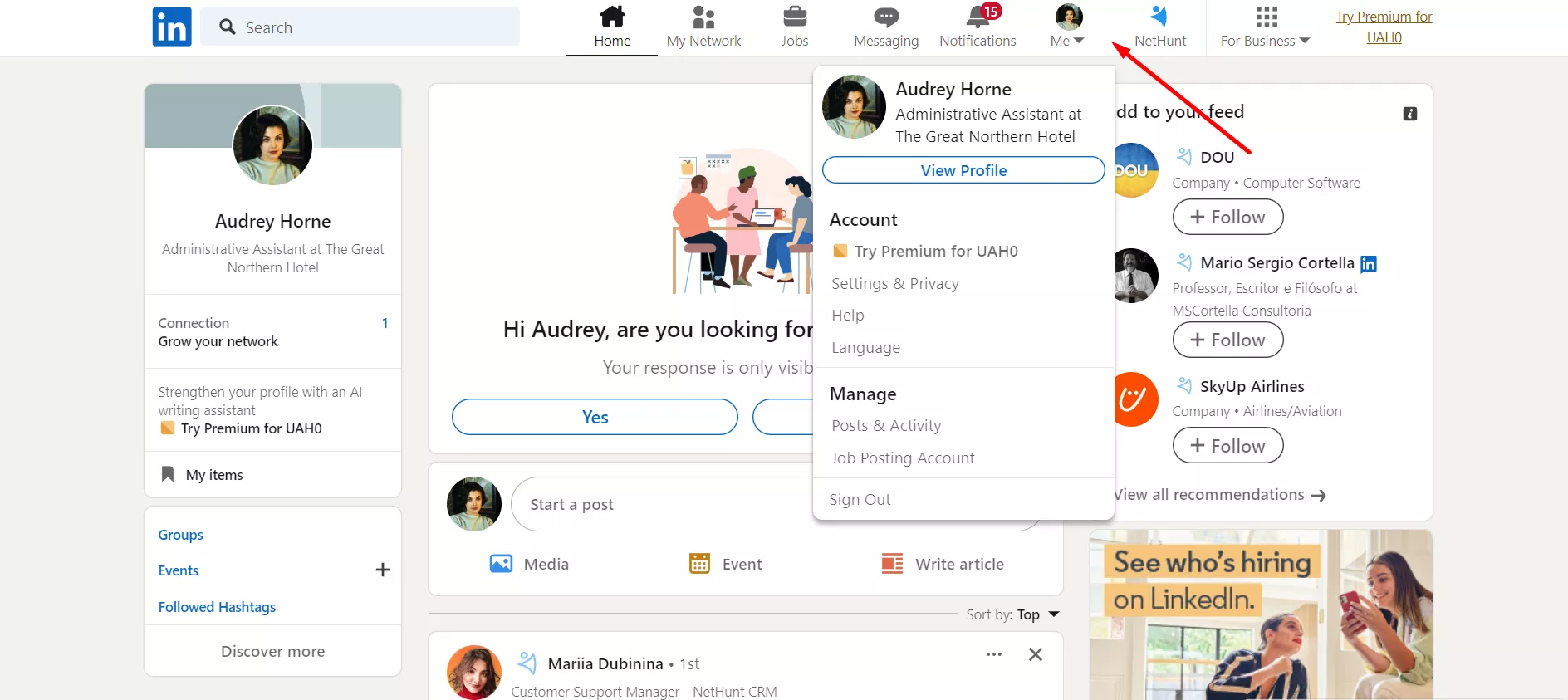
Click on the NetHunt icon at the right upper corner of your LinkedIn page:
-
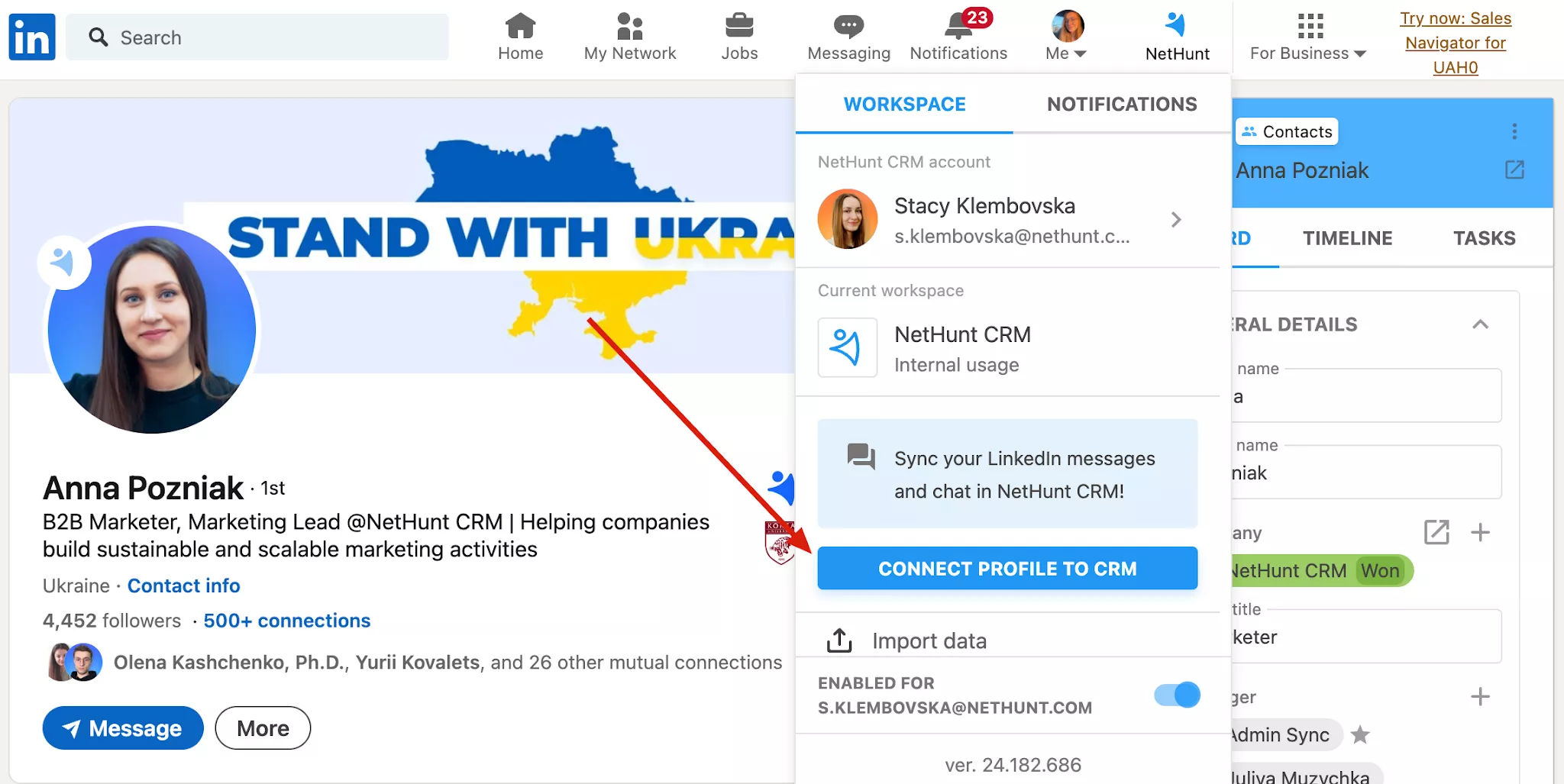
Find the option to connect a profile to NetHunt CRM:
If you connect a NetHunt LinkedIn extension to NetHunt CRM, your LinkedIn chat will be connected automatically too.
-
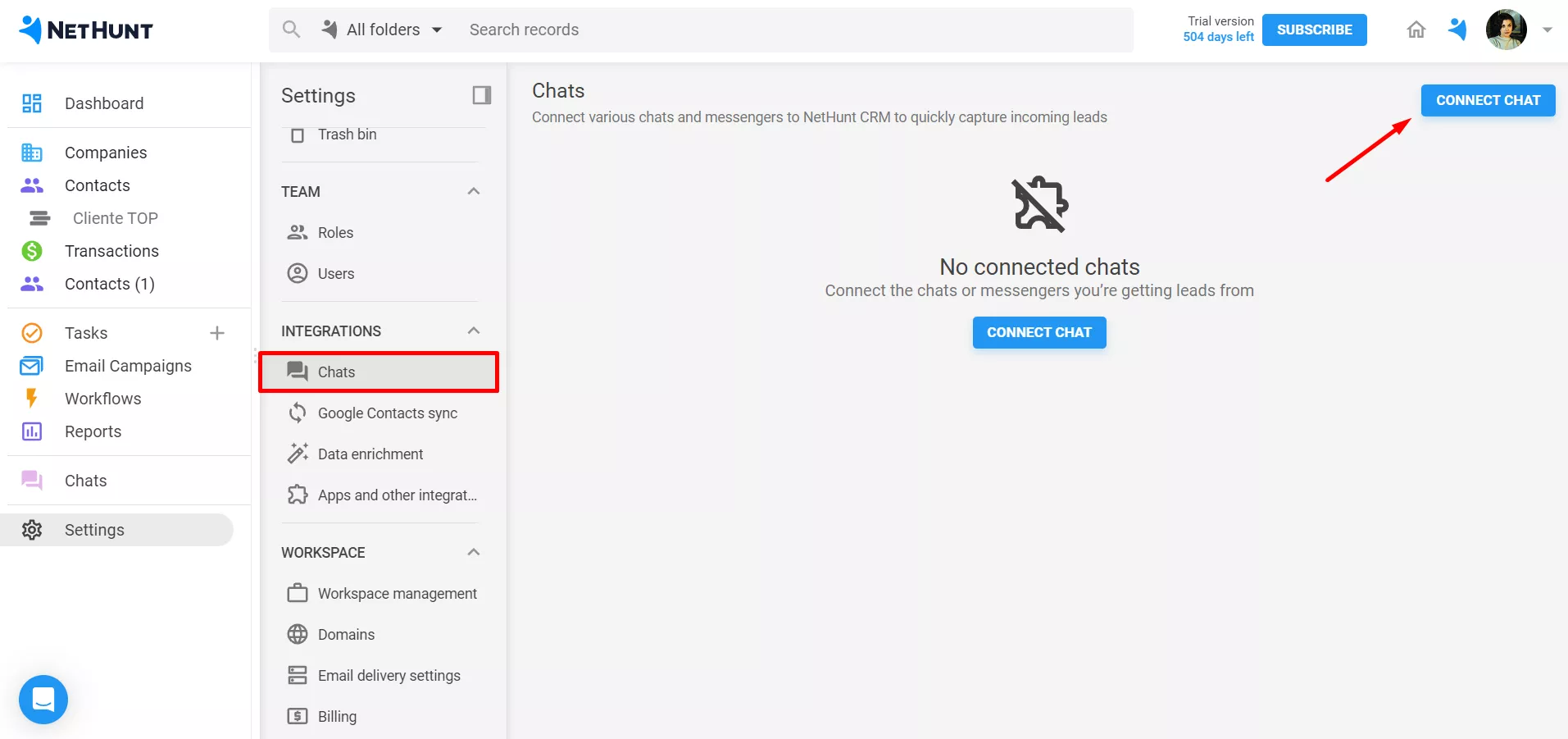
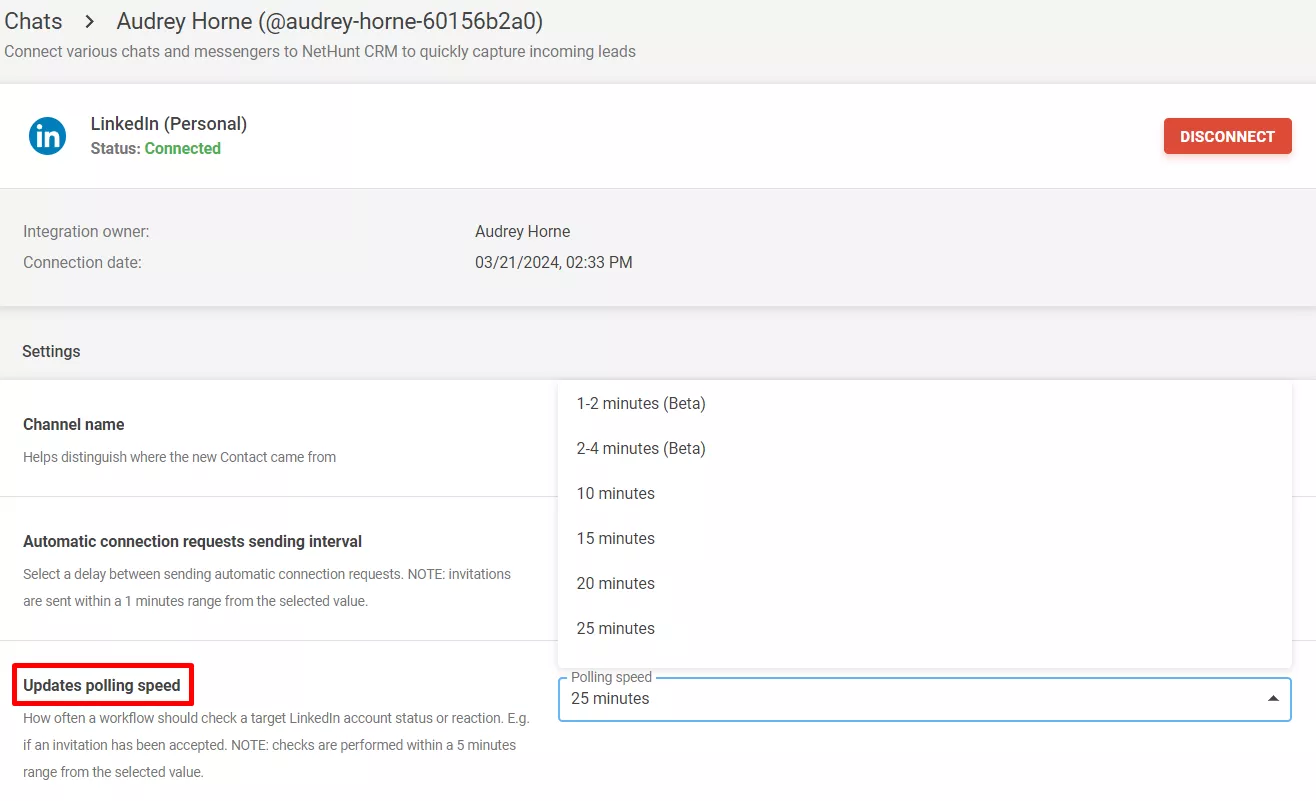
Alternatively, you can go to Settings in NetHunt CRM - Chats - hit Connect chat:
-
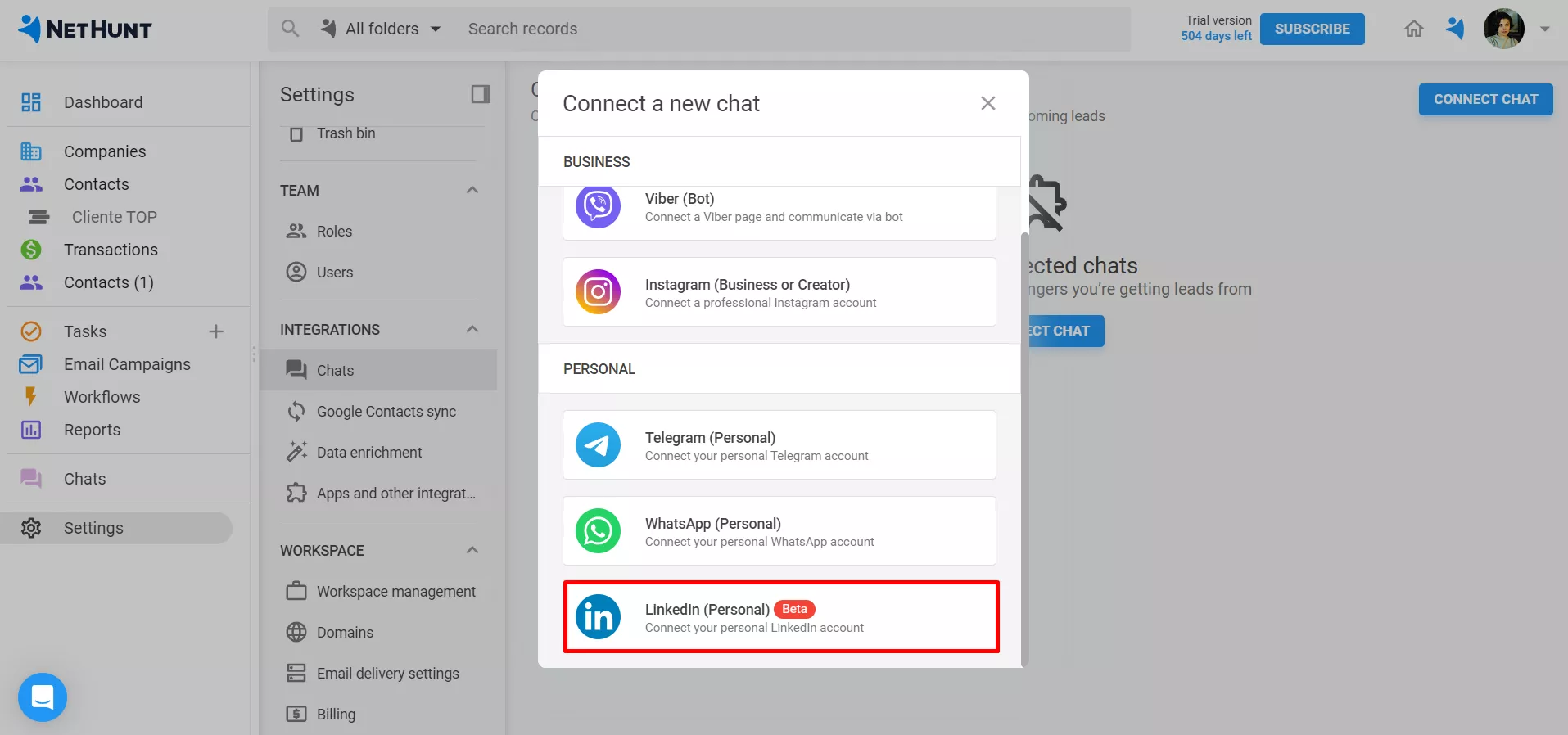
Pick LinkedIn (Personal) Beta from the list:
-
Connect your personal LinkedIn account to NetHunt CRM by following the steps in the instructions.
As soon as your chats are linked, you'll notice the following confirmation message:
If you Log out of your LinkedIn profile, the integration with NetHunt will lose connection as well.
Considering you have multiple LinkedIn profiles you want to incorporate into NetHunt, we recommend creating separate Chrome accounts for each of your LinkedIn profiles, so that there is no need to Log out each time you want to switch.
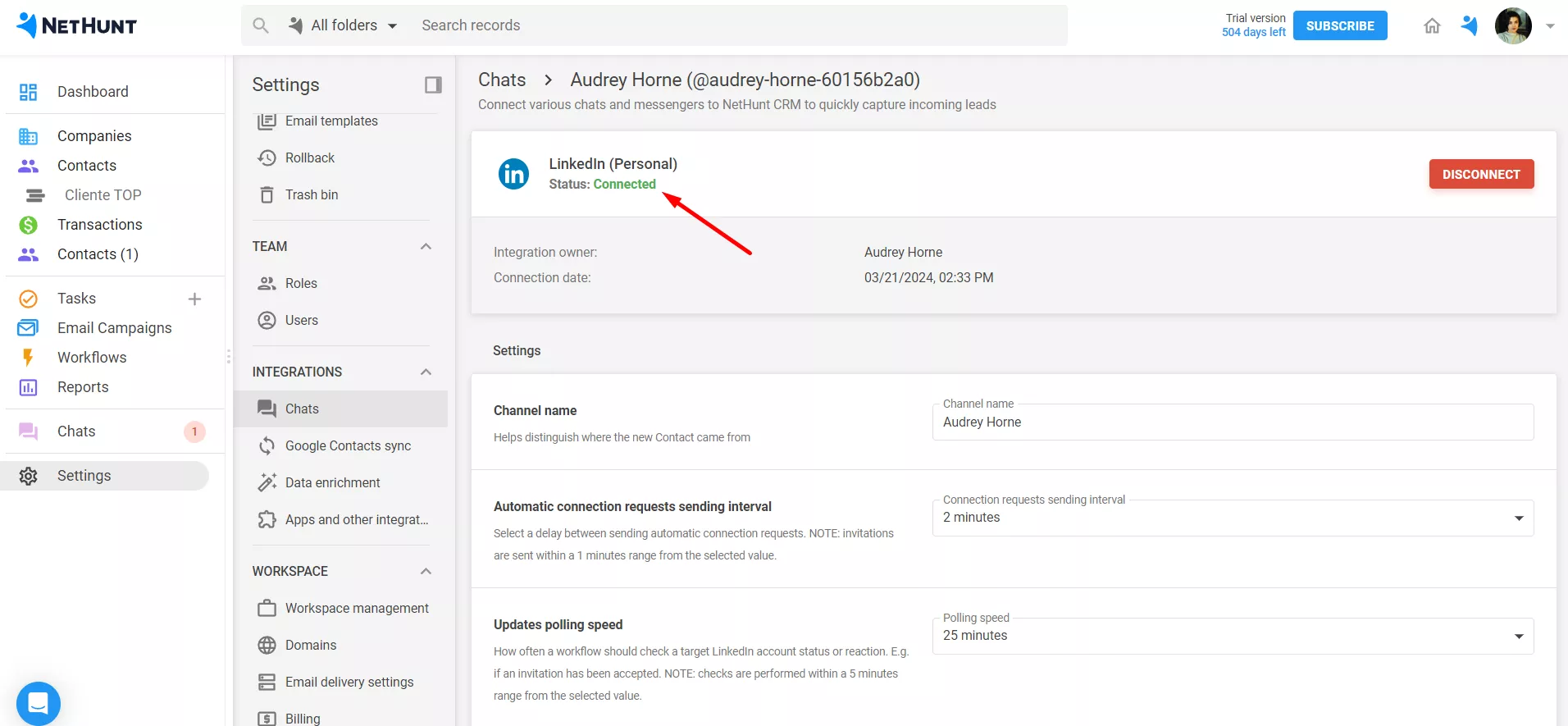
Go back to NetHunt CRM, and you'll see that your LinkedIn account is successfully connected!
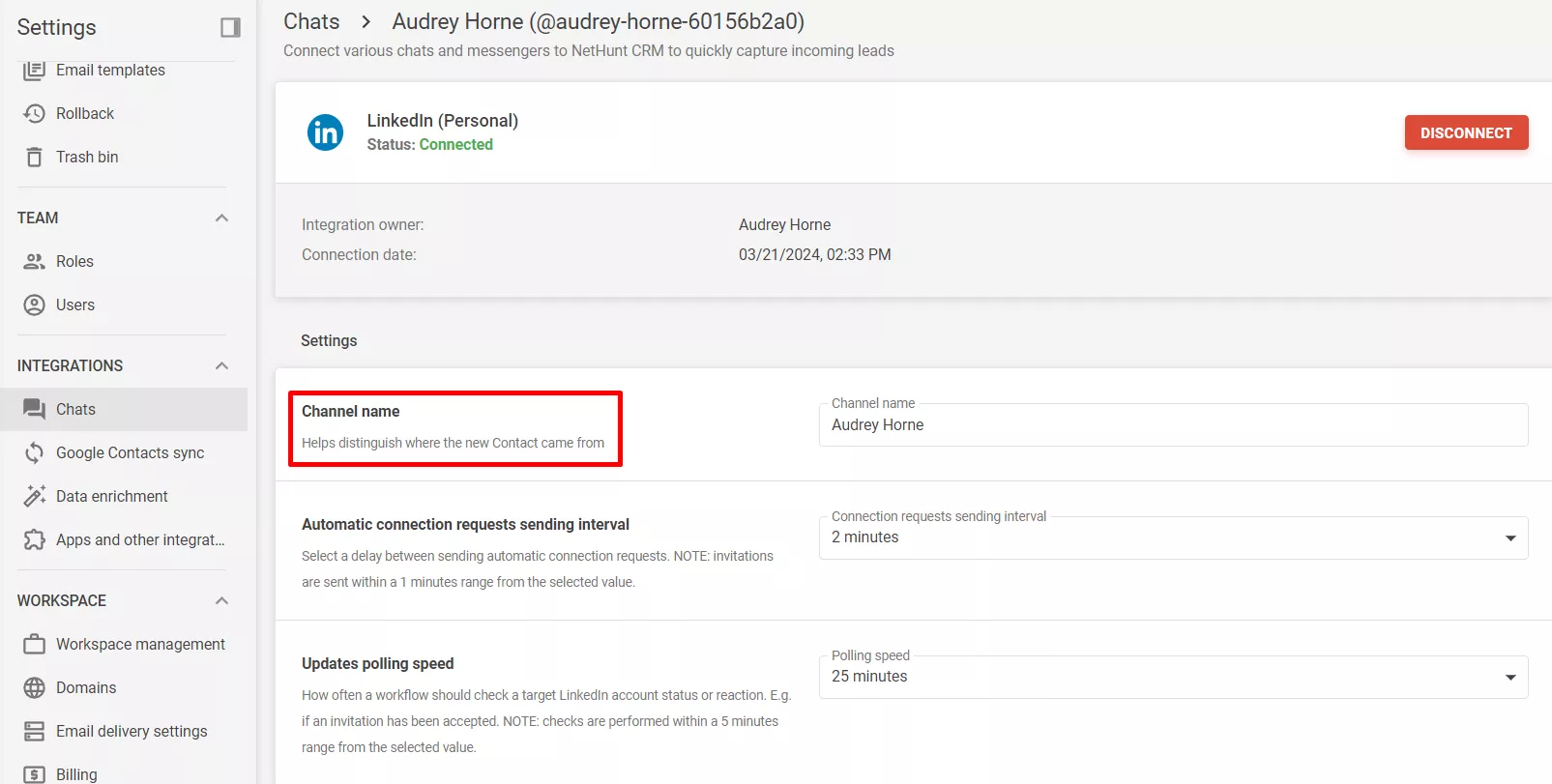
In the chat settings, you can change the channel name:
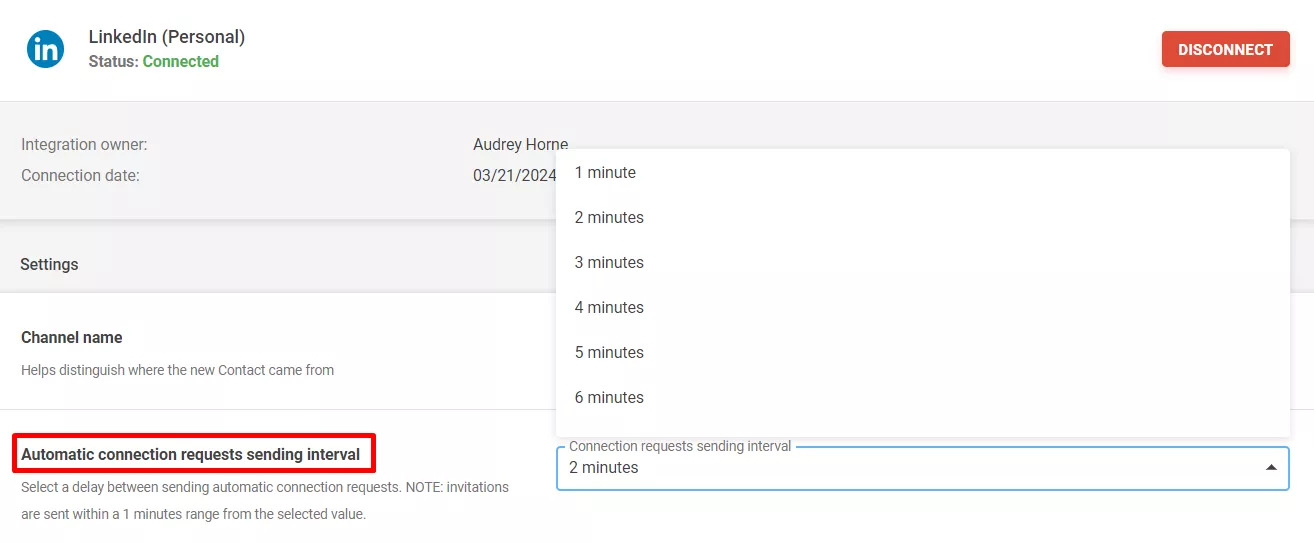
On top of that, you can select a delay between sending automatic connection requests in LinkedIn workflow automation:
Finally, you can decide how often a LinkedIn workflow automation should check a target LinkedIn account status or reaction:
If you have several users in the workspace, you can connect their multiple LinkedIn accounts to NetHunt.
Setting up the integration
-
1
Since the email that you use for NetHunt might differ from the one that you use for LinkedIn (personal vs. corporate), you can switch accounts in LinkedIn to connect to the right one. To do this, follow the instructions on the screenshot below:
-
2
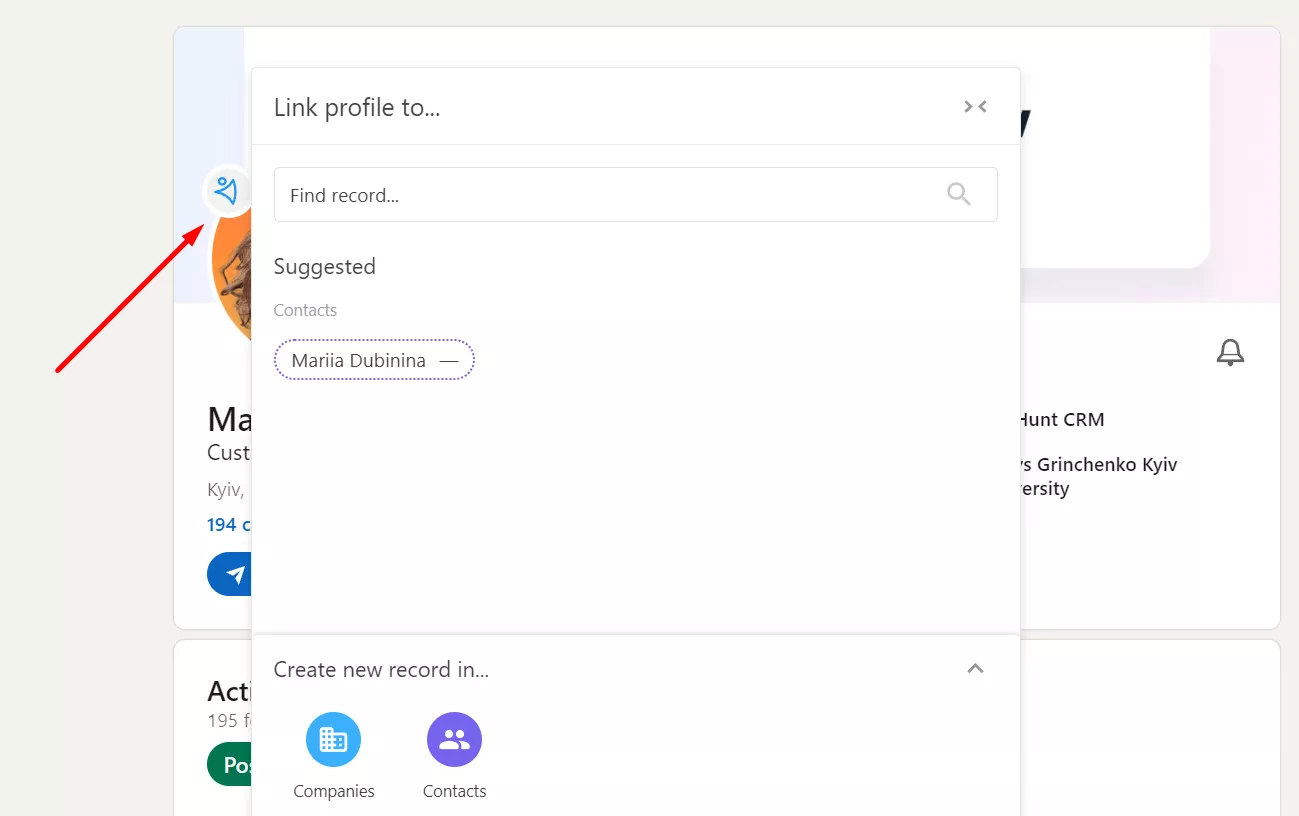
Once you start working with NetHunt and activate the extension, the system won't automatically connect your CRM database with LinkedIn. To connect your contacts and companies with your LinkedIn profile, you will need to link them.
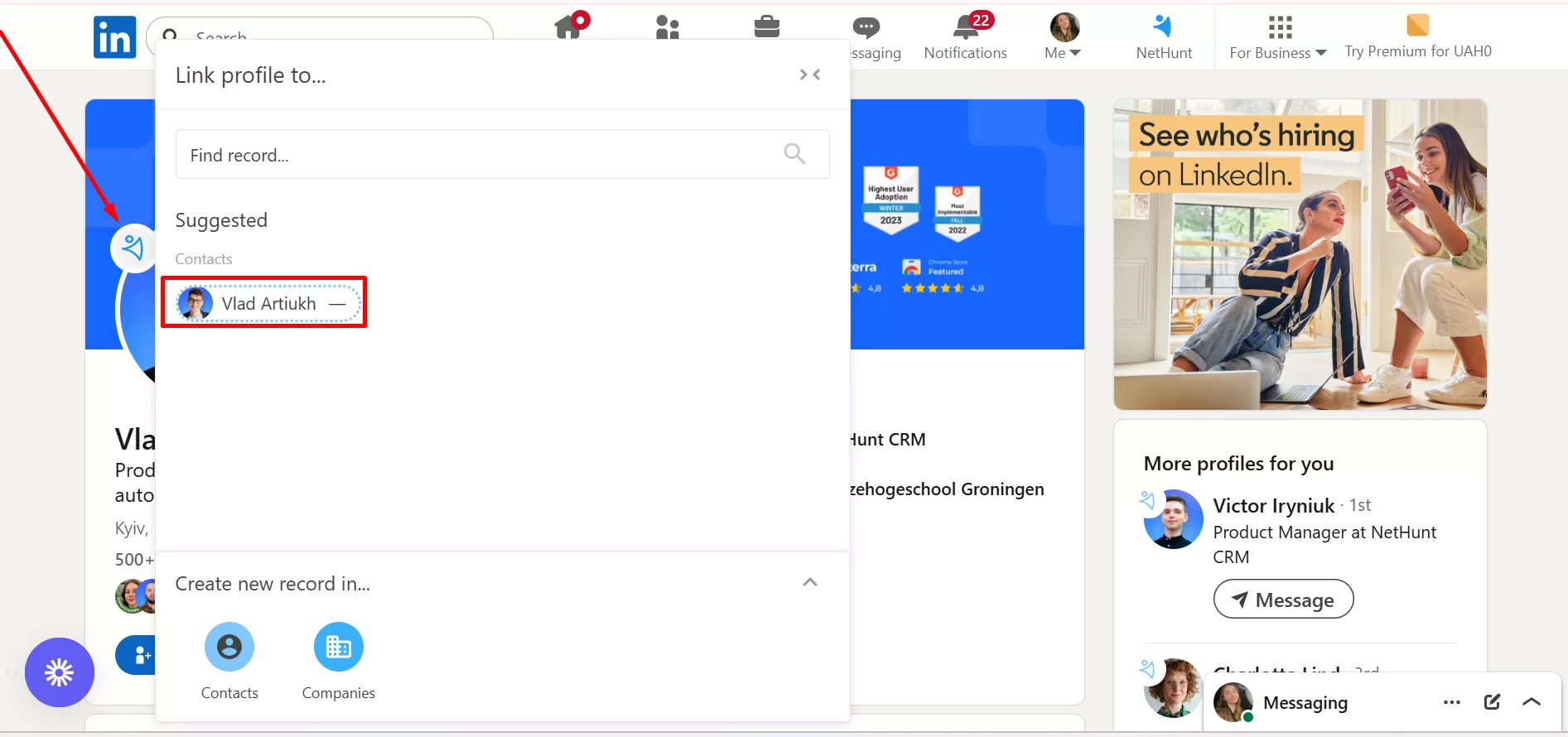
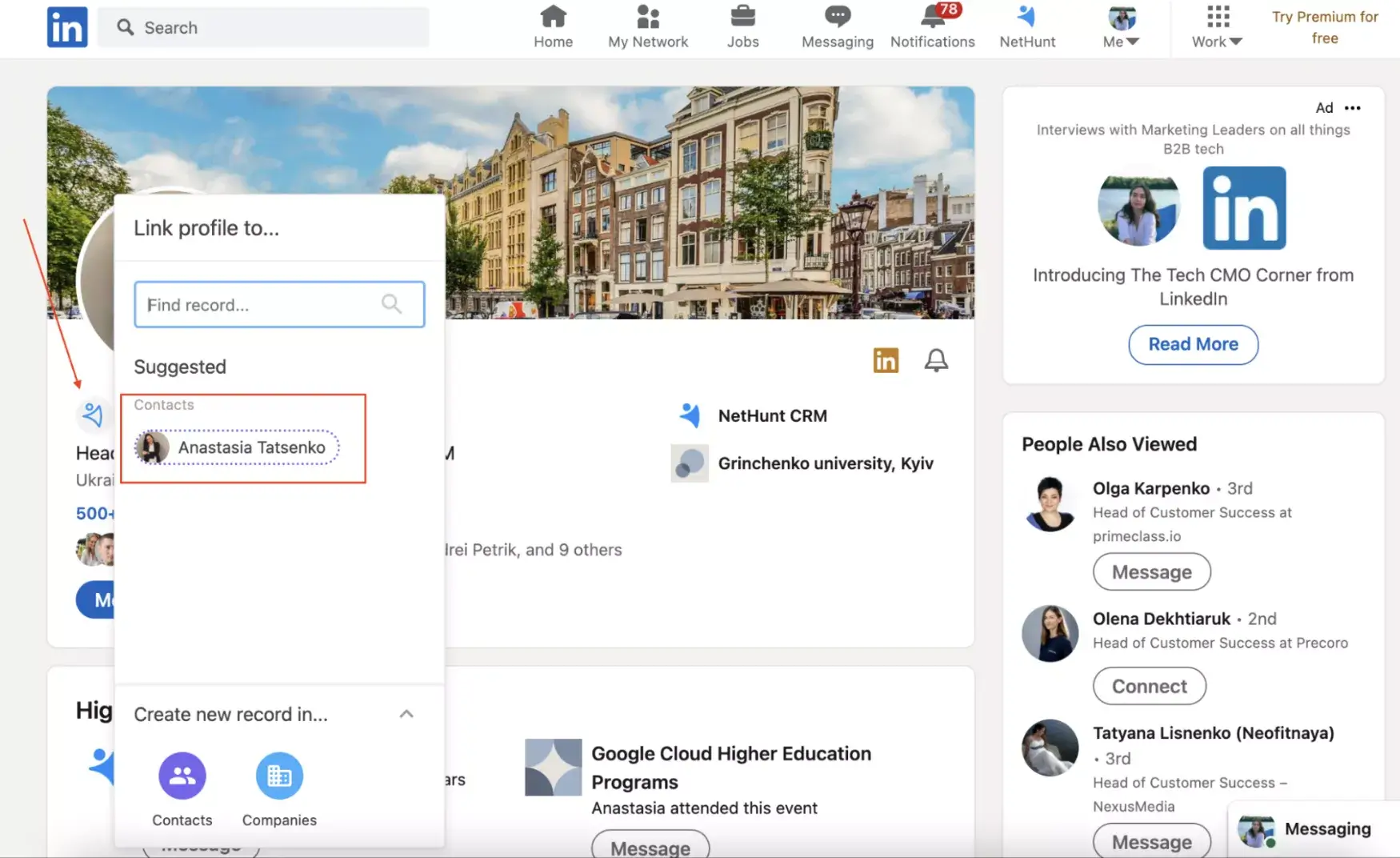
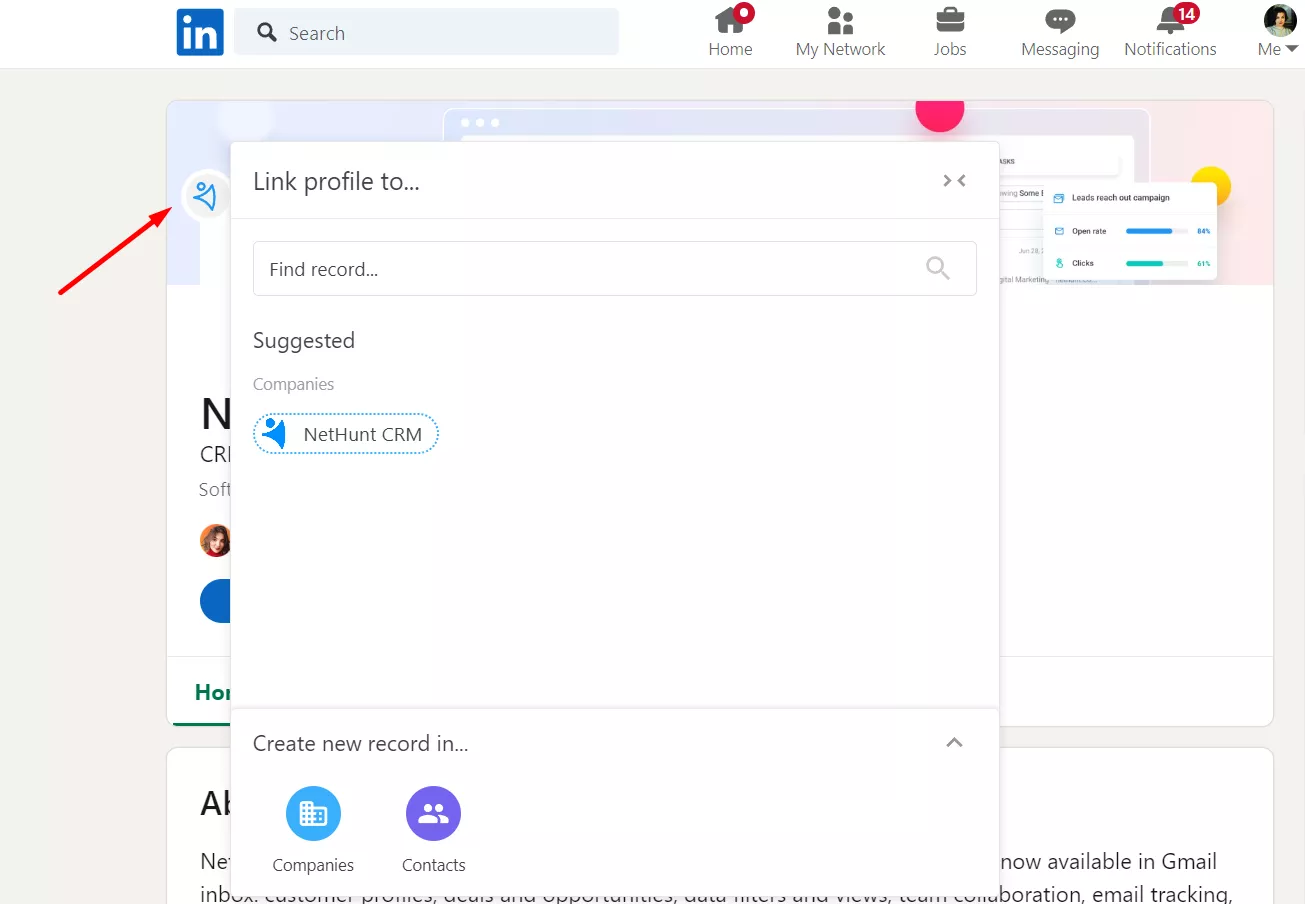
To do this, click the NetHunt icon next to the person's name and choose the record that the system has offered you to link to.
If you have questions about setting up your LinkedIn integration correctly, start a chat with us or email us at support@nethunt.com — we'll be happy to help!
Haven’t found the answers you’re looking for? Ask our Users Community.
Is this integration with LinkedIn secure?
NetHunt's notice on the security of its integration with LinkedIn.
We value your privacy and keep a very high level of security.
Here's why our integration with LinkedIn is non-abusive and secure:
-
We don't run any hidden mass actions on behalf of the user.
-
We add only one contact or company at a time and only when user initiates this action.
-
We do not perform any kind of massive search or downloads of LinkedIn users.
-
When adding a new Contact or Company to NetHunt CRM, we are not grabbing any profile detail that is not available to our users otherwise.
If you have more questions on NetHunt-LinkedIn integration security, start a chat with us using the chat icon in the lower right corner — we'll be happy to help!
Haven’t found the answers you’re looking for? Ask our Users Community.
LinkedIn for sales: platform limits and best practices
This is an overview of the best practices of LinkedIn for sales, whether you are using LinkedIn manually or NetHunt's automation.
NetHunt CRM's automation is developed not to exploit the professional network but to enhance your sales efforts, facilitating quicker execution of manual tasks. Our functionality won’t allow you to bypass LinkedIn limits; rather, it aims at increasing efficiency and speeding up your workflow.
Developing LinkedIn automation functionality, our team invested heavily in ensuring this advanced LinkedIn integration operates within safe boundaries to prevent account restriction.
Nevertheless, we encourage mindful usage that aligns with LinkedIn's policies to protect your account. Below are the general recommendations on effective usage of LinkedIn for sales.
How many connection requests can I send?
Sending too many connection requests can flag your LinkedIn account as spam, risking restrictions or suspension. It's crucial to adhere to LinkedIn's limits on connection requests, whether manual or automated, to keep your account safe.
LinkedIn sets a weekly limitation for connection requests. What matters is the number of connection requests you send per week. Moreover, LinkedIn limits are unique to each profile, so it can be tricky to figure out how many connection requests and messages you can send a day. Any unusual spike in activity may alert LinkedIn that something is wrong.
The limits for sending connection requests and messages on LinkedIn depends on a few factors – the type of your LinkedIn account and your previous activity on a platform.
Here are the general recommendations on LinkedIn weekly limits:
Basic account:
150-250 connection requests per week – without notes
10 connection requests per month – with notes. However, this number is very specific per every account. LinkedIn often experiments with these limitations, so it's best to manually check them next time when you'll be sending an invitation.
Also, for some LinkedIn accounts, connection request notes are now limited to 200 characters instead of 300.
Premium Account:
150-250 connection requests per week with a note.
LinkedIn’s connection limit resets 7 days after you send your first invitation.
Consequently, it's possible that LinkedIn may prevent you from executing the specified quantity of actions. Please note that NetHunt lacks control over this aspect, and we're confident you understand this.
To effectively manage your weekly connection request limits and ensure compliance with LinkedIn's system, we advise setting daily targets for your connection requests. Here are our daily limit recommendations:
Basic Account: Usually, you can send 15-25 requests each day, but it might change based on how you've used your account before.
Premium Account: If you pay for LinkedIn Premium or Sales Navigator, you can send more requests every day, about 30-50. Paid accounts are trusted more on LinkedIn, so you can do more things.
There’s no guarantee that in case you send the above-mentioned amount of messages or less, your account won’t be affected.
How many Messages can I send on LinkedIn daily?
LinkedIn doesn't have official daily limits for sending messages, but it's wise to begin slowly. Start by sending about 20 messages in the first week, then gradually increase to up to 150 messages per day.
Best Practices to Avoid Account Blocking
-
Warm up newly created LinkedIn accounts: Don’t start sending hundreds of connection requests and messages from just created LinkedIn accounts. Start with sending a limited number of relevant connection requests every day for a week or two, interact with others’ posts, post your own content, endorse skills, etc.
-
Begin with modest automated outreach: It's important to initiate your automation efforts with a smaller volume of connection requests, then gradually increase them as your acceptance rate grows.
-
Personalize your outreach messages: Always tailor your connection requests and messages to the recipient. You may use macros from CRM records to customize your message for every persona.
-
Involve different channels for outreach, for example mix LinkedIn messages with emails. NetHunt CRM allows launching multichannel sequences. Moreover, with NetHunt’s integration with Apollo and Hunter, we’ll give you verified email addresses you may use to reach out to prospects.
-
Monitor engagement: Keep an eye on your acceptance and response rates. Low engagement could be a sign that you need to adjust your strategy, personalization tactics, or rethink your targeting.
-
Use automation sparingly: Automation should complement, not replace, your LinkedIn strategy. Use it for routine tasks but maintain a personal touch for important communications.
What to do if you’ve got a restriction message?
After receiving a restriction warning from LinkedIn, their security algorithm will take a closer look at your profile over the following days. Ignoring this warning increases the likelihood of your account being temporarily restricted.
To mitigate this risk, it's advisable to adopt a more cautious approach in the immediate aftermath:
-
Stop sending connection requests for 5 days.
-
Gradually start sending manual connection requests over a period of 3 days
-
If these manual requests are successful without further warnings, you may consider cautiously restarting your automation tools.
Haven’t found the answers you’re looking for? Ask our Users Community.
LinkedIn integration: best practices and important notes
Learn how to set up and work with NetHunt's integration with LinkedIn.
Here's a list of things that will help you get started and work with NetHunt - LinkedIn integration efficiently.
Important notes:
-
NetHunt integration with LinkedIn is available as an extension via this link.
-
Once you start working with NetHunt and activate the extension, the system won't automatically connect your CRM database with LinkedIn. To connect your contacts and companies with your LinkedIn profile, you will need to add or link them (one-click) from LinkedIn to your CRM:
-
When you add a new Contact from LinkedIn to NetHunt, a new record will be created in the Contacts folder. If this Contact has a Company mentioned as their current workplace, this Company will also be added to NetHunt and linked with this Contact.
-
When you add a new Organization from LinkedIn to NetHunt, a new record will be created in the Companies folder.
-
LinkedIn integration is available on our trial period, the Business plan, the Business Plus, and the Advanced plan.
Best practices:
-
Newly created Contacts or Companies are automatically enriched with the LinkedIn details that are available to you as a user. To grab more details from LinkedIn profiles, we recommend adding them to your connections in LinkedIn first.
-
Since LinkedIn profiles are added to the Contacts folder in NetHunt CRM, we recommend keeping all of your contacts in the default Contacts folder in NetHunt. If you keep them in another folder, please contact us at support@nethunt.com to help you set up the system for correct integration with LinkedIn.
Should you have more questions on working with NetHunt-LinkedIn integration, start a chat with us using the chat icon in the lower right corner — we'll be happy to help!
Haven’t found the answers you’re looking for? Ask our Users Community.
Troubleshooting LinkedIn integration
Answers to the most common questions
-
1
I've just installed NetHunt CRM for LinkedIn extension. Why it doesn't show the contacts that are in my NetHunt CRM already?
Once you start working with NetHunt and activate extension, the system won't automatically connect your CRM database with LinkedIn. To connect your contacts and companies with LinkedIn profile, you will need to link them.
To do this, click NetHunt icon next to the person's name and choose 'Link to existing record' option.
-
2
When I try to add a new contact, I get only 'There are no available folders where you can link records.' message.
This message means that for some reason you don't have Contacts or Companies folders in your CRM:
-
You might have deleted these folders or renamed them.
-
You might have registered with NetHunt before December 2019 and you folder structure is slightly different.
-
You might have changed the fields structure in these folders.
Please contact us at support@nethunt.com so that we could help you set up everything correctly.
-
3
The contact profiles that I add from LinkedIn are not enriched with all the details.
NetHunt only collects the information that is available to you as a user. Therefore, to grab more details from LinkedIn profiles, we recommend adding them to your connections in LinkedIn first.
Here're some other tips:
-
make sure that you haven't removed the fields where profile details are to be added
-
sometimes, people do not fill in all the information on LinkedIn — check if the details you're looking for are in the person't profile.
-
4
How can I avoid creating duplicates?
If a person or a company that you're looking to add is already in your NetHunt CRM, you will see 'Link to existing record' message and the CRM record that the system already found. If the CRM records found by the system is correct, click 'Link to existing record' instead of creating a new contact.
-
5
I've tested LinkedIn integration beta version, and after the public launch the records that I've added from LinkedIn to NetHunt got disconnected (NetHunt icons turned to white again).
This is a known issue related to our change of the main principle according to which LinkedIn profiles are being linked with NetHunt. You can either link them manually from LinkedIn or contact us at support@nethunt.com — we'll help reestablish the connection for these records.
Haven’t found the answers you’re looking for? Ask our Users Community.
Working with NetHunt-LinkedIn integration
The main functionality and how to use it
One-click contacts and company creation
To create a new Contact or a Company in your CRM, click the NetHunt icon next to a person's name or a company's title. This record will be added to the Contacts folder and the Company folder in NetHunt. NetHunt icons (and thus an opportunity to add a lead) are available not only on a person's or a company's profile but almost everywhere on LinkedIn: home page, search, recommendations, etc.
Automatic profile enrichment
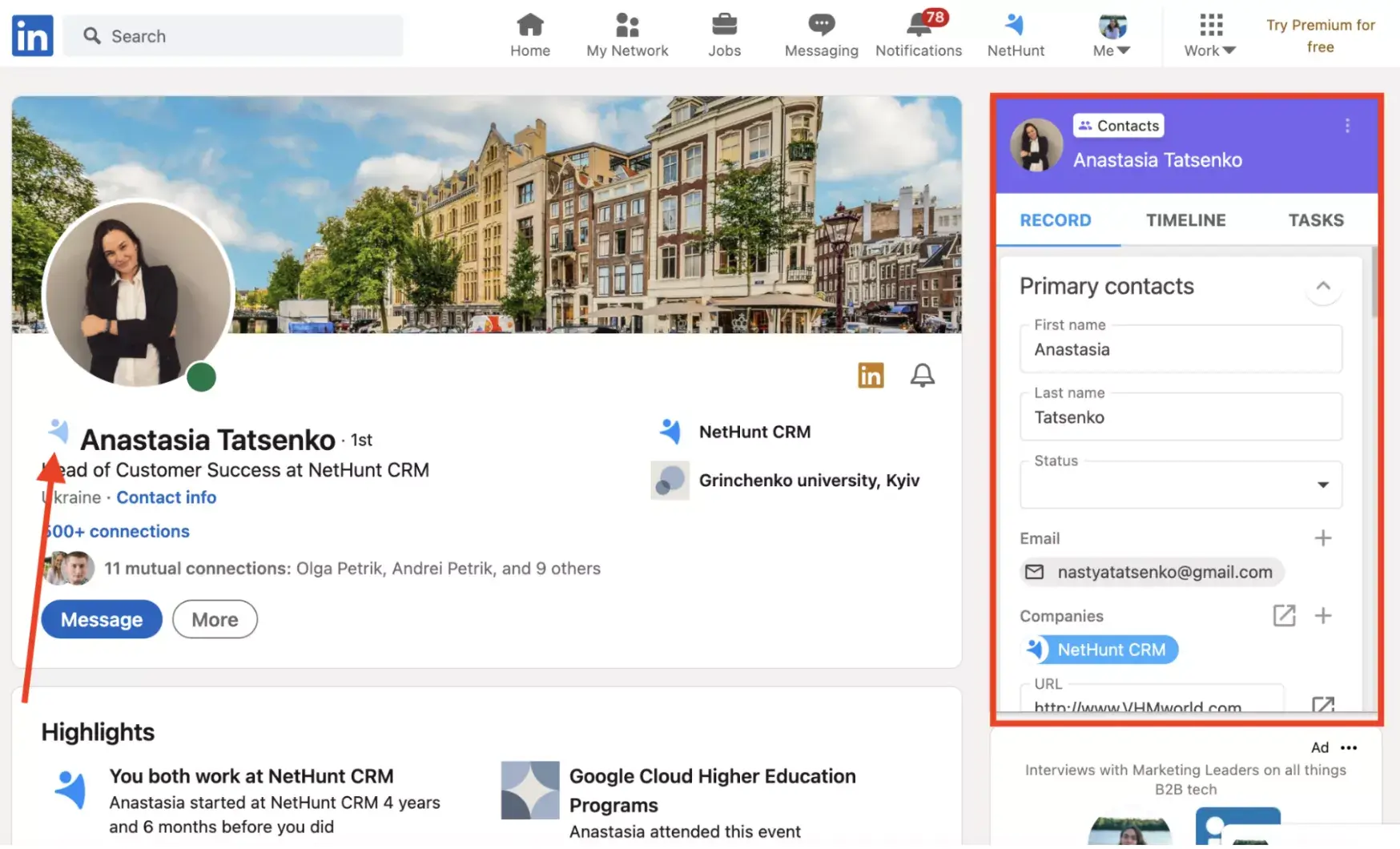
When you add a new Contact or a new Company from LinkedIn to NetHunt, the NetHunt logo will become blue, and the lead's profile will be automatically enriched with the details that are available to you as a user: picture, first name, last name, company, title, email, phone number, Skype ID, Twitter, birth date, and link to the LinkedIn profile:
Also, when you add a new company, its profile will be enriched with the following details if provided by the company: name, description, logo, website, phone number, address, foundation date, industries, company size, and link to a LinkedIn profile.
If a profile you're adding is not your 1st connection on LinkedIn, you might not have access to all the profile details they have shared. That is why we recommend adding leads to your connections first.
NetHunt sidebar within LinkedIn
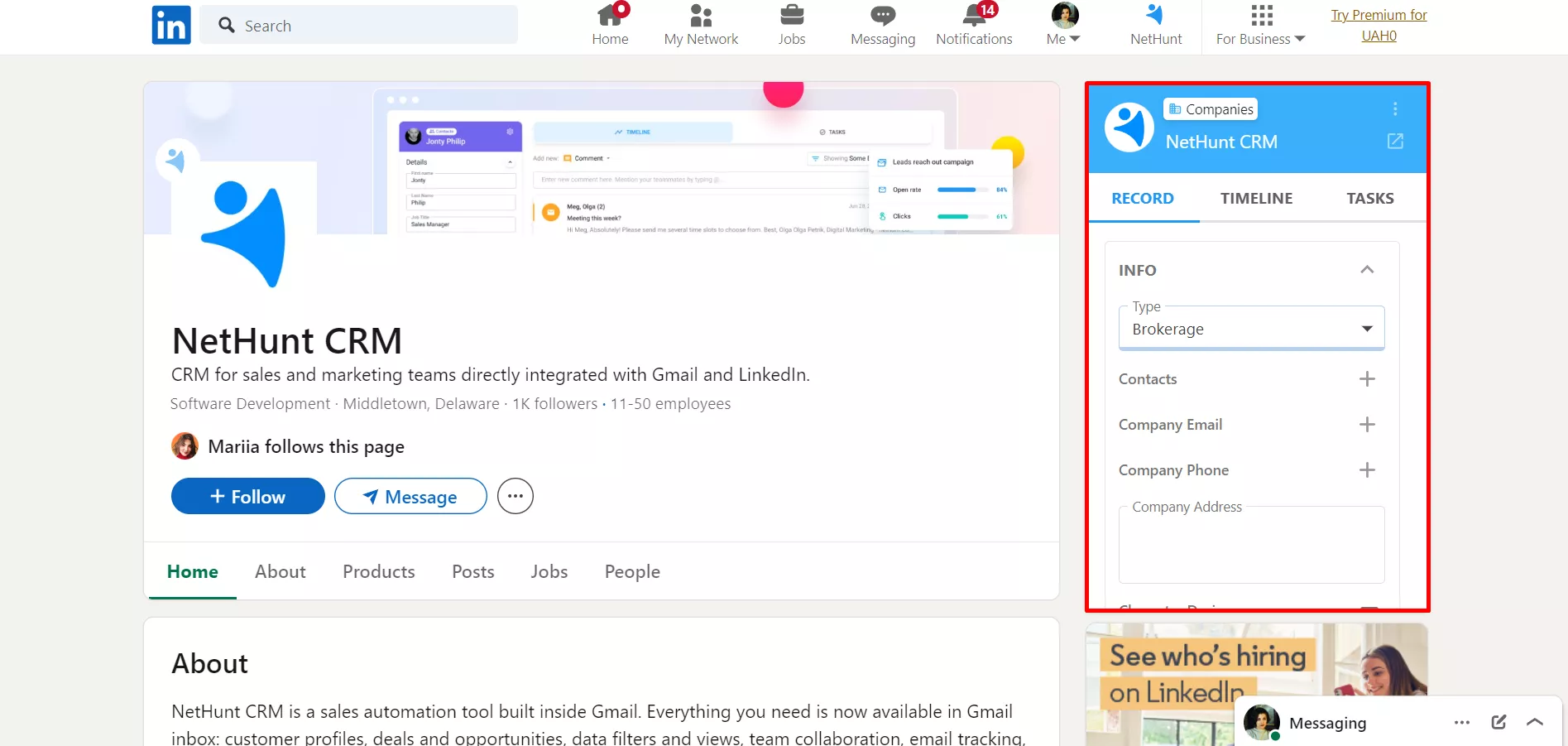
After you add a new contact or company from LinkedIn to NetHunt, the sidebar will be available on their profile pages for quick edit. It also allows you to see all the lead- or company-related information, providing you with a valuable context when you need it the most.
Unlink LinkedIn profile from NetHunt CRM
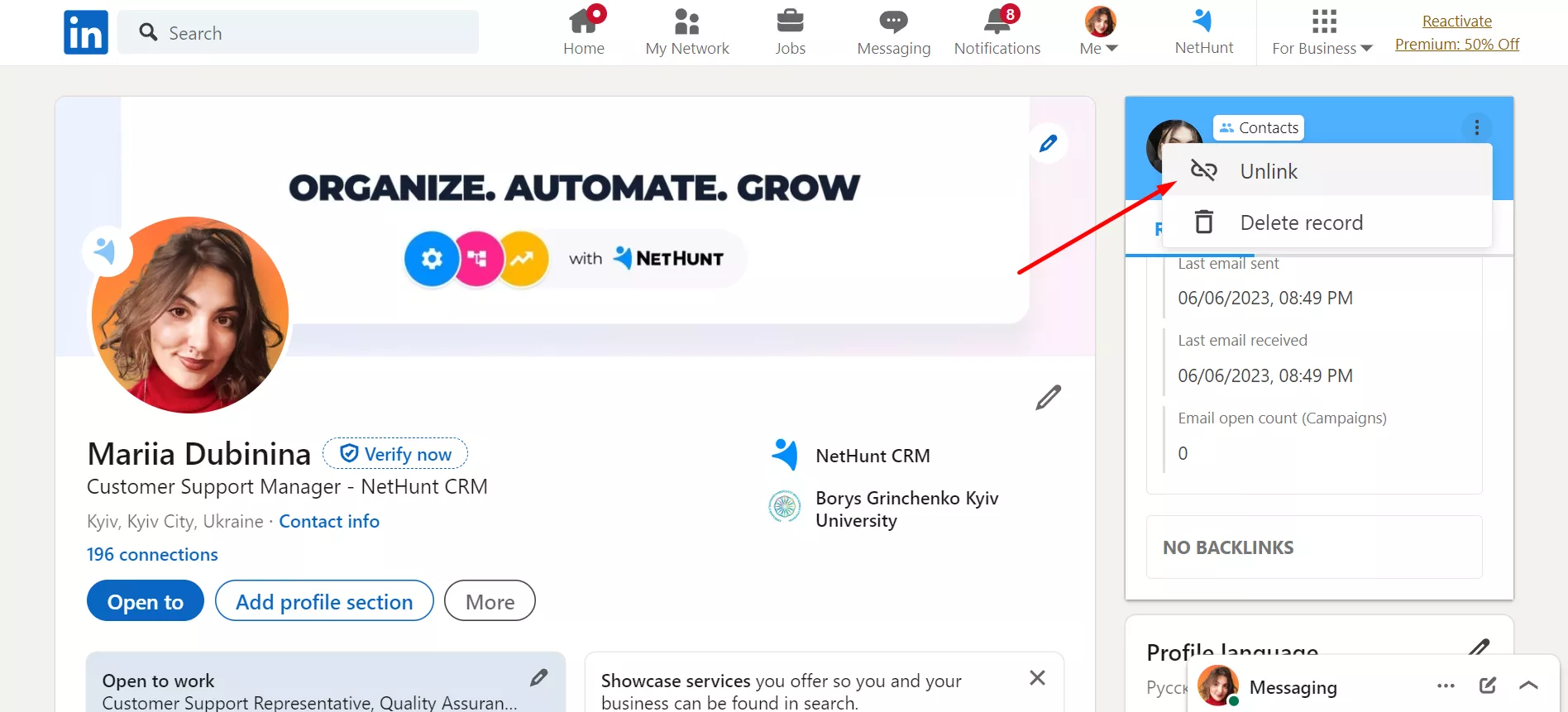
To unlink a LinkedIn profile from NetHunt CRM, click the three dots on the sidebar next to the person's name and choose 'Unlink'. Right after that, the NetHunt icon will turn white, which means that the record is unlinked:
Please note that your CRM record will remain safe in NetHunt, but it will no longer show up in your LinkedIn as a connected profile.
LinkedIn Chat Integration
NetHunt's integration with LinkedIn chats seamlessly links your LinkedIn account with NetHunt, holding direct communication with your customers within the CRM itself! If you haven't configured the integration yet, you can easily do so by following the instructions outlined in Getting started with LinkedIn integration article.
In a nutshell, personal LinkedIn chats integration allows you to chat, link or create records, and overview messages in your NetHunt CRM. Let's explore the key features of this integration.
-
1
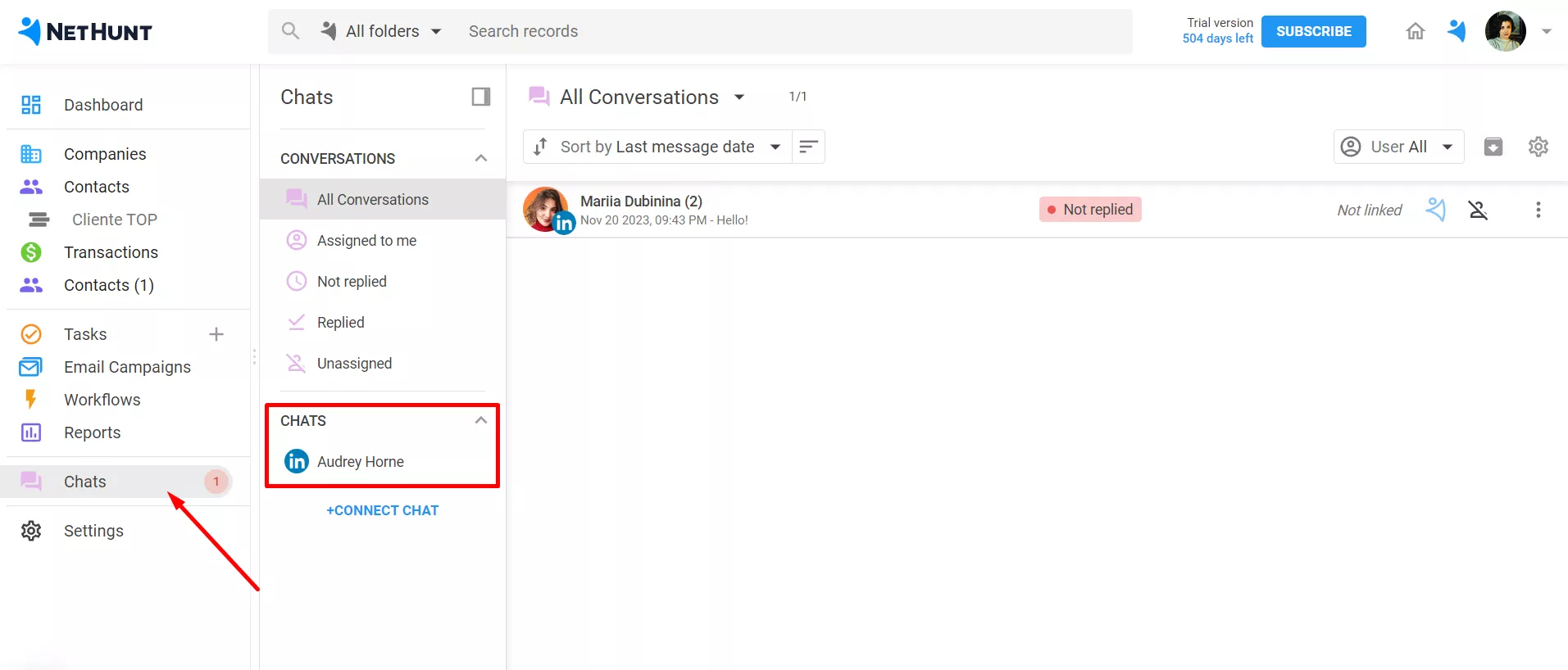
Once you've connected your LinkedIn profile, your chats will appear under the relevant section:
-
2
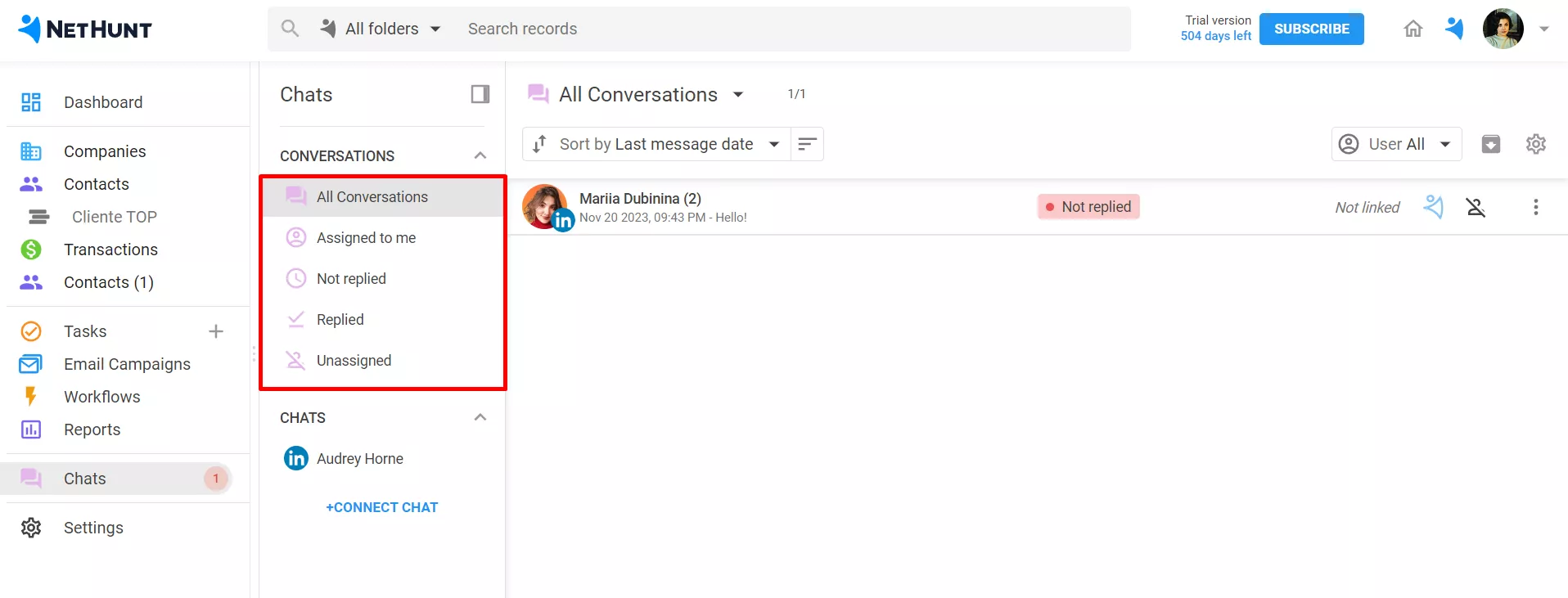
In this view you can also filter your conversations by a certain criterion: all conversations, assigned to yourself, not replied, replied, unassigned:
-
3
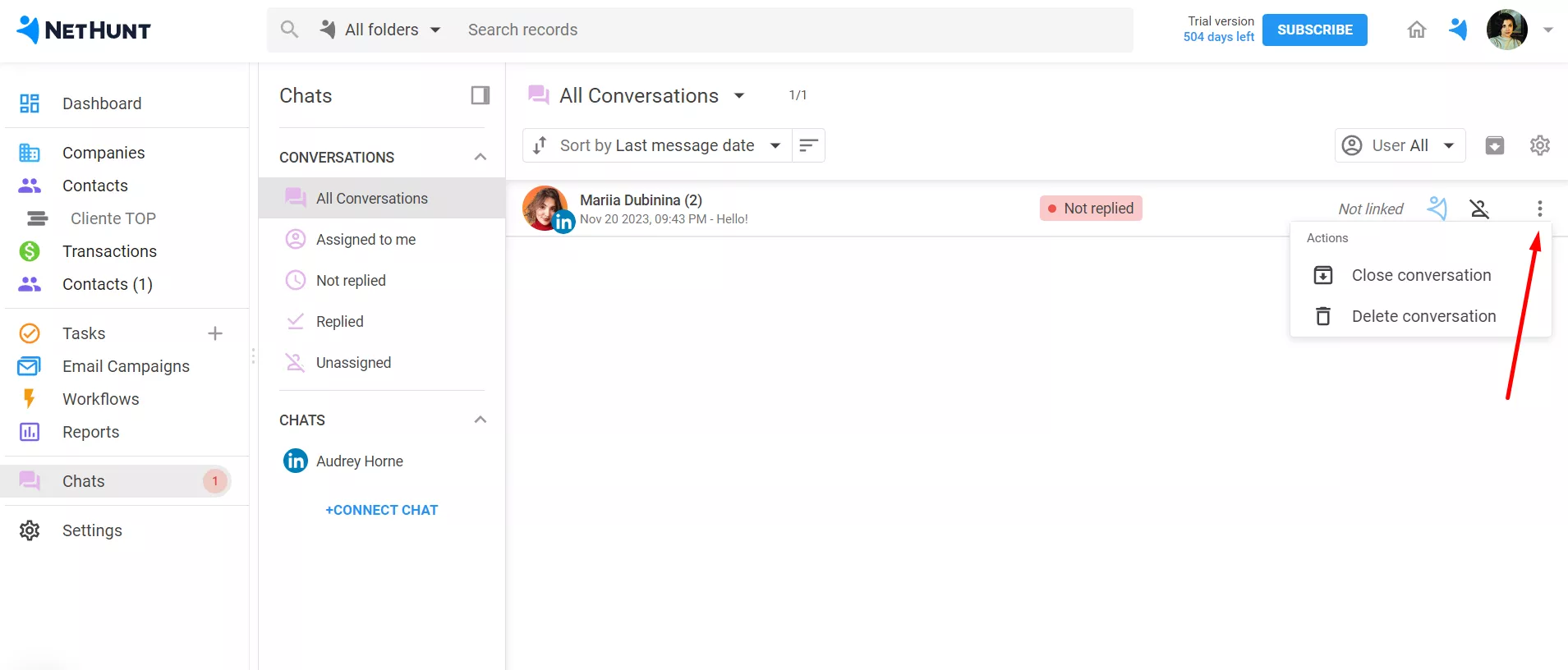
Additionally, you can delete or close a conversation:
-
4
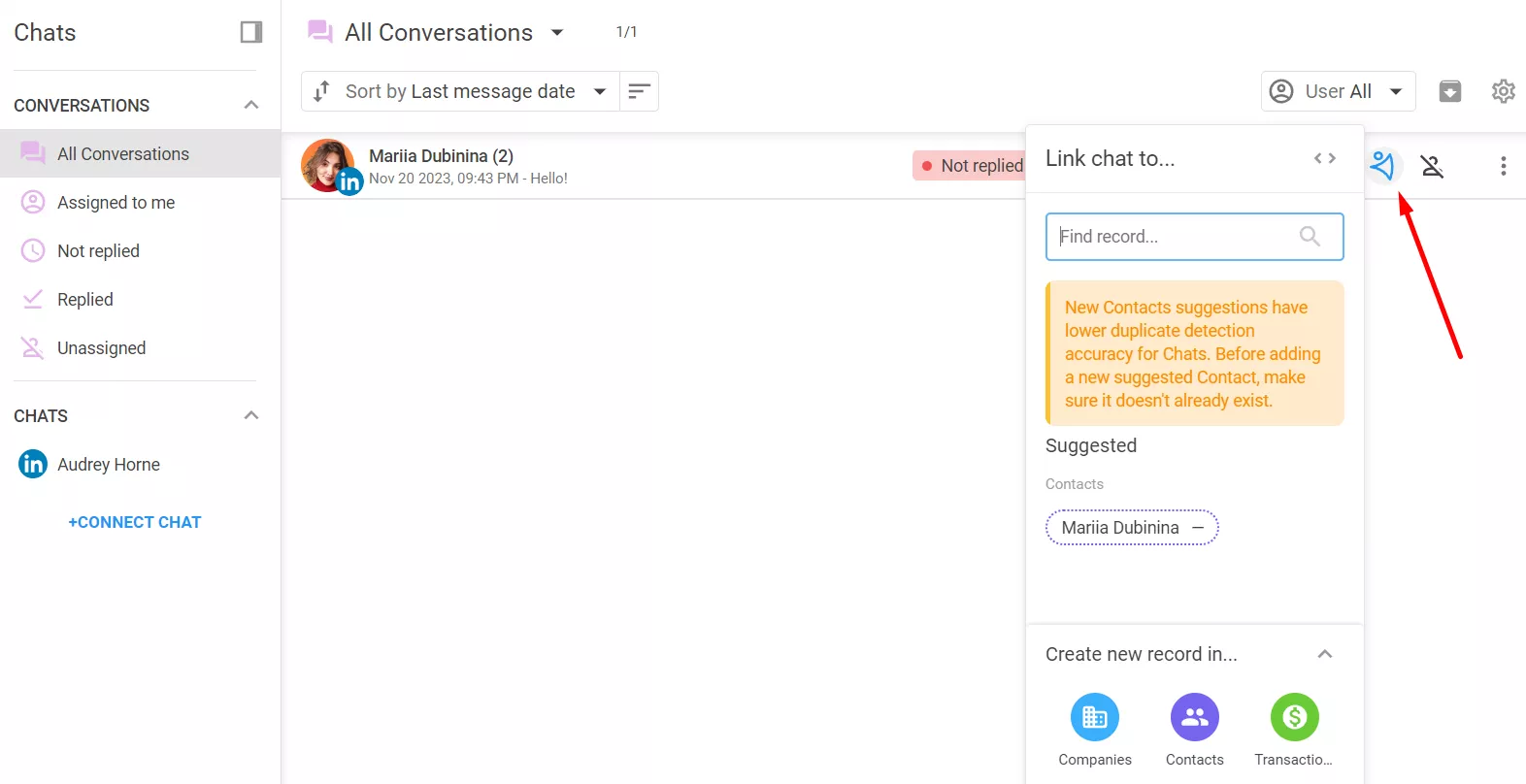
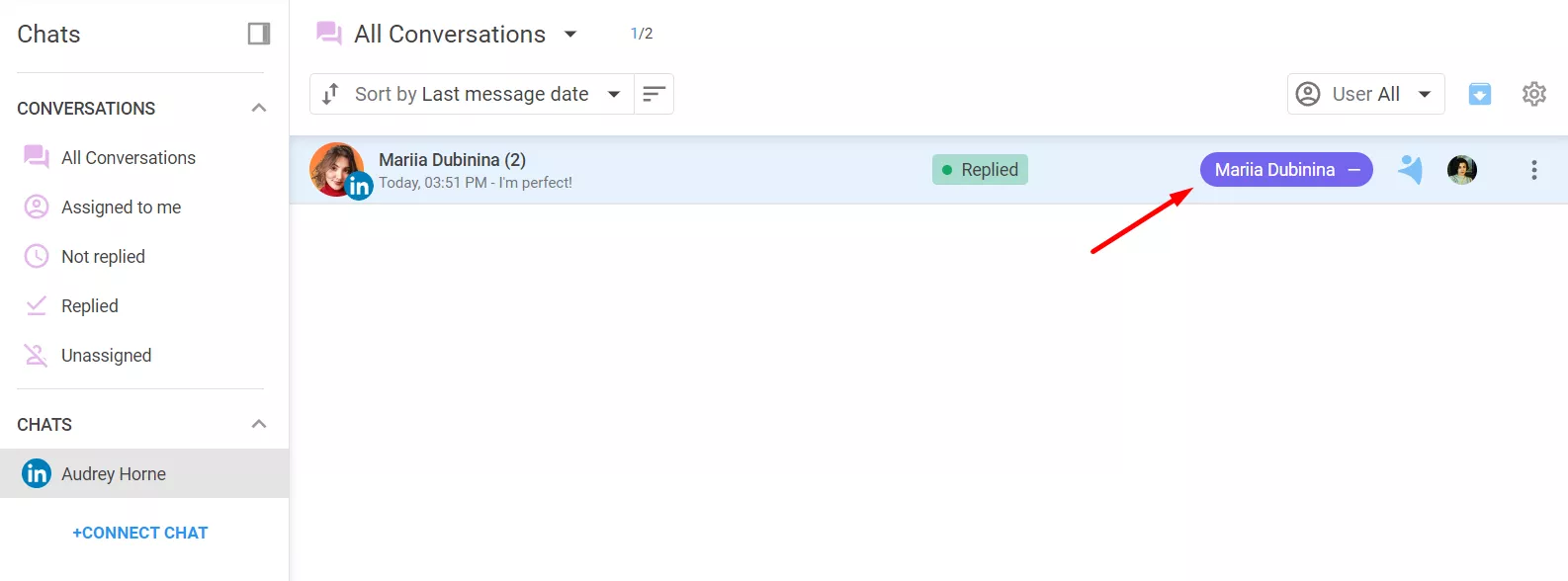
You can link a chat to a record in NetHunt or create a new one:
-
5
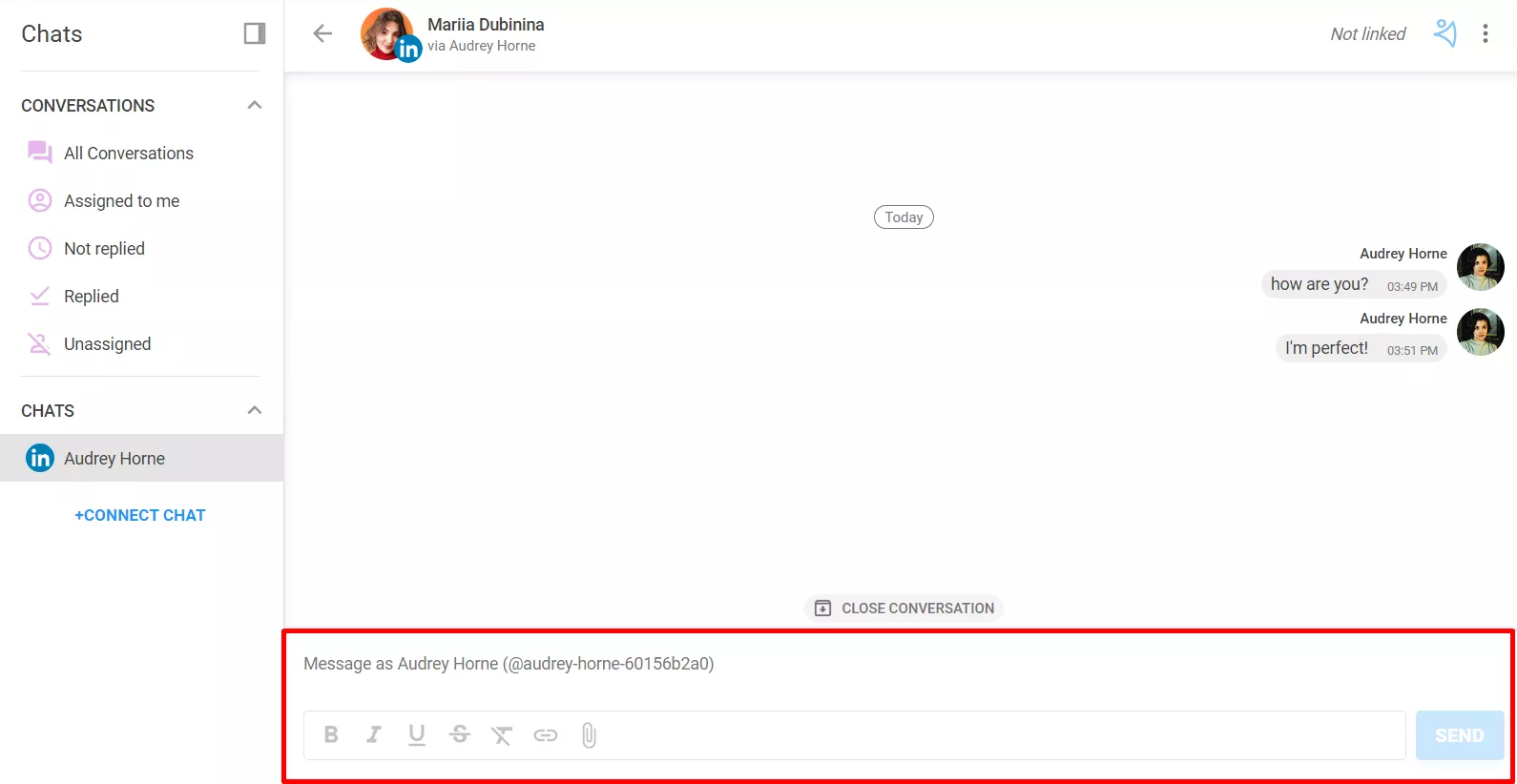
The most vital is that you can reply directly from NetHunt CRM (the basic formatting, hyperlinks or file attachments are currently not available):
If you’d like to assign different levels of permissions to users for this chat, please take a look at this article.
-
6
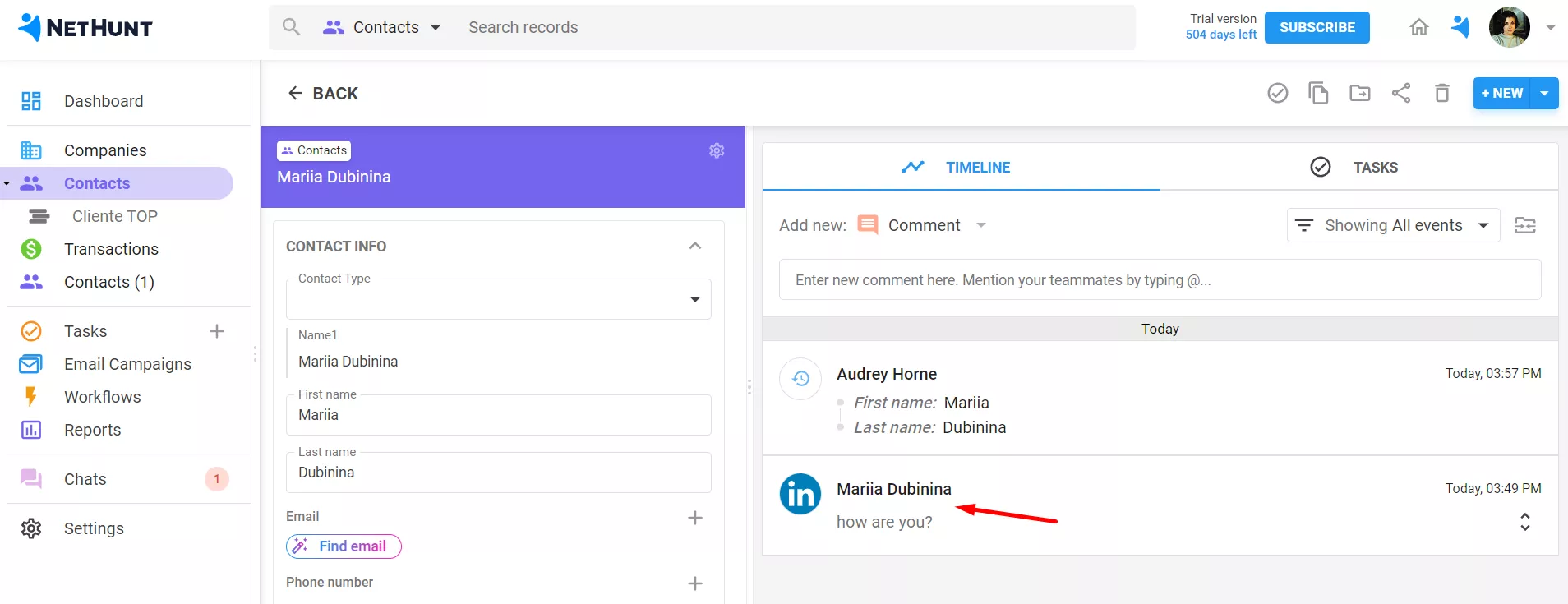
LinkedIn chats are also being linked to the relevant record and appear on the record timeline:
LinkedIn Workflow Automation
One more awesome feature NetHunt CRM offers is to automate the lead outreach and ease the process of finding prospects. With LinkedIn workflows, users can set up automated sequences to engage with leads at various stages of the sales funnel, saving you a lot of time and effort.
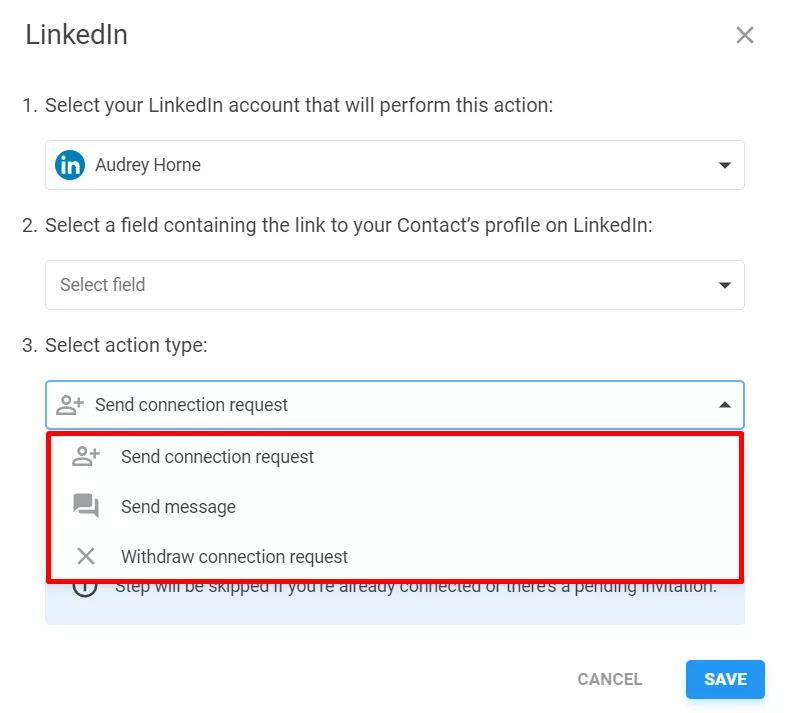
You can send a connection request to a lead, send a message, and withdraw a connection request if there are no responses to the previous actions:
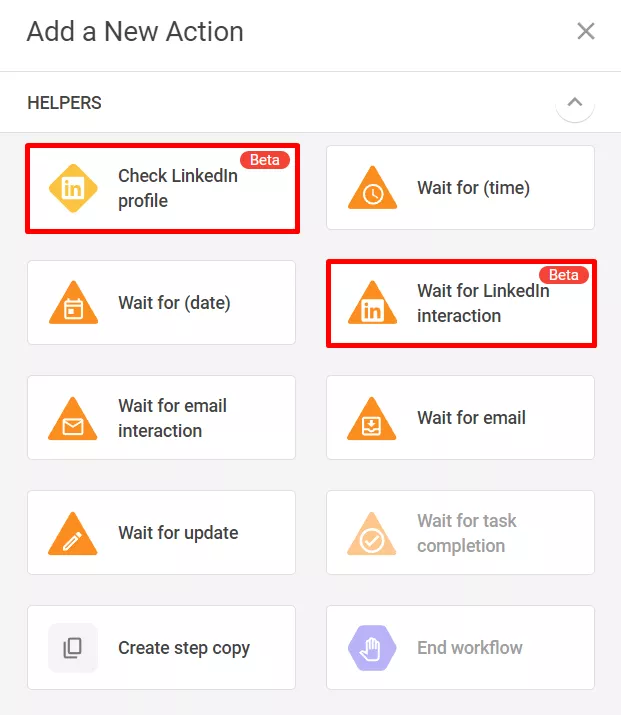
Moreover, there are two more helpers available: 'Check LinkedIn profile' and 'Wait for LinkedIn interaction':
Here is an example of how your drip campaign may look like in the end:
To learn more about how to build an effective drip campaign, check the following guide.
Haven’t found the answers you’re looking for? Ask our Users Community.